前回 は、picoCTF の picoCTF 2024 のうち、Cryptography をやってみました。全5問のうち、最後の 2問は解けませんでした。
今回から picoCTF の picoCTF 2023 をやっていきます。
最初は、General Skills の全6問をやっていきたいと思います。Easy が 1問、Medium が 5問です。
それでは、やっていきます。
はじめに
「セキュリティ」の記事一覧です。良かったら参考にしてください。
・第2回:Ghidraで始めるリバースエンジニアリング(使い方編)
・第3回:VirtualBoxにParrotOS(OVA)をインストールする
・第4回:tcpdumpを理解して出力を正しく見れるようにする
・第5回:nginx(エンジンエックス)を理解する
・第6回:Python+Flask(WSGI+Werkzeug+Jinja2)を動かしてみる
・第7回:Python+FlaskのファイルをCython化してみる
・第8回:shadowファイルを理解してパスワードを解読してみる
・第9回:安全なWebアプリケーションの作り方(徳丸本)の環境構築
・第10回:Vue.jsの2.xと3.xをVue CLIを使って動かしてみる(ビルドも行う)
・第11回:Vue.jsのソースコードを確認する(ビルド後のソースも見てみる)
・第12回:徳丸本:OWASP ZAPの自動脆弱性スキャンをやってみる
・第13回:徳丸本:セッション管理を理解してセッションID漏洩で成りすましを試す
・第14回:OWASP ZAPの自動スキャン結果の分析と対策:パストラバーサル
・第15回:OWASP ZAPの自動スキャン結果の分析と対策:クロスサイトスクリプティング(XSS)
・第16回:OWASP ZAPの自動スキャン結果の分析と対策:SQLインジェクション
・第17回:OWASP ZAPの自動スキャン結果の分析と対策:オープンリダイレクト
・第18回:OWASP ZAPの自動スキャン結果の分析と対策:リスク中すべて
・第19回:CTF初心者向けのCpawCTFをやってみた
・第20回:hashcatの使い方(GPU実行時間の見積りとパスワード付きZIPファイル)
・第21回:Scapyの環境構築とネットワークプログラミング
・第22回:CpawCTF2にチャレンジします(クリア状況は随時更新します)
・第23回:K&Rのmalloc関数とfree関数を理解する
・第24回:C言語、アセンブラでシェルを起動するプログラムを作る(ARM64)
・第25回:機械語でシェルを起動するプログラムを作る(ARM64)
・第26回:入門セキュリhttps://github.com/SECCON/SECCON2017_online_CTF.gitティコンテスト(CTFを解きながら学ぶ実践技術)を読んだ
・第27回:x86-64 ELF(Linux)のアセンブラをGDBでデバッグしながら理解する(GDBコマンド、関連ツールもまとめておく)
・第28回:入門セキュリティコンテスト(CTFを解きながら学ぶ実践技術)のPwnable問題をやってみる
・第29回:実行ファイルのセキュリティ機構を調べるツール「checksec」のまとめ
・第30回:setodaNote CTF Exhibitionにチャレンジします(クリア状況は随時更新します)
・第31回:常設CTFのksnctfにチャレンジします(クリア状況は随時更新します)
・第32回:セキュリティコンテストチャレンジブックの「Part2 pwn」を読んだ
・第33回:セキュリティコンテストチャレンジブックの「付録」を読んでx86とx64のシェルコードを作った
・第34回:TryHackMeを始めてみたけどハードルが高かった話
・第35回:picoCTFを始めてみた(Beginner picoMini 2022:全13問完了)
・第36回:picoCTF 2024:Binary Exploitationの全10問をやってみた(Hardの1問は後日やります)
・第37回:picoCTF 2024:Reverse Engineeringの全7問をやってみた(Windowsプログラムの3問は後日やります)
・第38回:picoCTF 2024:General Skillsの全10問をやってみた
・第39回:picoCTF 2024:Web Exploitationの全6問をやってみた(最後の2問は解けず)
・第40回:picoCTF 2024:Forensicsの全8問をやってみた(最後の2問は解けず)
・第41回:picoCTF 2024:Cryptographyの全5問をやってみた(最後の2問は手つかず)
・第42回:picoCTF 2023:General Skillsの全6問をやってみた ← 今回
picoCTF の公式サイトは以下です。英語のサイトですが、シンプルで分かりやすいので困らずに進めることができます。
それでは、やっていきます。
picoCTF 2023:General Skills
ポイントの低い順にやっていきます。
repetitions(100ポイント)
Easy の問題です。1つのファイル(enc_flag)がダウンロードできます。
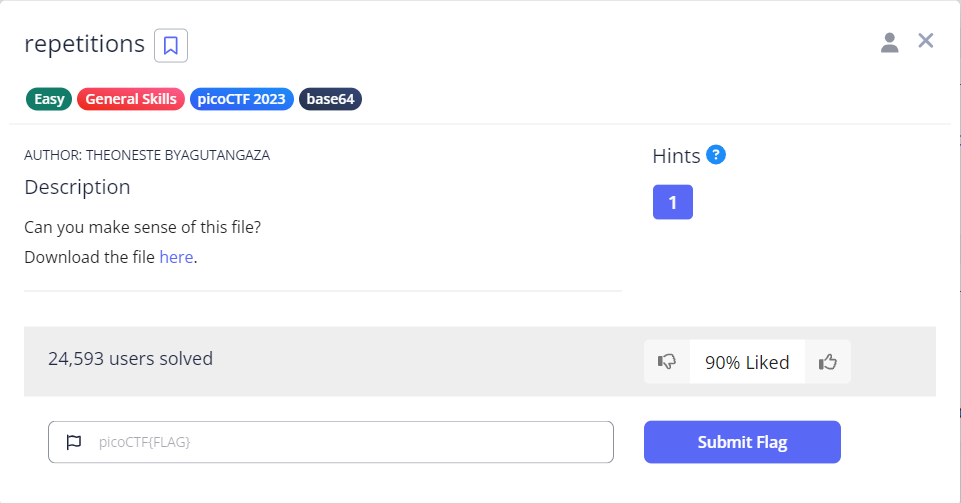
テキストファイルでした。Base64 のようです。
VmpGU1EyRXlUWGxTYmxKVVYwZFNWbGxyV21GV1JteDBUbFpPYWxKdFVsaFpWVlUxWVZaS1ZWWnVh
RmRXZWtab1dWWmtSMk5yTlZWWApiVVpUVm10d1VWZFdVa2RpYlZaWFZtNVdVZ3BpU0VKeldWUkNk
MlZXVlhoWGJYQk9VbFJXU0ZkcVRuTldaM0JZVWpGS2VWWkdaSGRXCk1sWnpWV3hhVm1KRk5XOVVW
VkpEVGxaYVdFMVhSbFZrTTBKVVZXMTRWMDVHV2toalJYUlhDazFyV25sVVZXaHpWakpHZEdWRlZs
aGkKYlRrelZERldUMkpzUWxWTlJYTkxDZz09Cg==
とりあえず、デコードしてみます。うーん、まだデコードできそうです。何回かやってると、以下になりました。
picoCTF{base64_n3st3d_dic0d!n8_d0wnl04d3d_4557ec3e}
chrono(100ポイント)
Medium の問題です。サーバを起動して進める問題のようです。

SSHで接続します。ログインできました。
$ ssh picoplayer@saturn.picoctf.net -p 56794
The authenticity of host '[saturn.picoctf.net]:56794 ([13.59.203.175]:56794)' can't be established.
ED25519 key fingerprint is SHA256:dMTscRrUiURy7uMu5eGWwEKdd2FzqLzx6LfWhssWnNQ.
This key is not known by any other names.
Are you sure you want to continue connecting (yes/no/[fingerprint])? yes
Warning: Permanently added '[saturn.picoctf.net]:56794' (ED25519) to the list of known hosts.
picoplayer@saturn.picoctf.net's password:
Welcome to Ubuntu 20.04.5 LTS (GNU/Linux 6.5.0-1023-aws x86_64)

 * Documentation:  https://help.ubuntu.com
 * Management:     https://landscape.canonical.com
 * Support:        https://ubuntu.com/advantage

This system has been minimized by removing packages and content that are
not required on a system that users do not log into.

To restore this content, you can run the 'unminimize' command.

The programs included with the Ubuntu system are free software;
the exact distribution terms for each program are described in the
individual files in /usr/share/doc/*/copyright.

Ubuntu comes with ABSOLUTELY NO WARRANTY, to the extent permitted by
applicable law.

picoplayer@challenge:~$
cron のことでしょうか。/etc を見ようとして、とりあえず検索したらフラグがありました。crontab を見よ、ということだったんですね。
$ find /etc/ -type f | xargs grep pico
find: ‘/etc/ssl/private’: Permission denied
grep: /etc/.pwd.lock: Permission denied
/etc/group:picoplayer:x:1000:
grep: /etc/gshadow: Permission denied
/etc/passwd:picoplayer:x:1000:1000::/home/picoplayer:/bin/bash
grep: /etc/security/opasswd: Permission denied
grep: /etc/shadow: Permission denied
/etc/subgid:picoplayer:100000:65536
/etc/subuid:picoplayer:100000:65536
grep: /etc/ssh/ssh_host_ecdsa_key: Permission denied
grep: /etc/ssh/ssh_host_ed25519_key: Permission denied
grep: /etc/ssh/ssh_host_rsa_key: Permission denied
grep: /etc/ssh/ssh_host_dsa_key: Permission denied
/etc/crontab:# picoCTF{Sch3DUL7NG_T45K3_L1NUX_7754e199}
grep: /etc/gshadow-: Permission denied
grep: /etc/shadow-: Permission denied
grep: /etc/sudoers: Permission denied
grep: /etc/sudoers.d/README: Permission denied
Permissions(100ポイント)
Medium の問題です。サーバを起動して進める問題のようです。

SSH で接続します。ログインできました。
$ ssh -p 49627 picoplayer@saturn.picoctf.net
The authenticity of host '[saturn.picoctf.net]:49627 ([13.59.203.175]:49627)' can't be established.
ED25519 key fingerprint is SHA256:HKm/Bw1C+mhj23vO8tXULrgLFYvzP6gQH2IwgUiQTok.
This key is not known by any other names.
Are you sure you want to continue connecting (yes/no/[fingerprint])? yes
Warning: Permanently added '[saturn.picoctf.net]:49627' (ED25519) to the list of known hosts.
picoplayer@saturn.picoctf.net's password:
Welcome to Ubuntu 20.04.5 LTS (GNU/Linux 6.5.0-1023-aws x86_64)

 * Documentation:  https://help.ubuntu.com
 * Management:     https://landscape.canonical.com
 * Support:        https://ubuntu.com/advantage

This system has been minimized by removing packages and content that are
not required on a system that users do not log into.

To restore this content, you can run the 'unminimize' command.

The programs included with the Ubuntu system are free software;
the exact distribution terms for each program are described in the
individual files in /usr/share/doc/*/copyright.

Ubuntu comes with ABSOLUTELY NO WARRANTY, to the extent permitted by
applicable law.

picoplayer@challenge:~$
root に権限昇格する問題でしょうか。
picoplayer の使えるコマンドを確認します。vi が使えるようなので、これを使えば root権限でしか見れないファイルも見れそうです。
$ sudo -l
[sudo] password for picoplayer:
Matching Defaults entries for picoplayer on challenge:
    env_reset, mail_badpass,
    secure_path=/usr/local/sbin\:/usr/local/bin\:/usr/sbin\:/usr/bin\:/sbin\:/bin\:/snap/bin

User picoplayer may run the following commands on challenge:
    (ALL) /usr/bin/vi
root のホームディレクトリを見てみます。flag.txt があるようです。開くとフラグがありました。
$ sudo /usr/bin/vi /root/

" ============================================================================
" Netrw Directory Listing                                        (netrw v165)
"   /root
"   Sorted by      name
"   Sort sequence: [\/]$,\<core\%(\.\d\+\)\=\>,\.h$,\.c$,\.cpp$,\~\=\*$,*,\.o$,\.obj$,\.info$,
"   Quick Help: <F1>:help  -:go up dir  D:delete  R:rename  s:sort-by  x:special
" ==============================================================================
../
./
.vim/
.bashrc
.flag.txt
.profile
.viminfo
picoCTF{uS1ng_v1m_3dit0r_f6ad392b} でした。
useless(100ポイント)
Medium の問題です。サーバを起動して進める問題のようです。
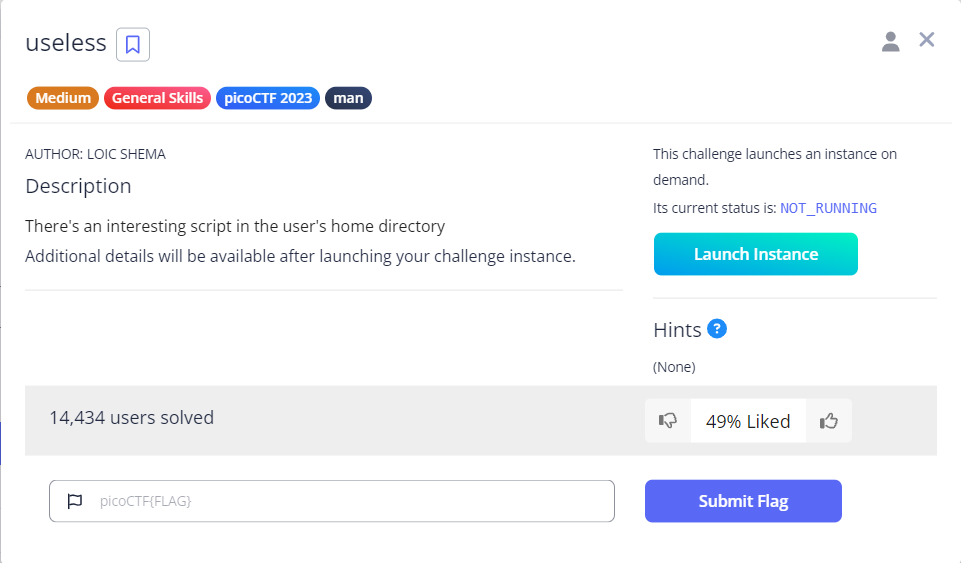
SSH で接続します。ログインできました。
$ ssh picoplayer@saturn.picoctf.net -p 53563
The authenticity of host '[saturn.picoctf.net]:53563 ([13.59.203.175]:53563)' can't be established.
ED25519 key fingerprint is SHA256:DiJcS90U9QussLS8HLR6l6BGJb5eCA0vRmA18IvDvw8.
This key is not known by any other names.
Are you sure you want to continue connecting (yes/no/[fingerprint])? yes
Warning: Permanently added '[saturn.picoctf.net]:53563' (ED25519) to the list of known hosts.
picoplayer@saturn.picoctf.net's password:
Welcome to Ubuntu 20.04.6 LTS (GNU/Linux 6.5.0-1023-aws x86_64)

 * Documentation:  https://help.ubuntu.com
 * Management:     https://landscape.canonical.com
 * Support:        https://ubuntu.com/advantage

The programs included with the Ubuntu system are free software;
the exact distribution terms for each program are described in the
individual files in /usr/share/doc/*/copyright.

Ubuntu comes with ABSOLUTELY NO WARRANTY, to the extent permitted by
applicable law.

picoplayer@challenge:~$
ホームディレクトリを確認します。問題のタイトルと同じ名前のシェルスクリプトがありました。
シェルスクリプトの内容は、第1引数に四則演算のどれかを指定して、第2引数と第3引数で指定された四則演算を行うような感じです。
$ ls -alF
total 16
drwxr-xr-x 1 picoplayer picoplayer   20 Oct 27 06:23 ./
drwxr-xr-x 1 root       root         24 Aug  4  2023 ../
-rw-r--r-- 1 picoplayer picoplayer  220 Feb 25  2020 .bash_logout
-rw-r--r-- 1 picoplayer picoplayer 3771 Feb 25  2020 .bashrc
drwx------ 2 picoplayer picoplayer   34 Oct 27 06:23 .cache/
-rw-r--r-- 1 picoplayer picoplayer  807 Feb 25  2020 .profile
-rwxr-xr-x 1 root       root        517 Mar 16  2023 useless*

picoplayer@challenge:~$ cat useless
#!/bin/bash
# Basic mathematical operations via command-line arguments

if [ $# != 3 ]
then
  echo "Read the code first"
else
        if [[ "$1" == "add" ]]
        then
          sum=$(( $2 + $3 ))
          echo "The Sum is: $sum"

        elif [[ "$1" == "sub" ]]
        then
          sub=$(( $2 - $3 ))
          echo "The Substract is: $sub"

        elif [[ "$1" == "div" ]]
        then
          div=$(( $2 / $3 ))
          echo "The quotient is: $div"

        elif [[ "$1" == "mul" ]]
        then
          mul=$(( $2 * $3 ))
          echo "The product is: $mul"

        else
          echo "Read the manual"

        fi
fi
このシェルスクリプトは、root がを使うことになりそうですが、今のところ、よく分かりません。引数にコマンドを指定したり、/root/ を指定したり、いろいろしてみましたが、分かりません。
問題文を見返すと、man と書かれています。GTFObins で manコマンドを調べると、manコマンドの引数に指定したファイルをリードするそうです。何気に以下を指定したところ、フラグが表示されました。うーん、ヒントが無いと絶対分かりませんでした。
$ man useless

useless
     useless, ― This is a simple calculator script

SYNOPSIS
     useless, [add sub mul div] number1 number2

DESCRIPTION
     Use the useless, macro to make simple calulations like addition,subtraction, multipli‐
     cation and division.

Examples
     ./useless add 1 2
       This will add 1 and 2 and return 3

     ./useless mul 2 3
       This will return 6 as a product of 2 and 3

     ./useless div 6 3
       This will return 2 as a quotient of 6 and 3

     ./useless sub 6 5
       This will return 1 as a remainder of substraction of 5 from 6

Authors
     This script was designed and developed by Cylab Africa

     picoCTF{us3l3ss_ch4ll3ng3_3xpl0it3d_4151}
Special(300ポイント)
Medium の問題です。サーバを起動して進める問題のようです。
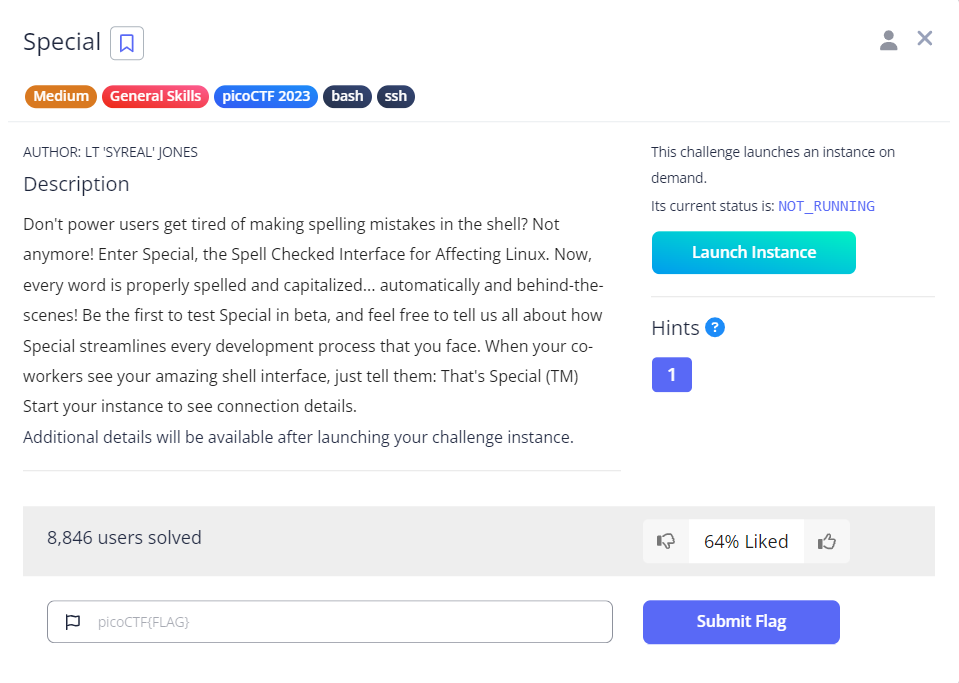
SSH で接続します。ログインできました。何も実行できません。単純に先頭が大文字になっているわけではなさそうです。先頭を大文字にしても大文字のままです。
$ ssh -p 62062 ctf-player@saturn.picoctf.net
The authenticity of host '[saturn.picoctf.net]:62062 ([13.59.203.175]:62062)' can't be established.
ED25519 key fingerprint is SHA256:tJ0wuU5yBvNO/FrkHmR9iY36VJClMhKV+Hq2sxqKFmg.
This key is not known by any other names.
Are you sure you want to continue connecting (yes/no/[fingerprint])? yes
Warning: Permanently added '[saturn.picoctf.net]:62062' (ED25519) to the list of known hosts.
ctf-player@saturn.picoctf.net's password:
Welcome to Ubuntu 20.04.3 LTS (GNU/Linux 6.5.0-1023-aws x86_64)

 * Documentation:  https://help.ubuntu.com
 * Management:     https://landscape.canonical.com
 * Support:        https://ubuntu.com/advantage

This system has been minimized by removing packages and content that are
not required on a system that users do not log into.

To restore this content, you can run the 'unminimize' command.

The programs included with the Ubuntu system are free software;
the exact distribution terms for each program are described in the
individual files in /usr/share/doc/*/copyright.

Ubuntu comes with ABSOLUTELY NO WARRANTY, to the extent permitted by
applicable law.

Special$ ls
Is
sh: 1: Is: not found
Special$ pwd
Pod
sh: 1: Pod: not found
Special$ cat *
Cat *
sh: 1: Cat: not found
Special$ cd /
Ad /
sh: 1: Ad: not found
Special$ sudo -l
Judo al
sh: 1: Judo: not found
いっぱい試してみて、分かったのは、先頭が大文字になるので、; で、複数のコマンドにして、先頭のコマンドは変数代入とかにしておく、catコマンドは使える、echoコマンドも使えた、idコマンドも使えた、などです。
何となく、blargh というディレクトリがありそうな感じです。フラグ出ました。
Special$ AA=aa; cat .bashrc
Why go back to an inferior shell?

Special$ AA=aa; print\(\"\"\)
AA=aa; print\(\"\"\)
sh: 1: print(""): not found

$ AA=aa; printf "a"
AA=aa; print a
perl: warning: Setting locale failed.
perl: warning: Please check that your locale settings:
        LANGUAGE = (unset),
        LC_ALL = (unset),
        LC_CTYPE = "C.UTF-8",
        LANG = "ja_JP.UTF-8"
    are supported and installed on your system.
perl: warning: Falling back to the standard locale ("C").
Error: no such file "a"

Special$ AA=aa; var=cat; var2="*"; ${var} ${var2}
AA=aa; var=cat; var2="*"; ${var} ${var2}
cat: blargh: Is a directory

Special$ AA=aa; var=cat; var2="*"; var3="/*"; ${var} ${var2}${var3}
AA=aa; var=cat; var2="*"; var3="/*"; ${var} ${var2}${var3}
picoCTF{5p311ch3ck_15_7h3_w0r57_6a2763f6}
ガチャガチャやってたら出たって感じですが、picoCTF{5p311ch3ck_15_7h3_w0r57_6a2763f6} でした。
Specialer(400ポイント)
Medium の問題です。サーバを起動して進める問題のようです。さっきの問題と似てそうで憂鬱です(笑)。
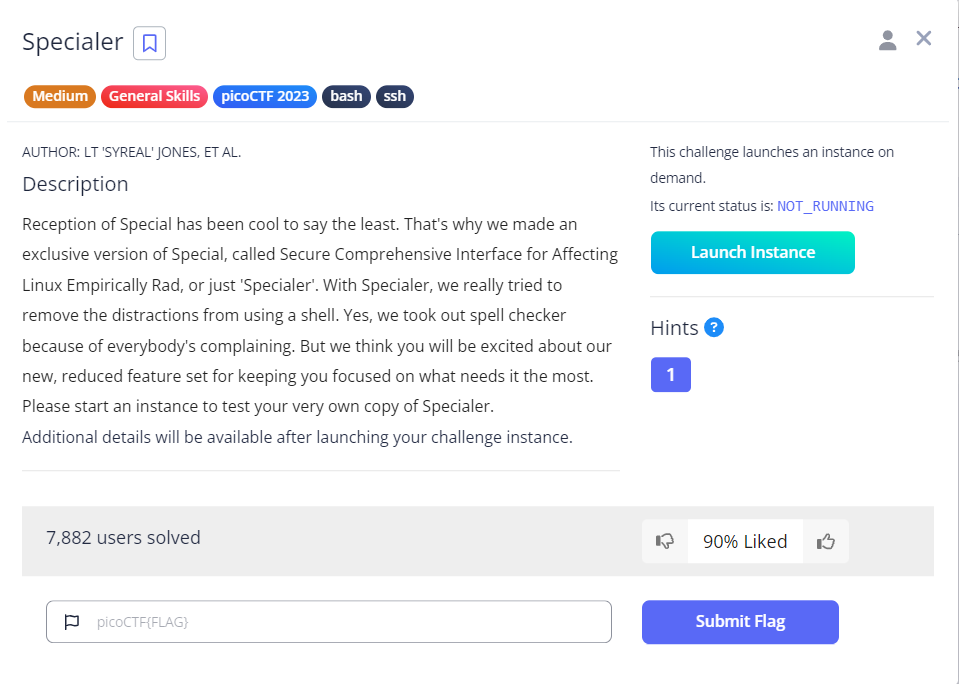
SSH で接続します。ログインしました。ls、cat は使えなさそうですが、ディレクトリが 3つあって、それぞれ 1つずつファイルがありそうです。使えるコマンドが表示されてそうです。シェルスクリプト???
$ ssh -p 50055 ctf-player@saturn.picoctf.net
The authenticity of host '[saturn.picoctf.net]:50055 ([13.59.203.175]:50055)' can't be established.
ED25519 key fingerprint is SHA256:lMXKIC17ONzyUJx7ZYBY5VSwoxCz20uq5/Nm+IhXKew.
This key is not known by any other names.
Are you sure you want to continue connecting (yes/no/[fingerprint])? yes
Warning: Permanently added '[saturn.picoctf.net]:50055' (ED25519) to the list of known hosts.
ctf-player@saturn.picoctf.net's password:

Specialer$ ls
-bash: ls: command not found

Specialer$ cat *
-bash: cat: command not found

Specialer$ ./
abra/ ala/  sim/

Specialer$ printf abra/*
abra/cadabra.txt

Specialer$ printf ala/*
ala/kazam.txt

Specialer$ printf sim/*
sim/city.txt

Specialer$
!          builtin    dirs       exit       history    pushd      suspend    unalias
./         caller     disown     export     if         pwd        test       unset
:          case       do         false      in         read       then       until
[          cd         done       fc         jobs       readarray  time       wait
[[         command    echo       fg         kill       readonly   times      while
]]         compgen    elif       fi         let        return     trap       {
alias      complete   else       for        local      select     true       }
bash       compopt    enable     function   logout     set        type
bg         continue   esac       getopts    mapfile    shift      typeset
bind       coproc     eval       hash       popd       shopt      ulimit
break      declare    exec       help       printf     source     umask
3つのファイルを表示したいところです。他のファイルもありました。.profile に1行だけ入っていて、その他のファイルは空のように見えます。
Specialer$ while read line; do echo $line; done < abla/cadabra.txt
Specialer$ while read line; do echo $line; done < ala/kazam.txt
Specialer$ while read line; do echo $line; done < sim/city.txt

Specialer$ read ./ala/
kazam.txt  mode.txt

Specialer$ read ./abra/cada
cadabra.txt   cadaniel.txt

Specialer$ read ./sim/
city.txt     salabim.txt

Specialer$ read ./
.hushlogin  .profile    abra/       ala/        sim/

Specialer$ while read line; do echo $line; done < .hushlogin

Specialer$ while read line; do echo $line; done < .profile
export PS1='Specialer$ '
とにかく、使えるコマンドを試していきます。なんか出ました!なんで、read では出なかったのかは分かりませんが、出たのでよしとします。
Specialer$ mapfile array < abra/cadabra.txt ; echo $array
Nothing up my sleeve!

Specialer$ mapfile array < abra/cadaniel.txt ; echo $array
Yes, I did it! I really did it! I'm a true wizard!

Specialer$ mapfile array < ala/kazam.txt ; echo $array
return 0 picoCTF{y0u_d0n7_4ppr3c1473_wh47_w3r3_d01ng_h3r3_c42168d9}

Specialer$ mapfile array < ala/mode.txt ; echo $array
Yummy! Ice cream!

Specialer$ mapfile array < sim/city.txt ; echo $array
05ed181c-4aa0-4d4a-8505-2fe6ca9097d3

Specialer$ mapfile array < sim/salabim.txt ; echo $array
#He was so kind, such a gentleman tied to the oceanside#
今回はギブアップせずに頑張りました。
おわりに
今回は、picoCTF の picoCTF 2023 のうち、General Skills の全6問に挑戦しました。途中でめげそうになりましたが、粘って、全6問解けました!
最後になりましたが、エンジニアグループのランキングに参加中です。

気楽にポチッとよろしくお願いいたします🙇
今回は以上です!
最後までお読みいただき、ありがとうございました。
