メモ。
Zenn にこんな記事を書いた。
このとき、MCP サーバーの Logging についても触れているのだが、
「そういえばこのログ、Cursor で確認するにはどうしたらいいんだっけ?」というのが気になったので調べた。
確認時の Cursor のバージョンは 0.48.9。
結論
できない。
できなさそう、というほうが正しいか。調べた限りではわからなかった。
詳細
実験のため MCP サーバーにログを仕込む。詳細は省くが、使用する MCP サーバーはツール実行時に外部の API を叩くため、そのときに以下のログを出すようにする。
server.sendLoggingMessage({
  level: "info",
  data: `Making API request to ${url}`,
});
(コード全体は https://github.com/zaki-yama-labs/mcp-server-quickstart/blob/main/src/logging.ts 参照)
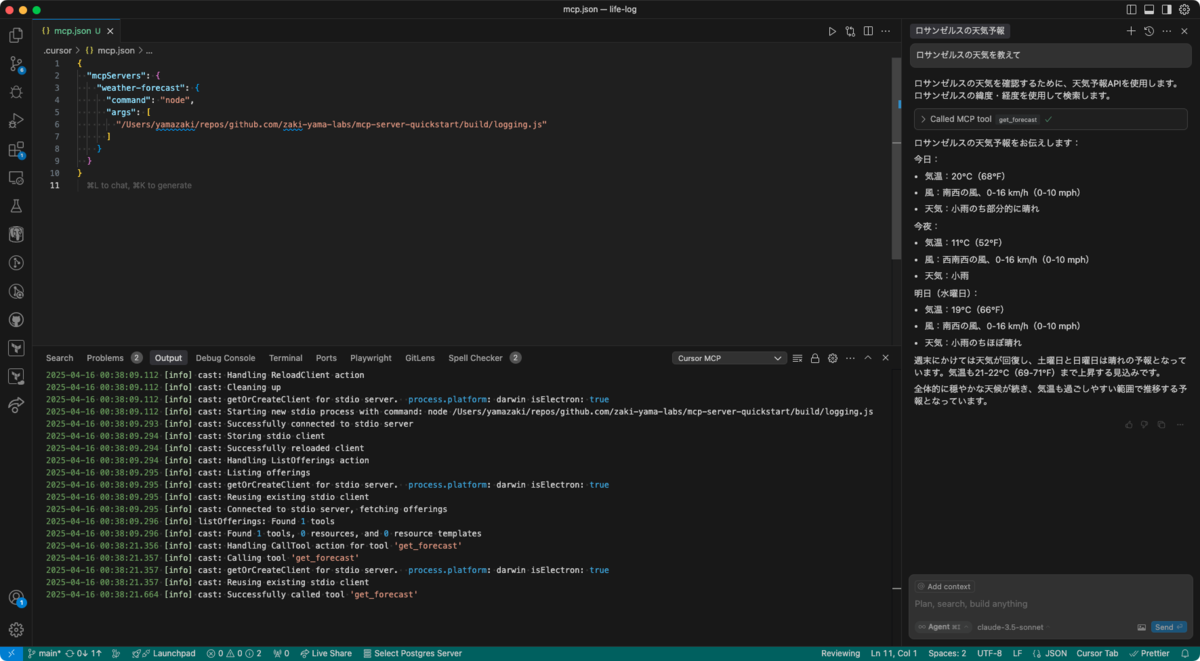
Cursor の Output パネルには「Cursor MCP」というものがあるが、ここには期待したログは出力されない。
2025-04-16 00:38:09.112 [info] cast: Handling ReloadClient action
2025-04-16 00:38:09.112 [info] cast: Cleaning up
2025-04-16 00:38:09.112 [info] cast: getOrCreateClient for stdio server.  process.platform: darwin isElectron: true
2025-04-16 00:38:09.112 [info] cast: Starting new stdio process with command: node /Users/yamazaki/repos/github.com/zaki-yama-labs/mcp-server-quickstart/build/logging.js
2025-04-16 00:38:09.293 [info] cast: Successfully connected to stdio server
2025-04-16 00:38:09.294 [info] cast: Storing stdio client
2025-04-16 00:38:09.294 [info] cast: Successfully reloaded client
2025-04-16 00:38:09.294 [info] cast: Handling ListOfferings action
2025-04-16 00:38:09.295 [info] cast: Listing offerings
2025-04-16 00:38:09.295 [info] cast: getOrCreateClient for stdio server.  process.platform: darwin isElectron: true
2025-04-16 00:38:09.295 [info] cast: Reusing existing stdio client
2025-04-16 00:38:09.295 [info] cast: Connected to stdio server, fetching offerings
2025-04-16 00:38:09.296 [info] listOfferings: Found 1 tools
2025-04-16 00:38:09.296 [info] cast: Found 1 tools, 0 resources, and 0 resource templates
2025-04-16 00:38:21.356 [info] cast: Handling CallTool action for tool 'get_forecast'
2025-04-16 00:38:21.357 [info] cast: Calling tool 'get_forecast'
2025-04-16 00:38:21.357 [info] cast: getOrCreateClient for stdio server.  process.platform: darwin isElectron: true
2025-04-16 00:38:21.357 [info] cast: Reusing existing stdio client
2025-04-16 00:38:21.664 [info] cast: Successfully called tool 'get_forecast'
せいぜい get_forecast というツールが実行されたことはわかる。
また、フォーラムを検索するとこちらが見つかる。
これによると
~/Library/Application Support/Cursor/logs/[SESSION_ID]/window[N]/exthost/anysphere.cursor-always-local/Cursor MCP.log
という場所にログファイルが存在するようだが、この中身も先ほど Output パネルで見たものと同じだった。
じゃあどうするか
MCP Inspector とかだと見れるので諦めてそっちを使う。
VSCode は優秀
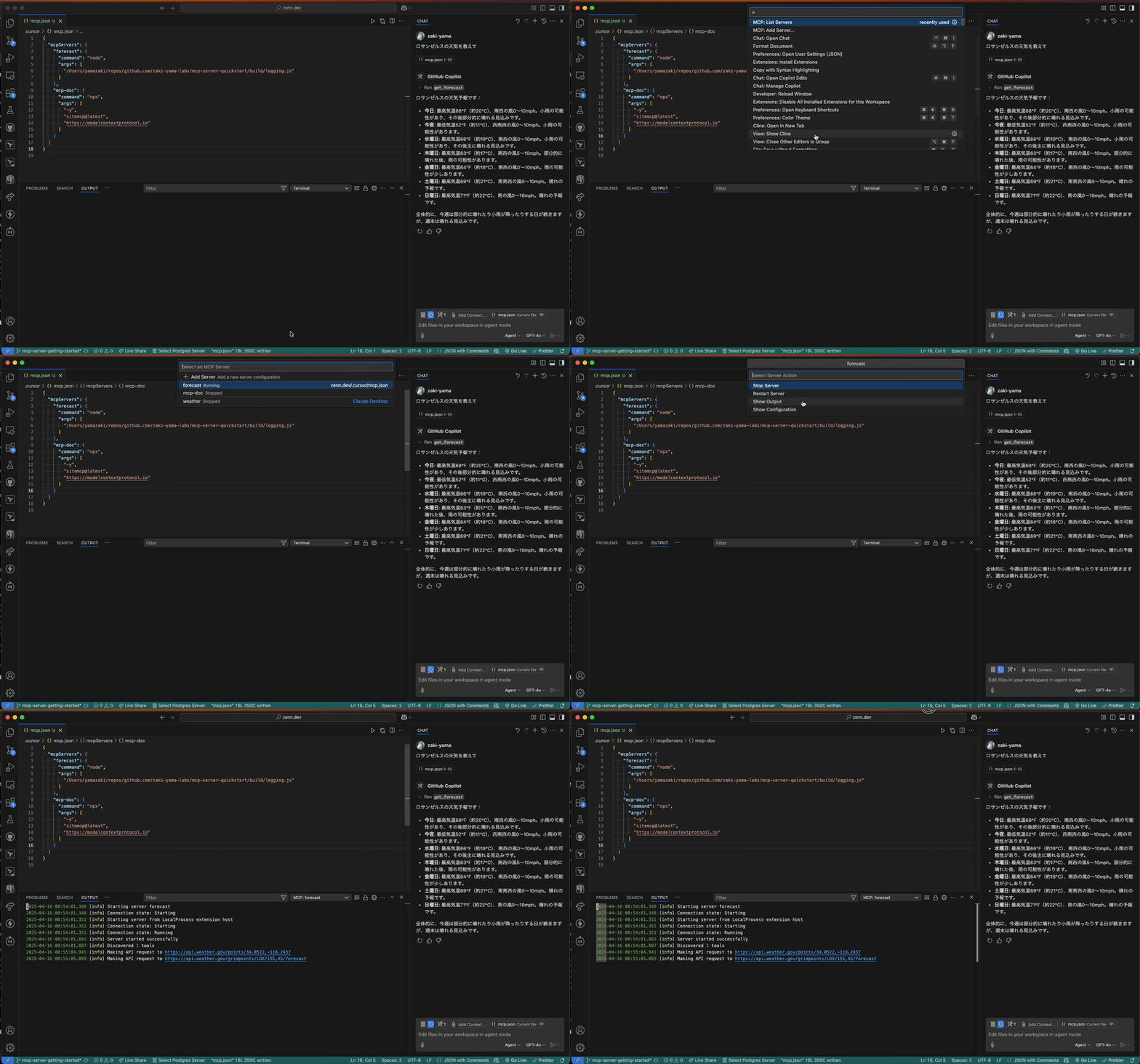
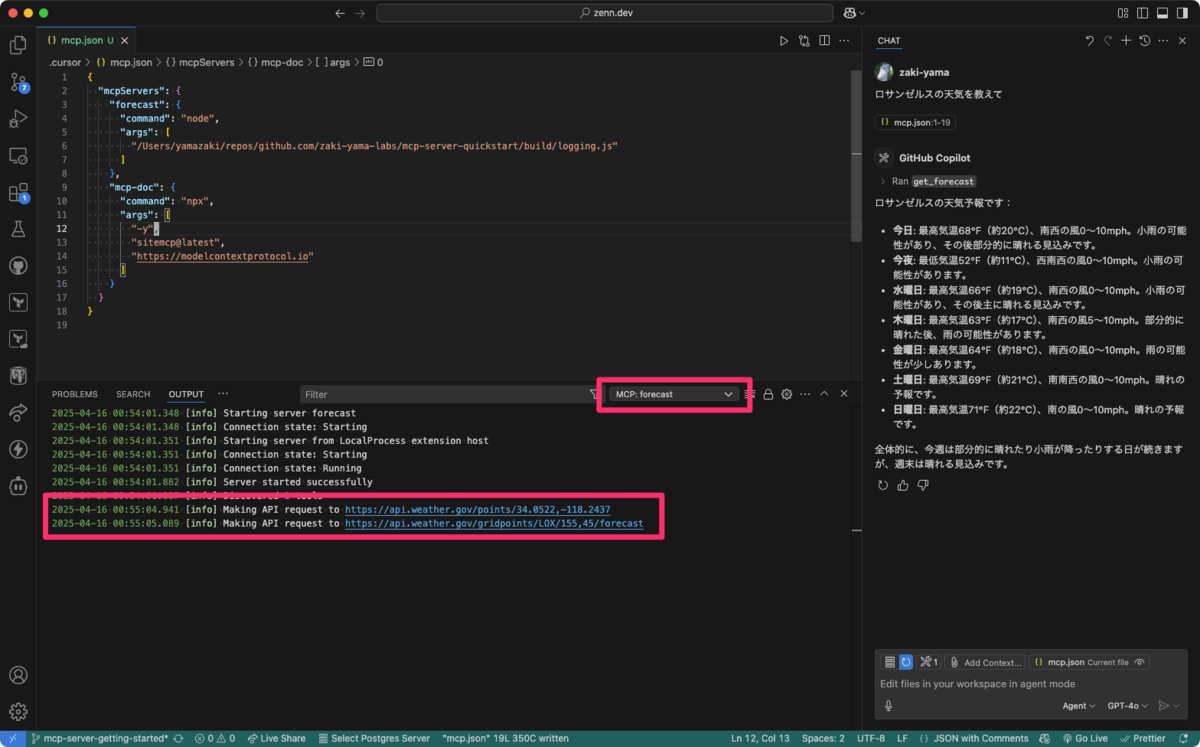
VSCode も最近 MCP サーバーに対応した けど、こちらだと Output パネルに該当 MCP サーバーが選択肢として表示され、ログが確認できる。
また、ログを開くまでの導線もなかなかよくできていて、コマンドパレットから
MCP: List Servers
で MCP サーバーの一覧が表示でき、そこから MCP サーバーを選択すると
Start Server
Show Output
Show Confituration
というように、サーバーの起動だけでなく Output パネルを表示するメニューも表示されるので、スムーズにログが確認できる。