FSXを自己所有のADで作成する際、AD側で何をすれば良いのかが AWSのドキュメントを見ても、いまいち分かりにくかったです。 docs.aws.amazon.com aws.amazon.com 上記を見ながら作業をしてみたところ正常動作でき、 作業をより分かりやすく残しておきたいと思い、 備忘メモとしてブログ化します。
ADの事前設定
ADでOU、グループ、ユーザを作成
まず、AD側の手順として、下記を作成します。
| 設定項目 | 設定値 |
|---|---|
| OU | FileSystems |
| UserName | fsxservice |
| FileSystemAdministratorsGroup | FSXAdmins |
| Password | 適当 |
「dsa.msc」を開く
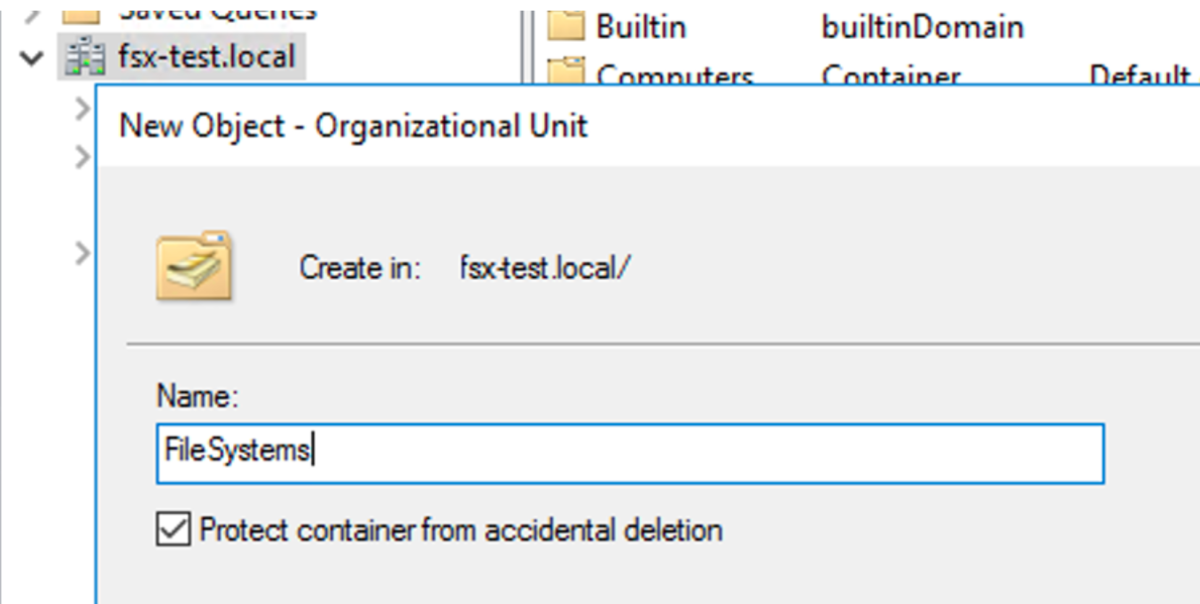
 OUを「FileSystems」で作成します。
FileSystemsの中にユーザ、グループを作成します
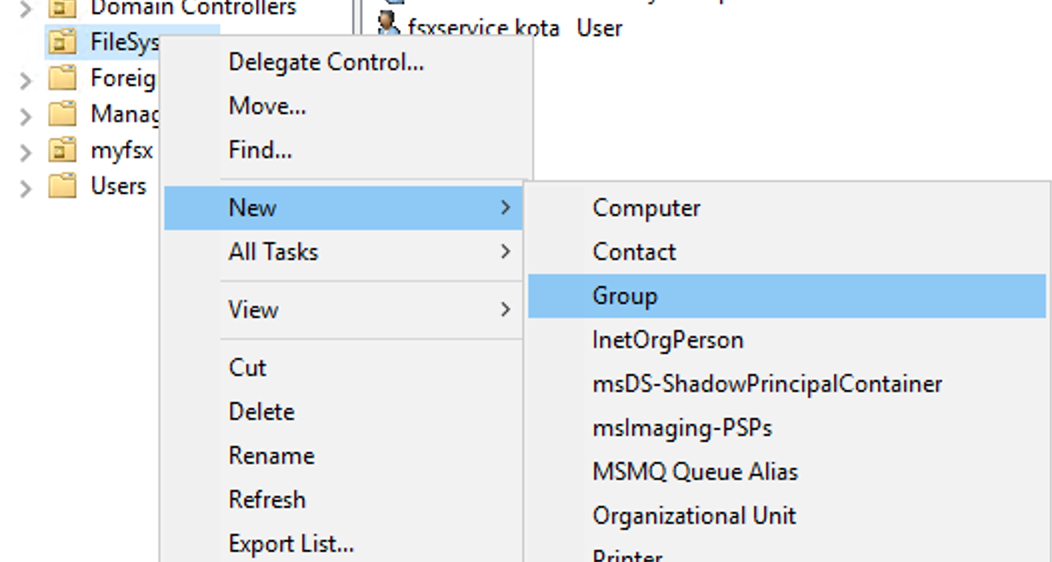
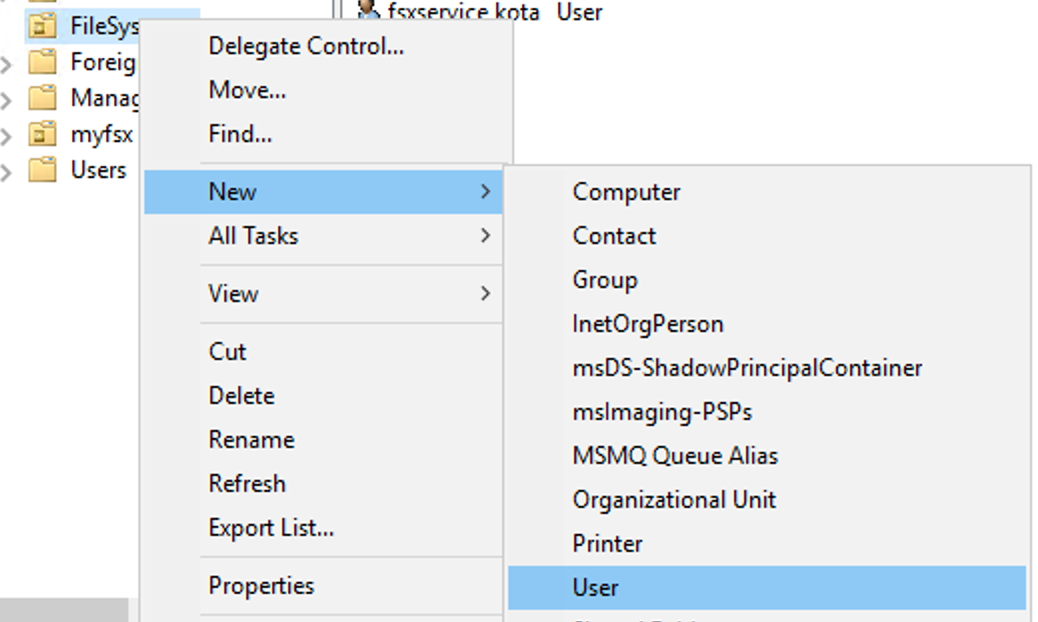
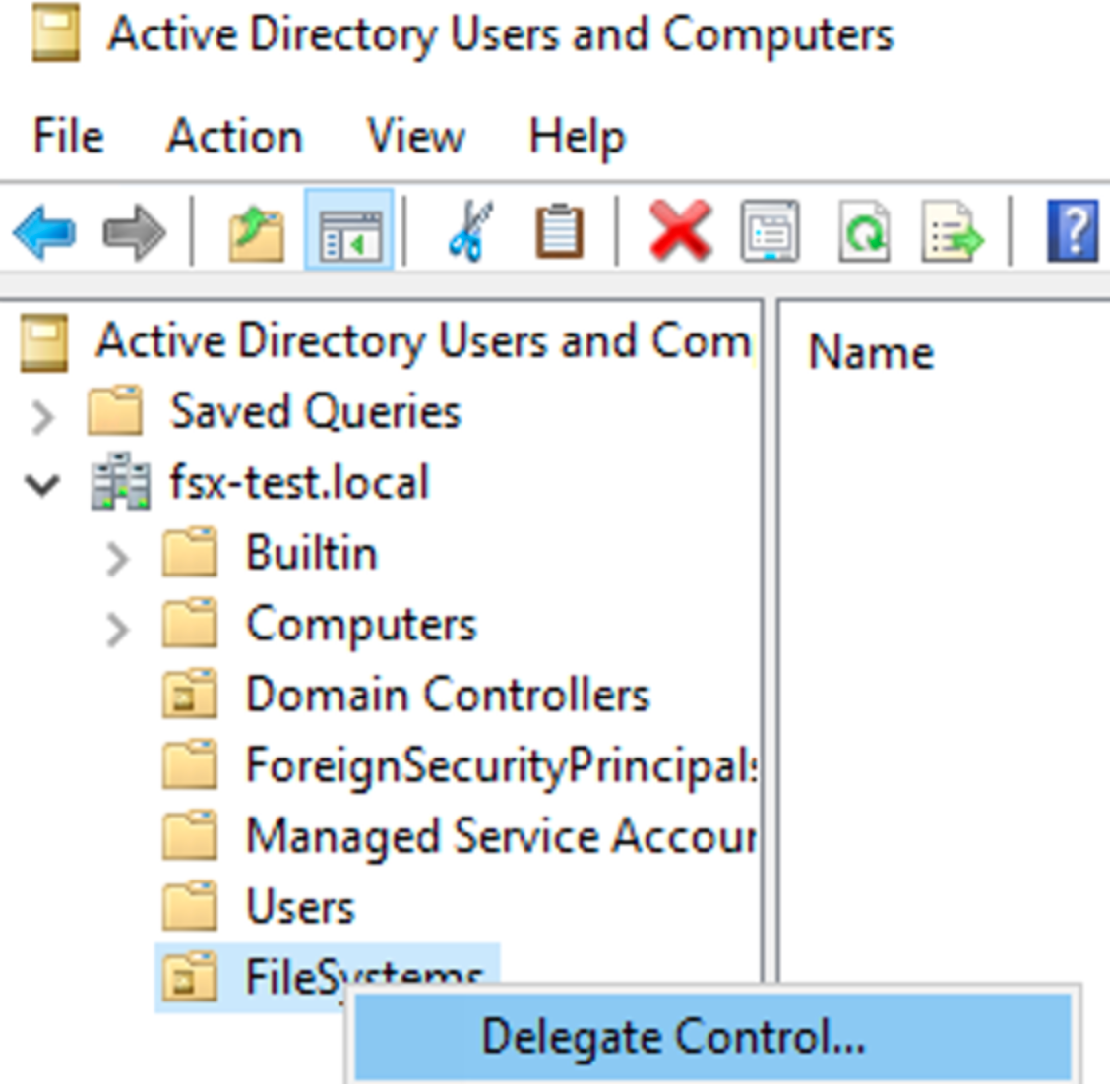
その後、上記で作成したOUに権限を移譲します。
作成したOUで右クリックDelegate Controlを選択
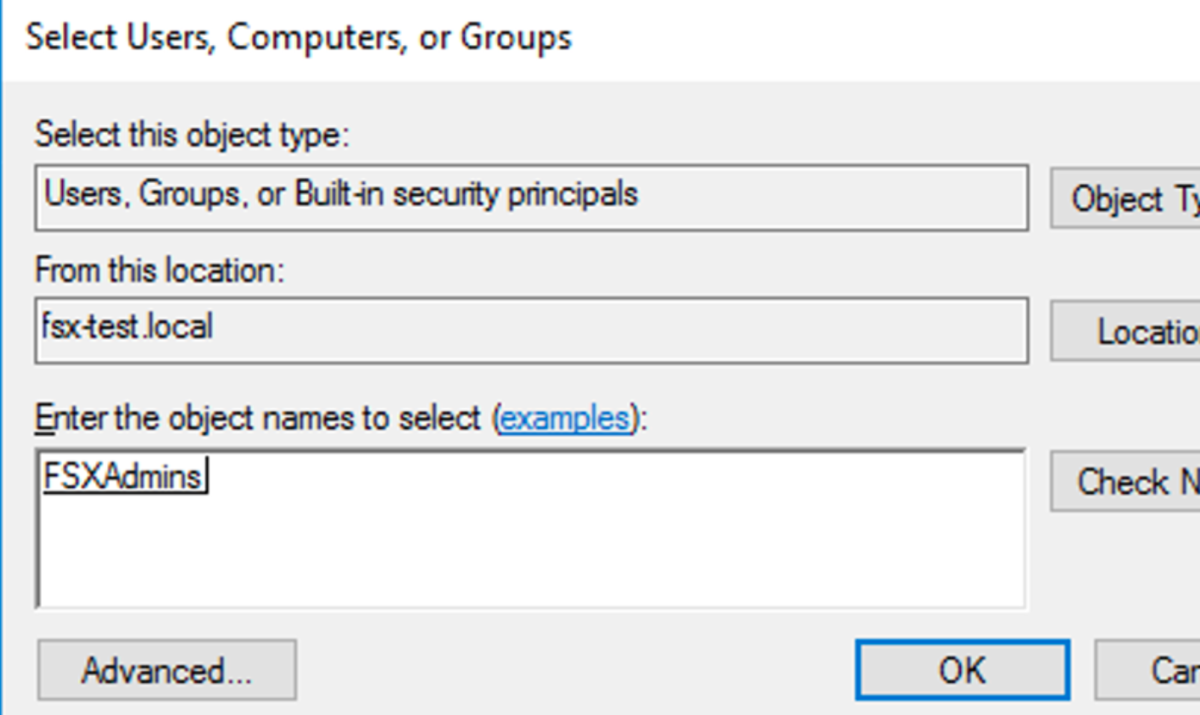
「FSXAdmins」を指定
「Create a custom task to delegate」を選択します。

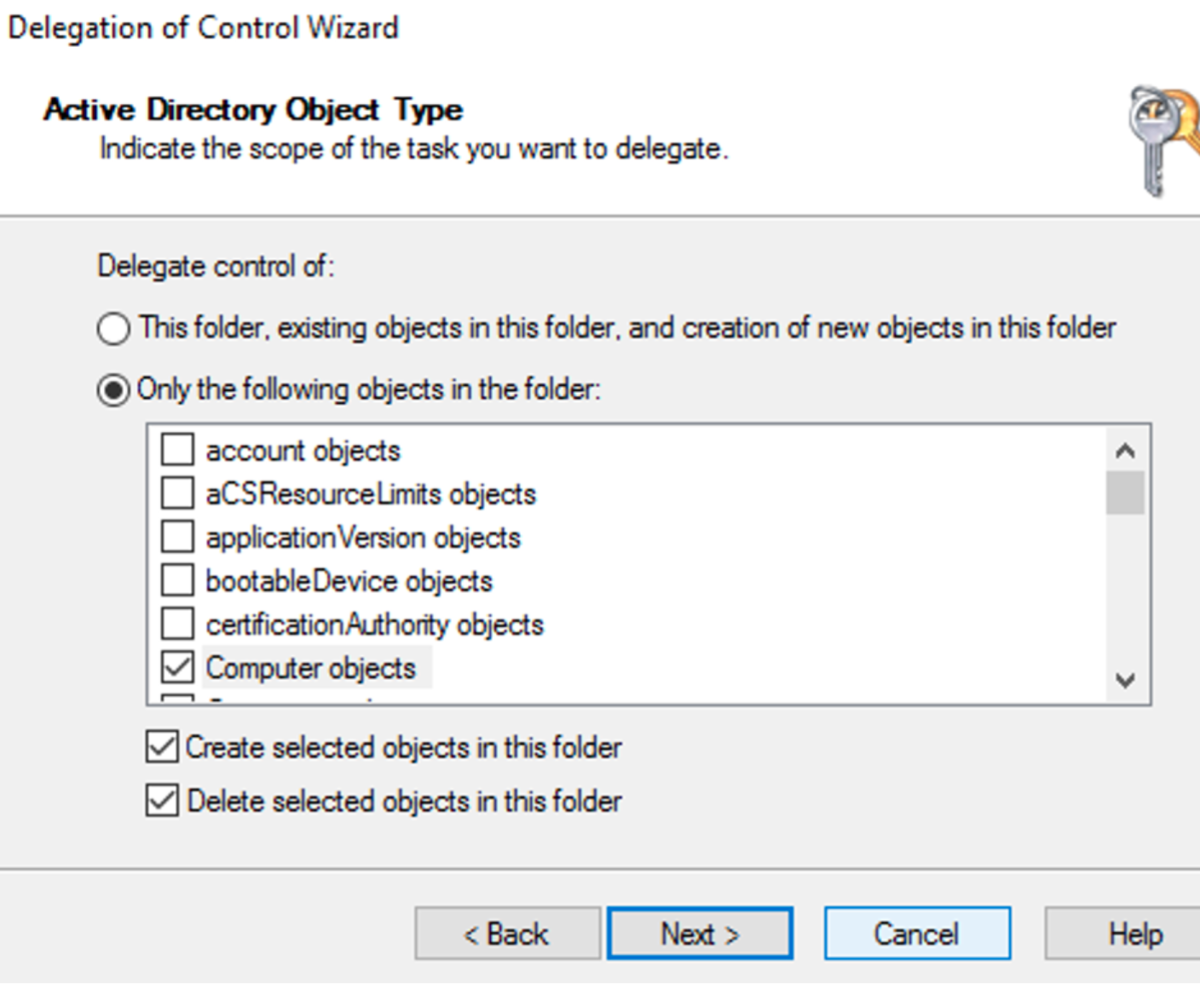
「Only the following objects in the folder」を選択し
「Computer objects」を選択します。
下記2つを選択します。
「Create selected objects in this folder」
「Delete selected objects in this folder」
さらに次の画面で下記を選択します。
- Reset Password
- Read and write Account Restriction
- Validated write to DNS host name
- Validated write to service principal name

以上でAD側の作業は完了です。
fsxを作成する
上記が作成できましたら、fsxを作成します。 cloudformationを作りました。
AWSTemplateFormatVersion: "2010-09-09"
Description: A templete for fsx for windows
Parameters:
  EnvPrefix:
    Type: String
    Default: "test"
  # KmsKeyId:
  #   Type: String
  StorageCapacity:
    Type: Number
    Default : 32
  VPCId:
    Type: AWS::EC2::VPC::Id
    Default: vpc-xxxxxxxxxxx
  SubnetIds:
    Type: List<AWS::EC2::Subnet::Id>
    Default: subnet-xxxxxxxxxxx
  DailyAutomaticBackupStartTime:
    Type: String
    Default: "16:00"
  DeploymentType:
    Type: String
    Default: SINGLE_AZ_2
    # Default: MULTI_AZ_1
  ThroughputCapacity:
    Type: Number
    Default : 8
  WeeklyMaintenanceStartTime:
    Type: String
    Default: "6:17:00"

  OnpreDNS:
    Type: CommaDelimitedList
    Default: xxx.xxx.xxx.xxx
  OnpreDomainName:
    Type: String
    Default: fsx-test.local
  FileSystemAdministratorsGroup:
    Type: String
    Default: FSXAdmins
  UserName:
    Type: String
    Default: fsxservice
#本当はパラメータストア等を参照するのが良いです
  Password:
    Type: String
    Default: xxxxxxxxxxxxxx
    NoEcho: True
  OrganizationalUnitDistinguishedName:
    Type: String
    Default: "OU=FileSystems,DC=fsx-test,DC=local"
  FSXAllowedRange:
    Type: String
    Default: xx.xx.xx.xx/xx


Resources :
  fsx:
    Type: AWS::FSx::FileSystem
    Properties:
      # BackupId: String
      # KmsKeyId: kms
      # LustreConfiguration:
      #   LustreConfiguration
      FileSystemType: WINDOWS
      SecurityGroupIds:
        - !Ref sg
      StorageCapacity: !Ref StorageCapacity
      StorageType: SSD
      # StorageType: HDD
      # The StorageCapacity specified is not supported. Storage capacity for HDD must be no less than 2000
      SubnetIds: !Ref SubnetIds
      WindowsConfiguration:
        # ActiveDirectoryId: !Ref ActiveDirectoryId
        AutomaticBackupRetentionDays: 7
        CopyTagsToBackups: true
        DailyAutomaticBackupStartTime: !Ref DailyAutomaticBackupStartTime
        DeploymentType: !Ref DeploymentType
        # PreferredSubnetId: String
        SelfManagedActiveDirectoryConfiguration:
          DnsIps: !Ref OnpreDNS
          DomainName: !Ref OnpreDomainName
          FileSystemAdministratorsGroup: !Ref FileSystemAdministratorsGroup
          OrganizationalUnitDistinguishedName: !Ref OrganizationalUnitDistinguishedName
          Password: !Ref Password
          UserName: !Ref UserName
        ThroughputCapacity: !Ref ThroughputCapacity
        WeeklyMaintenanceStartTime: !Ref WeeklyMaintenanceStartTime

  sg:
    Type: AWS::EC2::SecurityGroup
    Properties:
      GroupDescription: !Sub ${EnvPrefix}-sg
      GroupName: !Sub ${EnvPrefix}-sg
      VpcId: !Ref VPCId
      SecurityGroupIngress:
        -
          CidrIp: !Ref FSXAllowedRange
          FromPort: 445
          ToPort: 445
          IpProtocol: tcp
        -
          CidrIp: !Ref FSXAllowedRange
          FromPort: 5985
          ToPort: 5985
          IpProtocol: tcp
      Tags:
        -
          Key: Name
          Value: FSX
