概要
Pythonのアプリを作っていて、アプリからWindowsのマスターボリュームをいじりたくなり、色々調べたらPycawというライブラリでできたのでメモ
- プロセス名を指定すればアプリケーション毎にボリュームの設定が可能
- win32APIのISimpleAudioVolumeインターフェースをPythonで使えるようなイメージ
Pycawのインストール
- pip経由でPycawを落としてくる
pip install pycaw
使い方
- 例:全てのアプリ(全てのSession)をMuteする
"""
Per session GetMute() SetMute() using ISimpleAudioVolume.
"""
from __future__ import print_function

from pycaw.pycaw import AudioUtilities, ISimpleAudioVolume


def main():
    sessions = AudioUtilities.GetAllSessions()
    for session in sessions:
        volume = session._ctl.QueryInterface(ISimpleAudioVolume)
        print("volume.GetMute(): %s" % volume.GetMute())
        volume.SetMute(1, None)


if __name__ == "__main__":
    main()
結果
- 全てのアプリをMuteすることができた。
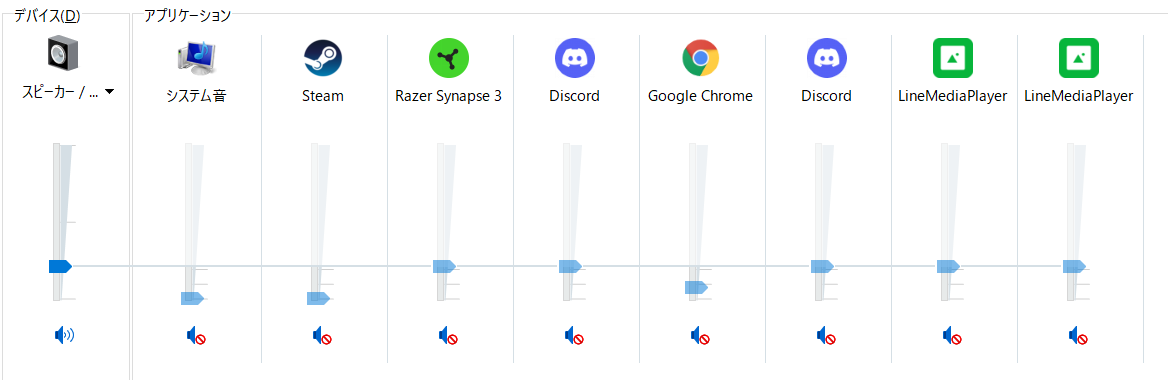
windows volume
