本日はUnityの小ネタ枠です。
UnityでAndroidビルドがExecution failed for ExtractAarTransformエラーで失敗する問題の対処についてです。
事象
Unity2022.3.40f1環境でQuest3向けのAndroidビルドを行ったところ、以下のエラーダイアログが表示されました。
Could not resolve all files for configuration ':launcher:releaseCompileClasspath'. See the Console for details.
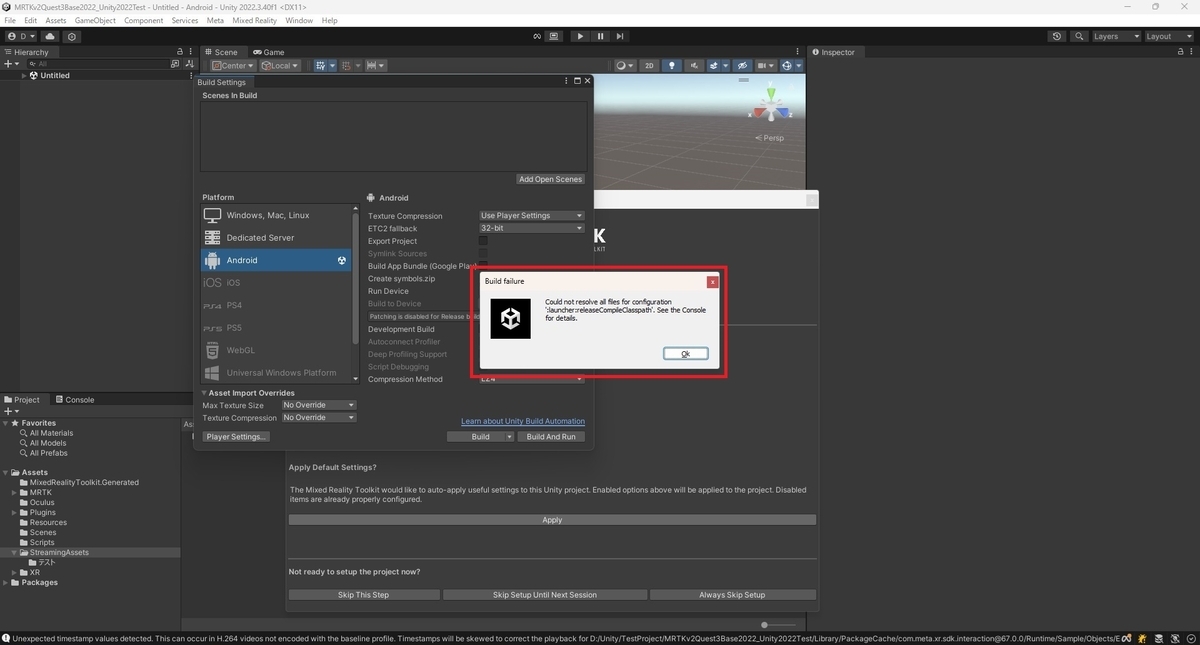
コンソールからエラーの詳細を確認すると以下の通り、out.aarの変換でエラーが発生していました。
FAILURE: Build failed with an exception.

* What went wrong:
Execution failed for task ':launcher:lintVitalAnalyzeRelease'.
> Could not resolve all files for configuration ':launcher:releaseCompileClasspath'.
   > Failed to transform out.aar (project :unityLibrary) to match attributes {artifactType=android-lint-exploded-aar, com.android.build.api.attributes.AgpVersionAttr=7.4.2, com.android.build.api.attributes.BuildTypeAttr=release, com.android.build.gradle.internal.attributes.VariantAttr=release, org.gradle.usage=java-api}.
      > Execution failed for ExtractAarTransform: D:\Unity\TestProject\MRTKv2Quest3Base2022_Unity2022Test\Library\Bee\Android\Prj\IL2CPP\Gradle\unityLibrary\build\intermediates\local_aar_for_lint\release\out.aar.
         > malformed input off : 7, length : 1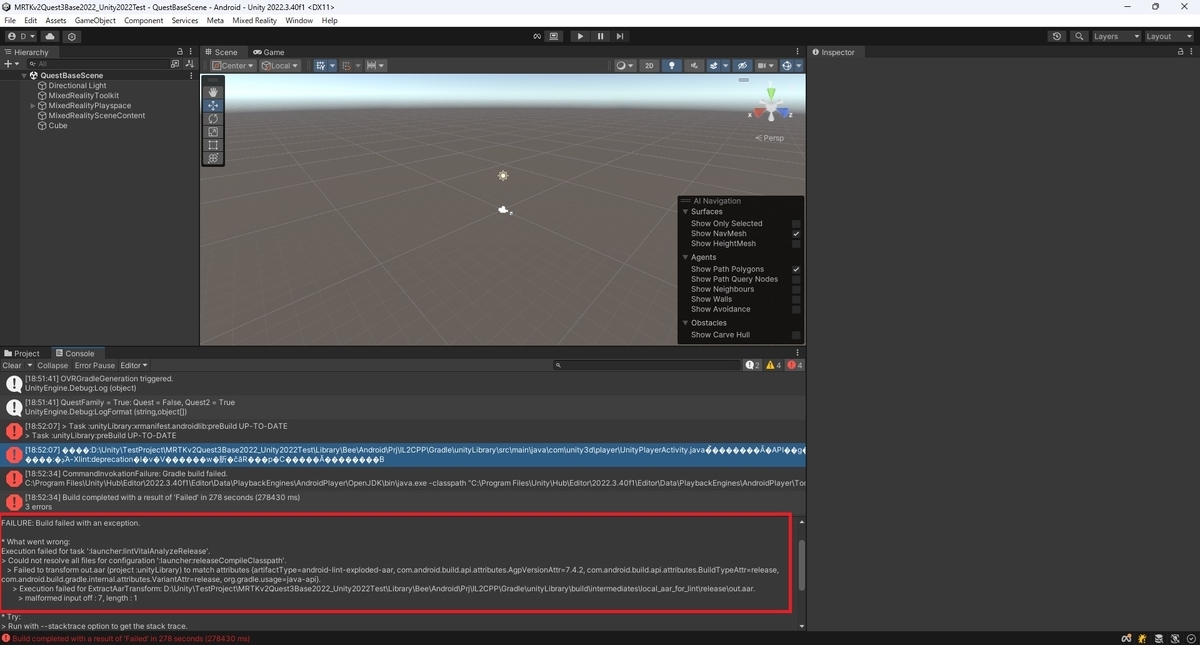
原因
StreamingAssetsフォルダに2byte文字が含まれていると本エラーが発生するようでした。
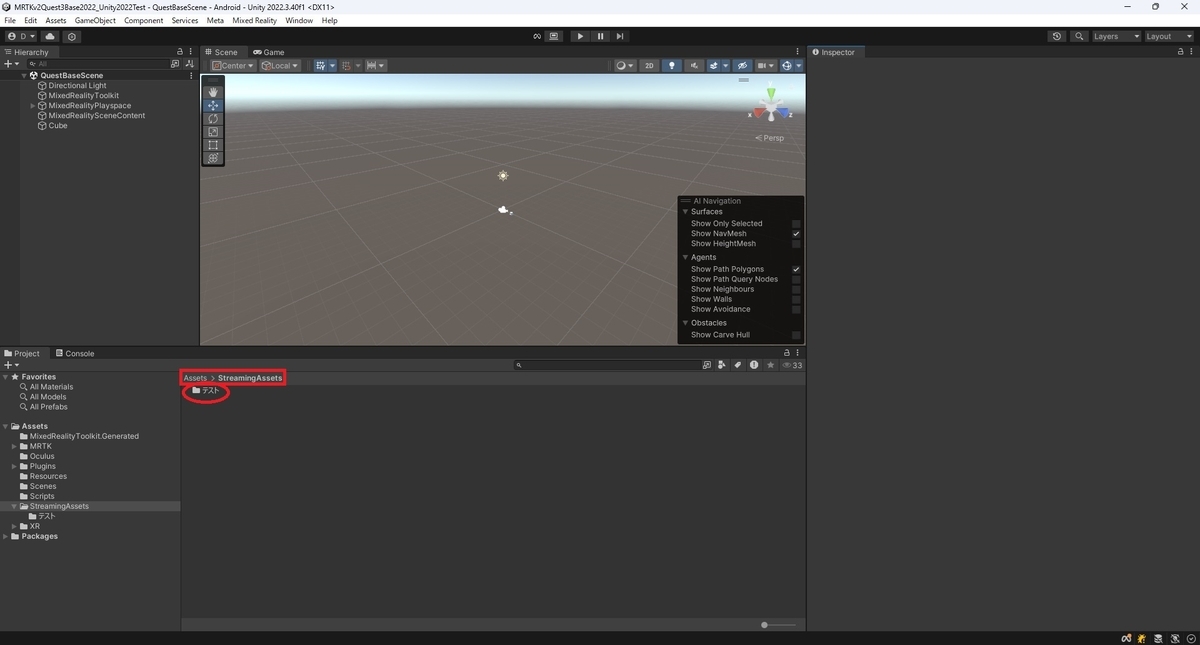
対処
StreamingAssetsフォルダ内のフォルダやファイルから2byte文字を取り除くと正常にビルドが行えるようになりました。
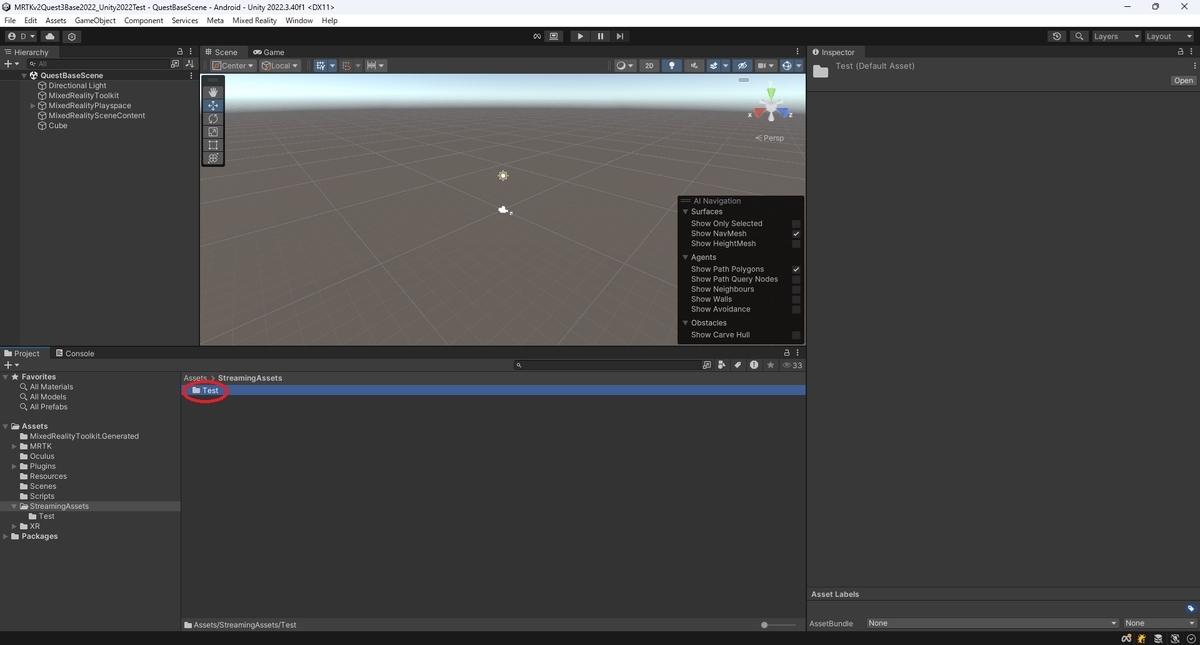
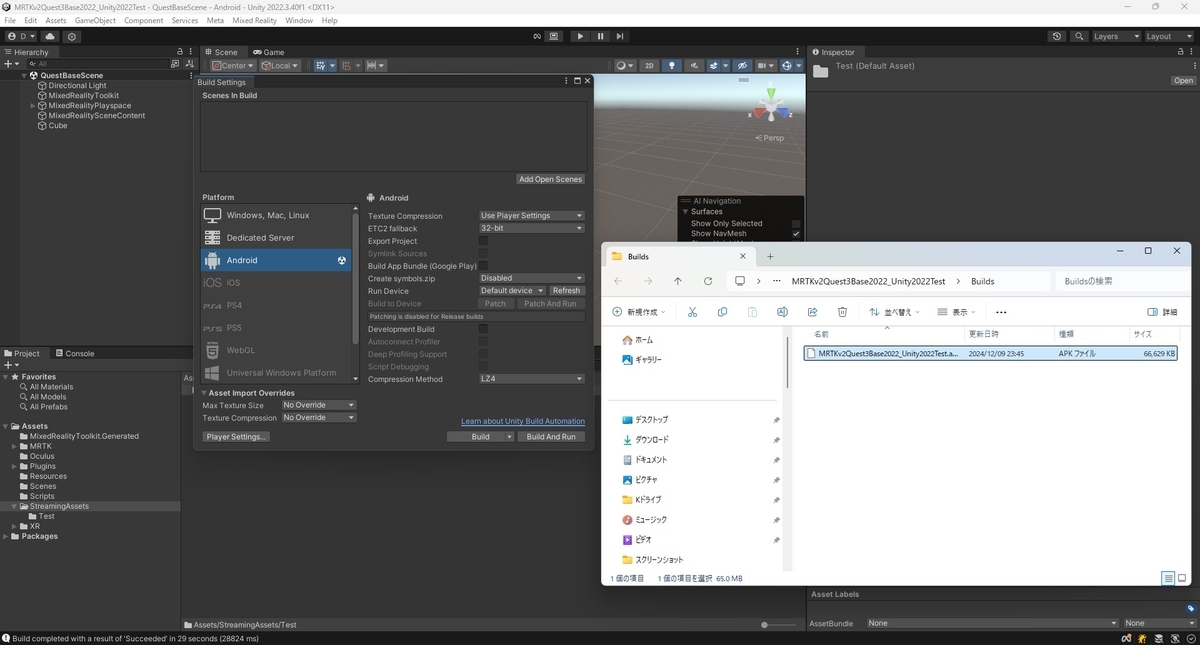
本エラーはUnity2022.3.16f1環境で正常にビルドできていたプロジェクトをUnity2022.3.40f1にアップデートすることで発生するようになりました。
Unityバージョンによって本エラーが発生するか否かが異なる可能性があります。
