GoogleのIndexing APIを使って開発中によく遭遇するエラーの説明と、発生したときの対処方法をまとめておきます。 リクエスト数オーバーはページ数が多いとどうしても発生してしまうので、上手にキャッチする必要があります。
Permission denied. Failed to verify the URL ownership.
このエラーは主にプログラム開発中や環境構築時に発生するものです。一度正しく設定ができてしまえば基本的には発生しません。
ステータス
403
PERMISSION_DENIED
エラーメッセージ
Permission denied. Failed to verify the URL ownership.
原因
Googleのプロジェクトで登録したサービスアカウントが、サーチコンソールのオーナーになっていない。
対応方法
サービスアカウントのメールアドレスをサーチコンソールのオーナーとして登録します。サービスアカウントのメールアドレスは、xxx@yyy.iam.gserviceaccount.com の形式です。
利用する認証ファイル(JSONファイル)に記載されています。
エラーの構造
{
  "error": {
    "code": 403,
    "message": "Permission denied. Failed to verify the URL ownership.",
    "errors": [
      {
        "message": "Permission denied. Failed to verify the URL ownership.",
        "domain": "global",
        "reason": "forbidden"
      }
    ],
    "status": "PERMISSION_DENIED"
  }
}
indexing API has not been used in project 362085352113 before or it is disabled.
このエラーは主にプログラム開発中や環境構築時に発生するものです。一度正しく設定ができてしまえば基本的には発生しません。
ステータス
403
PERMISSION_DENIED
エラーメッセージ
indexing API has not been used in project 362085352113 before or it is disabled.
原因
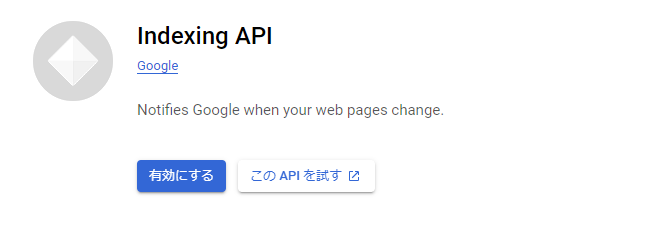
Googleのプロジェクトで、Indexing APIが有効になっていないため。(もしくは、誤ってプロジェクトのAPI設定を無効にしてしまった)
対応方法
対象のプロジェクトでIndexing APIを有効にする。 利用しているプロジェクトが誤っている場合は、正しいプロジェクト(プロジェクトから出力したJSON認証ファイル)を使っているか再確認する。 エラーメッセージに含まれる数値(362085352113 )はGoogle APIのプロジェクト番号です
エラーの構造
{
  "error": {
    "code": 403,
    "message": "Indexing API has not been used in project 362085352113 before or it is disabled. Enable it by visiting https://console.developers.google.com/apis/api/indexing.googleapis.com/overview?project=362085352113 then retry. If you enabled this API recently, wait a few minutes for the action to propagate to our systems and retry.",
    "errors": [
      {
        "message": "Indexing API has not been used in project 362085352113 before or it is disabled. Enable it by visiting https://console.developers.google.com/apis/api/indexing.googleapis.com/overview?project=362085352113 then retry. If you enabled this API recently, wait a few minutes for the action to propagate to our systems and retry.",
        "domain": "usageLimits",
        "reason": "accessNotConfigured",
        "extendedHelp": "https://console.developers.google.com"
      }
    ],
    "status": "PERMISSION_DENIED",
    "details": [
      {
        "@type": "type.googleapis.com/google.rpc.Help",
        "links": [
          {
            "description": "Google developers console API activation",
            "url": "https://console.developers.google.com/apis/api/indexing.googleapis.com/overview?project=362085352113"
          }
        ]
      },
      {
        "@type": "type.googleapis.com/google.rpc.ErrorInfo",
        "reason": "SERVICE_DISABLED",
        "domain": "googleapis.com",
        "metadata": {
          "service": "indexing.googleapis.com",
          "consumer": "projects/362085352113"
        }
      }
    ]
  }
}
Quota exceeded for quota metric 'Publish requests' and limit 'Publish requests per day'
ステータス
429
RESOURCE_EXHAUSTED
エラーメッセージ
Quota exceeded for quota metric 'Publish requests' and limit 'Publish requests per day' of service 'indexing.googleapis.com' for consumer 'project_number:28852618399'.
原因
Indexing APIの1日の上限を超えている。
上限の値は、プロジェクト単位にDefaultPublishRequestsPerDayPerProject で定義されています。初期状態は200です。
対応方法
件数が上限を超えたときに発生するエラーなので、以下のどちらかです。
- 1日の送信件数を数えておき、超えそうになったら送らないように作る
- エラーが発生するまで投げ続け、エラーが起きたら終了するように作る
1日の送信回数を覚えておくのは面倒なので、このエラーは発生するものとしてプログラムするのがおすすめです。
また、上限を緩和してもらうようにGoogleに依頼する方法もあります。
クオータの説明 ページ
https://developers.google.com/search/apis/indexing-api/v3/quota-pricing
エラーの構造
{
  "error": {
    "code": 429,
    "message": "Quota exceeded for quota metric 'Publish requests' and limit 'Publish requests per day' of service 'indexing.googleapis.com' for consumer 'project_number:28852618399'.",
    "errors": [
      {
        "message": "Quota exceeded for quota metric 'Publish requests' and limit 'Publish requests per day' of service 'indexing.googleapis.com' for consumer 'project_number:28852618399'.",
        "domain": "global",
        "reason": "rateLimitExceeded"
      }
    ],
    "status": "RESOURCE_EXHAUSTED",
    "details": [
      {
        "@type": "type.googleapis.com/google.rpc.ErrorInfo",
        "reason": "RATE_LIMIT_EXCEEDED",
        "domain": "googleapis.com",
        "metadata": {
          "consumer": "projects/28852618399",
          "quota_limit": "DefaultPublishRequestsPerDayPerProject",
          "quota_limit_value": "30",
          "quota_location": "global",
          "service": "indexing.googleapis.com",
          "quota_metric": "indexing.googleapis.com/v3_publish_requests"
        }
      },
      {
        "@type": "type.googleapis.com/google.rpc.Help",
        "links": [
          {
            "description": "Request a higher quota limit.",
            "url": "https://cloud.google.com/docs/quota#requesting_higher_quota"
          }
        ]
      }
    ]
  }
}
上限の確認方法
上限の値は、GoogleのプロジェクトのQuata画面で確認できます。現在の実行数も確認できます。
https://console.cloud.google.com/apis/api/indexing.googleapis.com/quotas
「割り当て」のタブっぽいやつをクリックすると見えます。

