こんにちは、クラウドSREの森田です。
今回は、8/7にリリースしたRDBのリードレプリカ機能についてご紹介します。
リードレプリカ機能を利用するとシングル構成のRDBマシンまたは冗長構成のActiveノードをマスターとした、レプリケーションによるリードレプリカを作成することができ、読み込みと書き込みの負荷分散が可能になります!
リードレプリカ機能については次の方法で利用することができます。
1.RDBのトップページでリードレプリカを作成したいRDBを選択すると「基本設定」が表示されます。
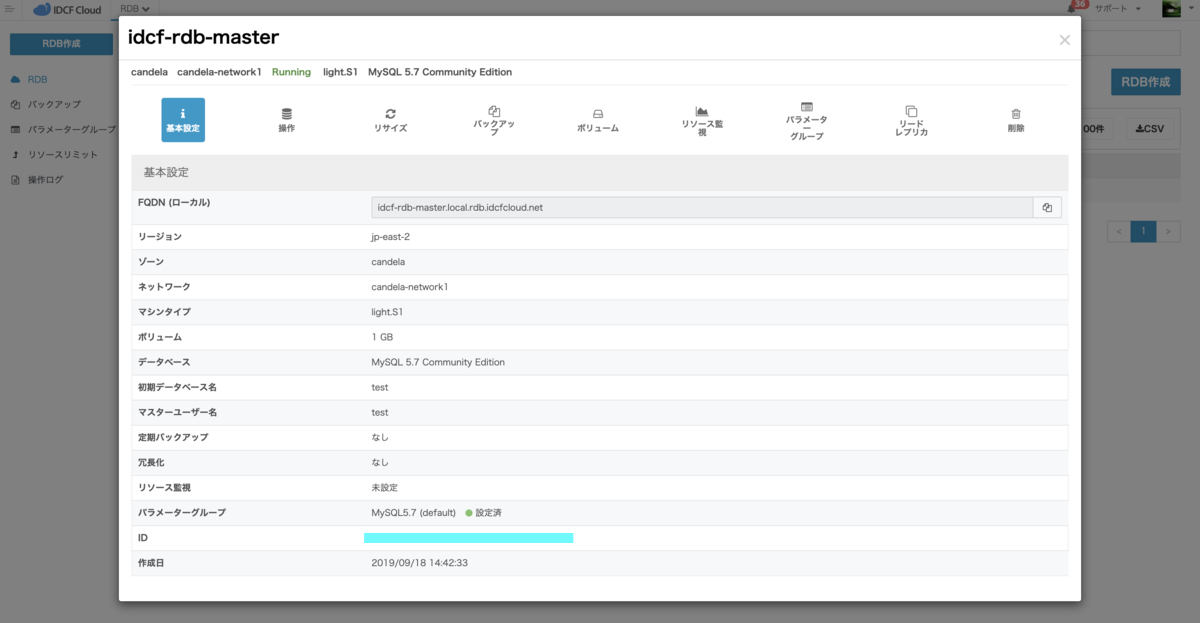
2.「基本設定」から「リードレプリカ」クリックすると「リードレプリカ詳細画面」が表示されます。
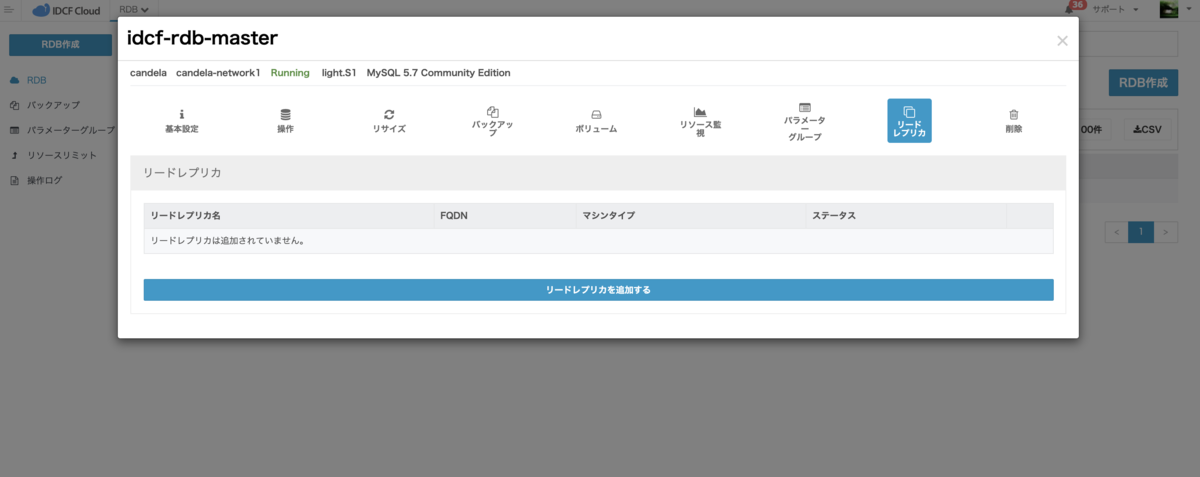
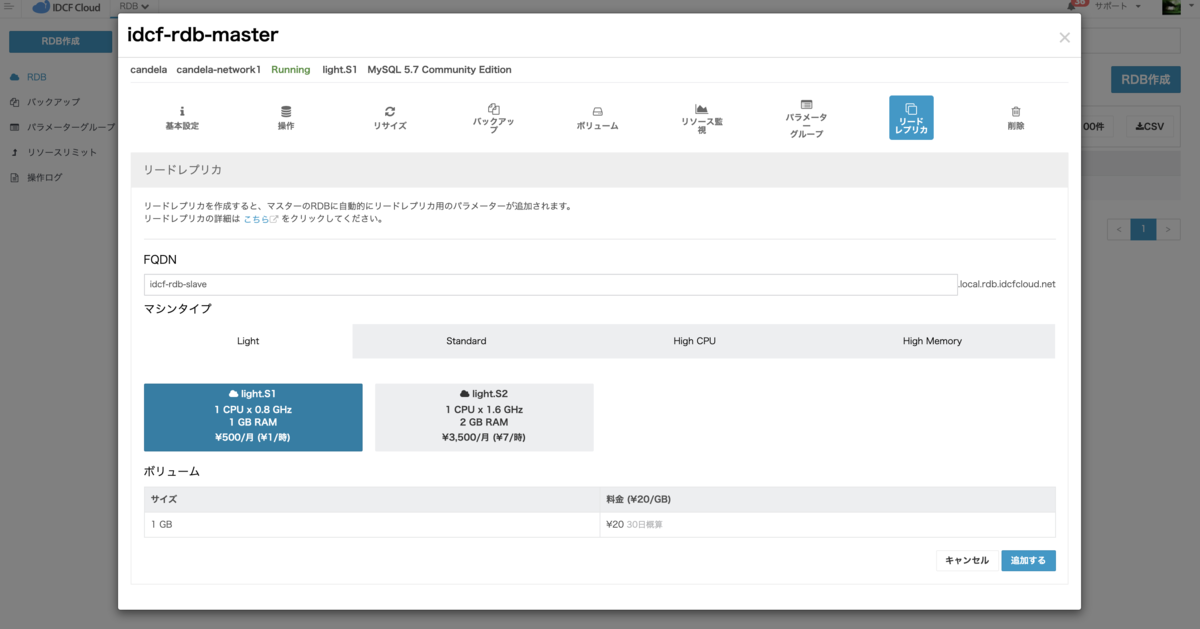
3.「リードレプリカ詳細画面」で「リードレプリカを作成する」をクリックしリードレプリカに使用したいFQDN名の入力とマシンタイプの選択を行い「追加する」をクリックします。
4.確認画面が表示されますので「はい」をクリックするとリードレプリカの作成が開始されます。
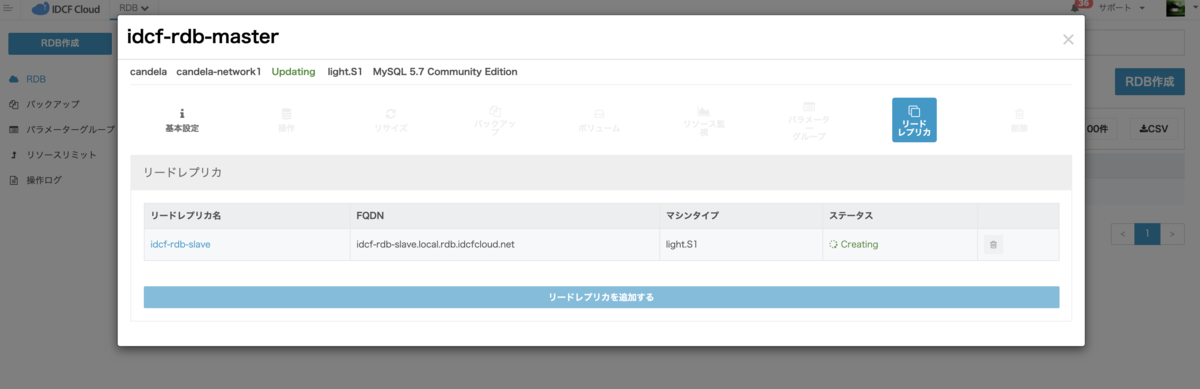
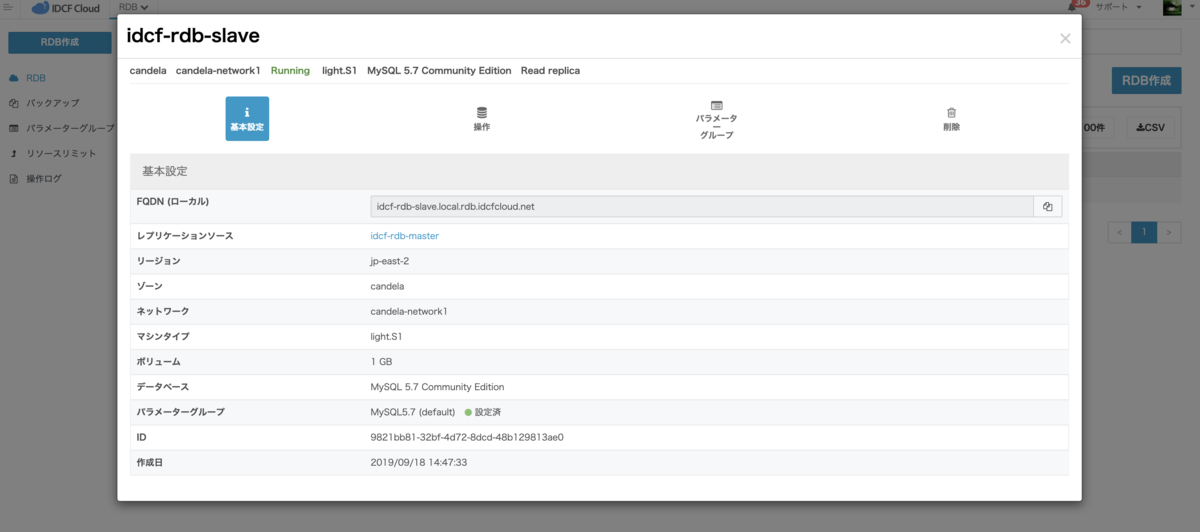
5.リードレプリカ作成が完了するとステータスがRunningになりリードレプリカの「基本設定」からリードレプリカの情報を確認することができます。現時点ではリードレプリカについてはパラメーターグループの適用の機能を利用することができます。(※ボリュームはマスターのRDBのボリュームのサイズアップに合わせてサイズアップされます)
6.作成時に指定したFQDNでリードレプリカのMySQLにログインし SHOW SLAVE STATUS を実行するとSlave_IO_RunningとSlave_SQL_RunningがYesになりレプリケーションができていることが確認できます。
[morita@idcf-morita ~]$ mysql -utest -p -hidcf-rdb-slave.local.rdb.idcfcloud.net
Enter password:
Welcome to the MariaDB monitor.  Commands end with ; or \g.
Your MySQL connection id is 298
Server version: 5.7.22-log MySQL Community Server (GPL)

Copyright (c) 2000, 2018, Oracle, MariaDB Corporation Ab and others.

Type 'help;' or '\h' for help. Type '\c' to clear the current input statement.

MySQL [(none)]> SHOW SLAVE STATUS\G
*************************** 1. row ***************************
               Slave_IO_State: Waiting for master to send event
                  Master_Host: idcf-rdb-master.local.rdb.idcfcloud.net
                  Master_User: idcf_repl
                  Master_Port: 3306
                Connect_Retry: 60
              Master_Log_File: bin_log.000002
          Read_Master_Log_Pos: 194
               Relay_Log_File: rdb-10e3bd25-297c-4e63-afd2-48be1b31391d-relay-bin.000004
                Relay_Log_Pos: 403
        Relay_Master_Log_File: bin_log.000002
             Slave_IO_Running: Yes
            Slave_SQL_Running: Yes
              Replicate_Do_DB:
          Replicate_Ignore_DB:
           Replicate_Do_Table:
       Replicate_Ignore_Table:
      Replicate_Wild_Do_Table:
  Replicate_Wild_Ignore_Table:
                   Last_Errno: 0
                   Last_Error:
                 Skip_Counter: 0
          Exec_Master_Log_Pos: 194
              Relay_Log_Space: 730
              Until_Condition: None
               Until_Log_File:
                Until_Log_Pos: 0
           Master_SSL_Allowed: No
           Master_SSL_CA_File:
           Master_SSL_CA_Path:
              Master_SSL_Cert:
            Master_SSL_Cipher:
               Master_SSL_Key:
        Seconds_Behind_Master: 0
Master_SSL_Verify_Server_Cert: No
                Last_IO_Errno: 0
                Last_IO_Error:
               Last_SQL_Errno: 0
               Last_SQL_Error:
  Replicate_Ignore_Server_Ids:
             Master_Server_Id: 1
                  Master_UUID:
             Master_Info_File: mysql.slave_master_info
                    SQL_Delay: 0
          SQL_Remaining_Delay: NULL
      Slave_SQL_Running_State: Slave has read all relay log; waiting for more updates
           Master_Retry_Count: 86400
                  Master_Bind:
      Last_IO_Error_Timestamp:
     Last_SQL_Error_Timestamp:
               Master_SSL_Crl:
           Master_SSL_Crlpath:
           Retrieved_Gtid_Set: 72b9a774-d9d7-11e9-8b45-1e0308003707:1-2
            Executed_Gtid_Set: 72b9a774-d9d7-11e9-8b45-1e0308003707:1-2
                Auto_Position: 1
         Replicate_Rewrite_DB:
                 Channel_Name:
           Master_TLS_Version:
7.実際にマスター側のRDBに書き込んだレコードをリードレプリカで読み込めるか確認してみましょう!マスターのMySQLにFQDNでログインし確認用のuserテーブルを作成しレコードを追加してみます。
[morita@idcf-morita ~]$ mysql -hidcf-rdb-master.local.rdb.idcfcloud.net -utest -p
Enter password:
Welcome to the MariaDB monitor.  Commands end with ; or \g.
Your MySQL connection id is 70384
Server version: 5.7.22-log MySQL Community Server (GPL)

Copyright (c) 2000, 2018, Oracle, MariaDB Corporation Ab and others.

Type 'help;' or '\h' for help. Type '\c' to clear the current input statement.

MySQL [(none)]> create table test.user (id int, name varchar(10));
Query OK, 0 rows affected (0.01 sec)

MySQL [(none)]> insert into test.user (id, name)VALUES(1, "morita");
Query OK, 1 row affected (0.01 sec)
8.リードレプリカのFQDNでMySQLにログインしuserテーブルとレコードが追加されているか確認してみます。ちゃんと読み込めていますね!
[morita@idcf-morita ~]$ mysql -hidcf-rdb-slave.local.rdb.idcfcloud.net -utest -p
Enter password:
Welcome to the MariaDB monitor.  Commands end with ; or \g.
Your MySQL connection id is 82083
Server version: 5.7.22-log MySQL Community Server (GPL)

Copyright (c) 2000, 2018, Oracle, MariaDB Corporation Ab and others.

Type 'help;' or '\h' for help. Type '\c' to clear the current input statement.

MySQL [(none)]> select * from test.user;
+------+--------+
| id   | name   |
+------+--------+
|    1 | morita |
+------+--------+
1 row in set (0.00 sec)
最後に
現在、IDCF クラウド RDBでは次の新機能の開発を進めておりますので今後もIDCF クラウド RDBの進化にご期待ください!
