はじめに
一年ぐらい前に同期とRuby on Railsで社内勉強会用のアプリを作りました。そのあと別の同期とtwitterの検索結果をcsv出力するアプリを作ったりしましたが、それ以来さっぱりです。
で昔は仕事でRailsアプリが担当だったってのもあったんだけど、今はPythonだったりする。でもやっぱりちゃんとやった経験があるのは何かと自信になるのかと、rubyが今でも好きなのと、新しいもの好きということで最近ReleaseされたRails5に入門するよ。
環境構築
以前ruby系の環境をVagrantで作ったので流用し、gem install railsで5.0.0.1が入りました。
[vagrant@currycurator ~]$ rails --version
Rails 5.0.0.1
ホスト名は気にしないでよろしい。
mariadb
データベースを何となくmariadbに。ってかCentOS7ってmysqlいれようとしてもmariadbが入るのな。mariadbとmariadb-serverの2つをyumでインストール。
NoSQLのmongodbなりkey-valueなり考えたがとりあえず一番慣れているものを。
データベースとユーザ作成
サービスを立ち上げます。
[vagrant@currycurator ~]$ sudo systemctl enable mariadb
Created symlink from /etc/systemd/system/multi-user.target.wants/mariadb.service to /usr/lib/systemd/system/mariadb.service.
[vagrant@currycurator ~]$ sudo systemctl start mariadb
設定ファイルにはお約束のutf8を設定。
[vagrant@currycurator ~]$ cat /etc/my.cnf | head -n 2
[mysqld]
default-character-set = utf8
初期設定
mysql_secure_installationというコマンドがあります。
[vagrant@currycurator ~]$ mysql_secure_installation
/usr/bin/mysql_secure_installation: 行 379: find_mysql_client: コマンドが見つかりません

NOTE: RUNNING ALL PARTS OF THIS SCRIPT IS RECOMMENDED FOR ALL MariaDB
      SERVERS IN PRODUCTION USE!  PLEASE READ EACH STEP CAREFULLY!

In order to log into MariaDB to secure it, we'll need the current
password for the root user.  If you've just installed MariaDB, and
you haven't set the root password yet, the password will be blank,
so you should just press enter here.

Enter current password for root (enter for none):
OK, successfully used password, moving on...

Setting the root password ensures that nobody can log into the MariaDB
root user without the proper authorisation.

Set root password? [Y/n] n
 ... skipping.

By default, a MariaDB installation has an anonymous user, allowing anyone
to log into MariaDB without having to have a user account created for
them.  This is intended only for testing, and to make the installation
go a bit smoother.  You should remove them before moving into a
production environment.

Remove anonymous users? [Y/n] Y
 ... Success!

Normally, root should only be allowed to connect from 'localhost'.  This
ensures that someone cannot guess at the root password from the network.

Disallow root login remotely? [Y/n] y
 ... Success!

By default, MariaDB comes with a database named 'test' that anyone can
access.  This is also intended only for testing, and should be removed
before moving into a production environment.

Remove test database and access to it? [Y/n] y
 - Dropping test database...
 ... Success!
 - Removing privileges on test database...
 ... Success!

Reloading the privilege tables will ensure that all changes made so far
will take effect immediately.

Reload privilege tables now? [Y/n] y
 ... Success!

Cleaning up...

All done!  If you've completed all of the above steps, your MariaDB
installation should now be secure.

Thanks for using MariaDB!
rails5というデータベースを適当に作ってみた。
MariaDB [(none)]> create database rails5;
Query OK, 1 row affected (0.00 sec)

MariaDB [(none)]> show DATABASES;
+--------------------+
| Database           |
+--------------------+
| information_schema |
| mysql              |
| performance_schema |
| rails5             |
+--------------------+
4 rows in set (0.00 sec)
プロジェクトフォルダでrailsインストール
二度手間になってしまった。
[vagrant@currycurator ~]$ mkdir rails
[vagrant@currycurator ~]$ cd rails/
[vagrant@currycurator rails]$ bundle init
Writing new Gemfile to /home/vagrant/rails/Gemfile
[vagrant@currycurator rails]$ ls
Gemfile
[vagrant@currycurator rails]$ cat Gemfile
# frozen_string_literal: true
source "https://rubygems.org"

 gem "rails", '5.0.0.1'

[vagrant@currycurator rails]$ bundle install --path vendor/bundle
Fetching gem metadata from https://rubygems.org/................
Fetching version metadata from https://rubygems.org/...
Fetching dependency metadata from https://rubygems.org/..
Resolving dependencies...
Installing rake 11.3.0
Installing concurrent-ruby 1.0.2
Installing i18n 0.7.0
Installing minitest 5.9.1
Installing thread_safe 0.3.5
Installing builder 3.2.2
Installing erubis 2.7.0
Installing mini_portile2 2.1.0
Installing rack 2.0.1
Installing nio4r 1.2.1 with native extensions
Installing websocket-extensions 0.1.2
Installing mime-types-data 3.2016.0521
Installing arel 7.1.4
Using bundler 1.13.6
Installing method_source 0.8.2
Installing thor 0.19.1
Installing tzinfo 1.2.2
Installing nokogiri 1.6.8.1 with native extensions
Installing rack-test 0.6.3
Installing sprockets 3.7.0
Installing websocket-driver 0.6.4 with native extensions
Installing mime-types 3.1
Installing activesupport 5.0.0.1
Installing loofah 2.0.3
Installing mail 2.6.4
Installing rails-dom-testing 2.0.1
Installing globalid 0.3.7
Installing activemodel 5.0.0.1
Installing rails-html-sanitizer 1.0.3
Installing activejob 5.0.0.1
Installing activerecord 5.0.0.1
Installing actionview 5.0.0.1
Installing actionpack 5.0.0.1
Installing actioncable 5.0.0.1
Installing actionmailer 5.0.0.1
Installing railties 5.0.0.1
Installing sprockets-rails 3.2.0
Installing rails 5.0.0.1
Bundle complete! 1 Gemfile dependency, 38 gems now installed.
Bundled gems are installed into ./vendor/bundle.
[vagrant@currycurator rails]$ bundle exec rails new . --api -d mariadb
Invalid value for --database option. Supported for preconfiguration are: mysql, oracle, postgresql, sqlite3, frontbase, ibm_db, sqlserver, jdbcmysql, jdbcsqlite3, jdbcpostgresql, jdbc.
[vagrant@currycurator rails]$ bundle exec rails new . --api -d mysql
Invalid application name rails, constant Rails is already in use. Please choose another application name.
[vagrant@currycurator rails]$ bundle exec rails new currycurator --api -d mysql
      create
      create  README.md
      create  Rakefile
      create  config.ru
      create  .gitignore
      create  Gemfile
      create  app
      create  app/assets/config/manifest.js
      create  app/assets/javascripts/application.js
      create  app/assets/javascripts/cable.js
      create  app/assets/stylesheets/application.css
      create  app/channels/application_cable/channel.rb
      create  app/channels/application_cable/connection.rb
      create  app/controllers/application_controller.rb
      create  app/helpers/application_helper.rb
      create  app/jobs/application_job.rb
      create  app/mailers/application_mailer.rb
      create  app/models/application_record.rb
      create  app/views/layouts/application.html.erb
      create  app/views/layouts/mailer.html.erb
      create  app/views/layouts/mailer.text.erb
      create  app/assets/images/.keep
      create  app/assets/javascripts/channels
      create  app/assets/javascripts/channels/.keep
      create  app/controllers/concerns/.keep
      create  app/models/concerns/.keep
      create  bin
      create  bin/bundle
      create  bin/rails
      create  bin/rake
      create  bin/setup
      create  bin/update
      create  config
      create  config/routes.rb
      create  config/application.rb
      create  config/environment.rb
      create  config/secrets.yml
      create  config/cable.yml
      create  config/puma.rb
      create  config/spring.rb
      create  config/environments
      create  config/environments/development.rb
      create  config/environments/production.rb
      create  config/environments/test.rb
      create  config/initializers
      create  config/initializers/application_controller_renderer.rb
      create  config/initializers/assets.rb
      create  config/initializers/backtrace_silencers.rb
      create  config/initializers/cookies_serializer.rb
      create  config/initializers/cors.rb
      create  config/initializers/filter_parameter_logging.rb
      create  config/initializers/inflections.rb
      create  config/initializers/mime_types.rb
      create  config/initializers/new_framework_defaults.rb
      create  config/initializers/session_store.rb
      create  config/initializers/wrap_parameters.rb
      create  config/locales
      create  config/locales/en.yml
      create  config/boot.rb
      create  config/database.yml
      create  db
      create  db/seeds.rb
      create  lib
      create  lib/tasks
      create  lib/tasks/.keep
      create  lib/assets
      create  lib/assets/.keep
      create  log
      create  log/.keep
      create  public
      create  public/404.html
      create  public/422.html
      create  public/500.html
      create  public/apple-touch-icon-precomposed.png
      create  public/apple-touch-icon.png
      create  public/favicon.ico
      create  public/robots.txt
      create  test/fixtures
      create  test/fixtures/.keep
      create  test/fixtures/files
      create  test/fixtures/files/.keep
      create  test/controllers
      create  test/controllers/.keep
      create  test/mailers
      create  test/mailers/.keep
      create  test/models
      create  test/models/.keep
      create  test/helpers
      create  test/helpers/.keep
      create  test/integration
      create  test/integration/.keep
      create  test/test_helper.rb
      create  tmp
      create  tmp/.keep
      create  tmp/cache
      create  tmp/cache/assets
      create  vendor/assets/stylesheets
      create  vendor/assets/stylesheets/.keep
      remove  app/assets
      remove  lib/assets
      remove  tmp/cache/assets
      remove  vendor/assets
      remove  app/helpers
      remove  test/helpers
      remove  app/views/layouts/application.html.erb
      remove  public/404.html
      remove  public/422.html
      remove  public/500.html
      remove  public/apple-touch-icon-precomposed.png
      remove  public/apple-touch-icon.png
      remove  public/favicon.ico
      remove  app/assets/javascripts
      remove  config/initializers/assets.rb
      remove  config/initializers/session_store.rb
      remove  config/initializers/cookies_serializer.rb
         run  bundle install
Fetching gem metadata from https://rubygems.org/..............
Fetching version metadata from https://rubygems.org/...
Fetching dependency metadata from https://rubygems.org/..
Resolving dependencies...
Installing rake 11.3.0
Using concurrent-ruby 1.0.2
Using i18n 0.7.0
Installing minitest 5.9.1
Using thread_safe 0.3.5
Using builder 3.2.2
Using erubis 2.7.0
Using mini_portile2 2.1.0
Using rack 2.0.1
Using nio4r 1.2.1
Using websocket-extensions 0.1.2
Using mime-types-data 3.2016.0521
Using arel 7.1.4
Using bundler 1.13.6
Installing byebug 9.0.6 with native extensions
Installing ffi 1.9.14 with native extensions
Installing rb-fsevent 0.9.8
Using method_source 0.8.2
Installing mysql2 0.4.5 with native extensions
Installing puma 3.6.0 with native extensions
Using thor 0.19.1
Using tzinfo 1.2.2
Using nokogiri 1.6.8.1
Using rack-test 0.6.3
Using sprockets 3.7.0
Using websocket-driver 0.6.4
Using mime-types 3.1
Installing rb-inotify 0.9.7
Gem::Ext::BuildError: ERROR: Failed to build gem native extension.

    current directory: /home/vagrant/.rbenv/versions/2.3.1/lib/ruby/gems/2.3.0/gems/mysql2-0.4.5/ext/mysql2
/home/vagrant/.rbenv/versions/2.3.1/bin/ruby -r ./siteconf20161025-26417-ebcrvt.rb extconf.rb
checking for rb_absint_size()... yes
checking for rb_absint_singlebit_p()... yes
checking for ruby/thread.h... yes
checking for rb_thread_call_without_gvl() in ruby/thread.h... yes
checking for rb_thread_blocking_region()... no
checking for rb_wait_for_single_fd()... yes
checking for rb_hash_dup()... yes
checking for rb_intern3()... yes
checking for rb_big_cmp()... yes
checking for mysql_query() in -lmysqlclient... no
-----
mysql client is missing. You may need to 'apt-get install libmysqlclient-dev' or 'yum install mysql-devel', and try again.
-----
*** extconf.rb failed ***
Could not create Makefile due to some reason, probably lack of necessary
libraries and/or headers.  Check the mkmf.log file for more details.  You may
need configuration options.

Provided configuration options:
    --with-opt-dir
    --without-opt-dir
    --with-opt-include
    --without-opt-include=${opt-dir}/include
    --with-opt-lib
    --without-opt-lib=${opt-dir}/lib
    --with-make-prog
    --without-make-prog
    --srcdir=.
    --curdir
    --ruby=/home/vagrant/.rbenv/versions/2.3.1/bin/$(RUBY_BASE_NAME)
    --with-mysql-dir
    --without-mysql-dir
    --with-mysql-include
    --without-mysql-include=${mysql-dir}/include
    --with-mysql-lib
    --without-mysql-lib=${mysql-dir}/lib
    --with-mysql-config
    --without-mysql-config
    --with-mysql-dir
    --without-mysql-dir
    --with-mysql-include
    --without-mysql-include=${mysql-dir}/include
    --with-mysql-lib
    --without-mysql-lib=${mysql-dir}/lib
    --with-mysqlclientlib
    --without-mysqlclientlib

To see why this extension failed to compile, please check the mkmf.log which can be found here:

  /home/vagrant/.rbenv/versions/2.3.1/lib/ruby/gems/2.3.0/extensions/x86_64-linux/2.3.0-static/mysql2-0.4.5/mkmf.log

extconf failed, exit code 1

Gem files will remain installed in /home/vagrant/.rbenv/versions/2.3.1/lib/ruby/gems/2.3.0/gems/mysql2-0.4.5 for inspection.
Results logged to /home/vagrant/.rbenv/versions/2.3.1/lib/ruby/gems/2.3.0/extensions/x86_64-linux/2.3.0-static/mysql2-0.4.5/gem_make.out

An error occurred while installing mysql2 (0.4.5), and Bundler cannot continue.
Make sure that `gem install mysql2 -v '0.4.5'` succeeds before bundling.
         run  bundle exec spring binstub --all
bundler: command not found: spring
Install missing gem executables with `bundle install`
おおーっと。mysql2というgemをいれてくれと言っている?
mysql2をいれようとするとmysql-develをいれろと言われる。うーん。
その後bungle installすれば入ったようです。
[vagrant@currycurator currycurator]$ bundle install
Fetching gem metadata from https://rubygems.org/..........
Fetching version metadata from https://rubygems.org/..
Fetching dependency metadata from https://rubygems.org/.
Resolving dependencies...
Using rake 11.3.0
Using concurrent-ruby 1.0.2
Using i18n 0.7.0
Using minitest 5.9.1
Using thread_safe 0.3.5
Using builder 3.2.2
Using erubis 2.7.0
Using mini_portile2 2.1.0
Using rack 2.0.1
Using nio4r 1.2.1
Using websocket-extensions 0.1.2
Using mime-types-data 3.2016.0521
Using arel 7.1.4
Using bundler 1.13.6
Using byebug 9.0.6
Using ffi 1.9.14
Using rb-fsevent 0.9.8
Using method_source 0.8.2
Installing mysql2 0.4.5 with native extensions
Using puma 3.6.0
Using thor 0.19.1
Using tzinfo 1.2.2
Using nokogiri 1.6.8.1
Using rack-test 0.6.3
Using sprockets 3.7.0
Using websocket-driver 0.6.4
Using mime-types 3.1
Using rb-inotify 0.9.7
Using activesupport 5.0.0.1
Using loofah 2.0.3
Using mail 2.6.4
Installing listen 3.0.8
Using rails-dom-testing 2.0.1
Using globalid 0.3.7
Using activemodel 5.0.0.1
Installing spring 2.0.0
Using rails-html-sanitizer 1.0.3
Using activejob 5.0.0.1
Using activerecord 5.0.0.1
Installing spring-watcher-listen 2.0.1
Using actionview 5.0.0.1
Using actionpack 5.0.0.1
Using actioncable 5.0.0.1
Using actionmailer 5.0.0.1
Using railties 5.0.0.1
Using sprockets-rails 3.2.0
Using rails 5.0.0.1
Bundle complete! 8 Gemfile dependencies, 47 gems now installed.
Use `bundle show [gemname]` to see where a bundled gem is installed.
データベースを作成
[vagrant@currycurator currycurator]$ rails db:create
Created database 'currycurator_development'
Created database 'currycurator_test'

MariaDB [(none)]> show DATABASES;
+--------------------------+
| Database                 |
+--------------------------+
| information_schema       |
| currycurator_development |
| currycurator_test        |
| mysql                    |
| performance_schema       |
| rails5                   |
+--------------------------+
6 rows in set (0.02 sec)
テスト用アプリを立ち上げます。
[vagrant@currycurator currycurator]$ rails generate scaffold testapp name:string body:text
      invoke  active_record
      create    db/migrate/20161025114930_create_testapps.rb
      create    app/models/testapp.rb
      invoke    test_unit
      create      test/models/testapp_test.rb
      create      test/fixtures/testapps.yml
      invoke  resource_route
       route    resources :testapps
      invoke  scaffold_controller
      create    app/controllers/testapps_controller.rb
      invoke    test_unit
      create      test/controllers/testapps_controller_test.rb
[vagrant@currycurator currycurator]$ rails db:migrate
== 20161025114930 CreateTestapps: migrating ===================================
-- create_table(:testapps)
   -> 0.0103s
== 20161025114930 CreateTestapps: migrated (0.0104s) ==========================

[vagrant@currycurator currycurator]$ rails server --binding=0.0.0.0
=> Booting Puma
=> Rails 5.0.0.1 application starting in development on http://0.0.0.0:3000
=> Run `rails server -h` for more startup options
Puma starting in single mode...
* Version 3.6.0 (ruby 2.3.1-p112), codename: Sleepy Sunday Serenity
* Min threads: 5, max threads: 5
* Environment: development
* Listening on tcp://0.0.0.0:3000
Use Ctrl-C to stop
GUIから3000番portを見てみます
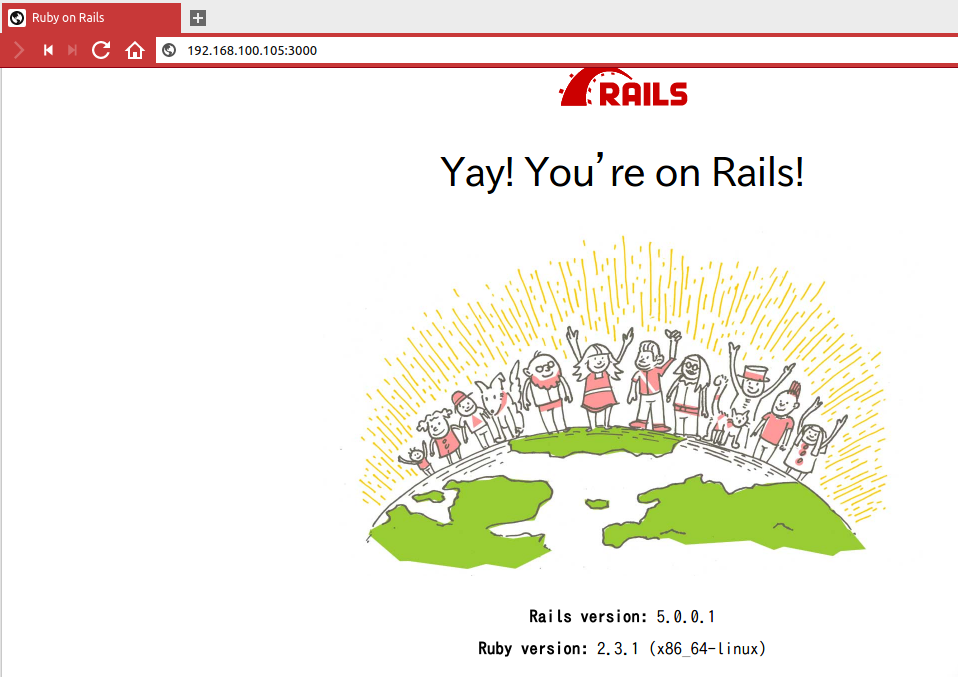
かわいいかよ
おわりに
今回はここまで。次回はrailsアプリの立ち上げまで今回やった部分をansibleのpllaybookに書き足すとともに、実際に作りたいアプリを考えて、そのさわりを作ってみようと思います。
