概要
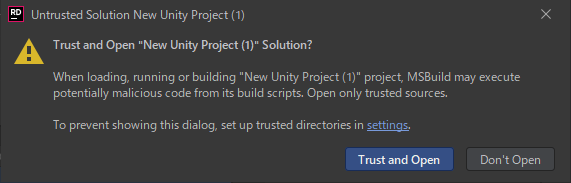
Trust and Open "XXXX" Solution?

When loading, running or building "XXXX" project, MS Build may execute
potentially malicious code from its build scripts.
Open only trusted sources.

To prevent showing this dialog, set up trusted directories in settings.
Rider でソリューションを開く時に
上記のダイアログが表示されないようにしたい場合は
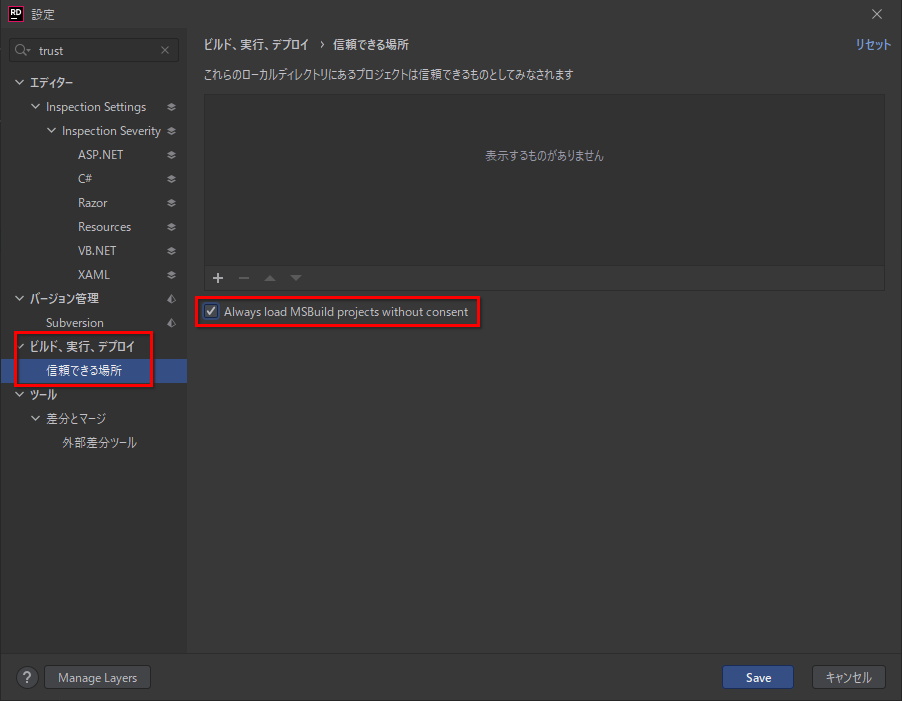
Rider の設定の「ビルド、実行、デプロイ > 信頼できる場所」を選択して
「Always load MSBuild projects without consent」をオンにして保存します
