以下の内容はhttps://baba-s.hatenablog.com/entry/2018/05/14/090000より取得しました。


【Unity】Volume Cloud を使用できる「Volume Cloud for Unity3D」紹介

はじめに

「Volume Cloud for Unity3D」を Unity プロジェクトに導入することで
Volume Cloud を使用できるようになります

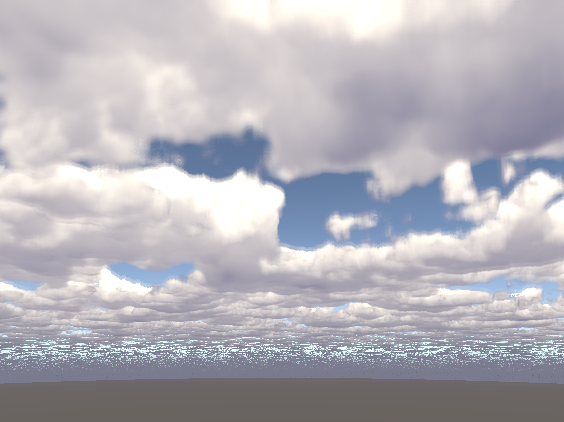
使用例
f:id:baba_s:20180429140106p:plain

クイックスタート

f:id:baba_s:20180429135752p:plain

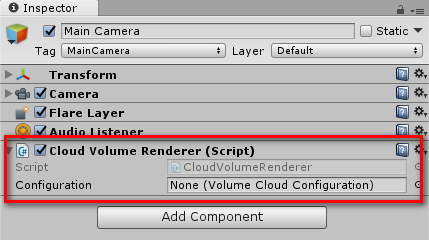
カメラに「CloudVolumeRenderer」をアタッチします

f:id:baba_s:20180429135831p:plain

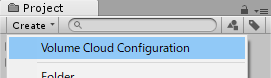
Project ビューの「Create>Volume Cloud Configuration」を選択します
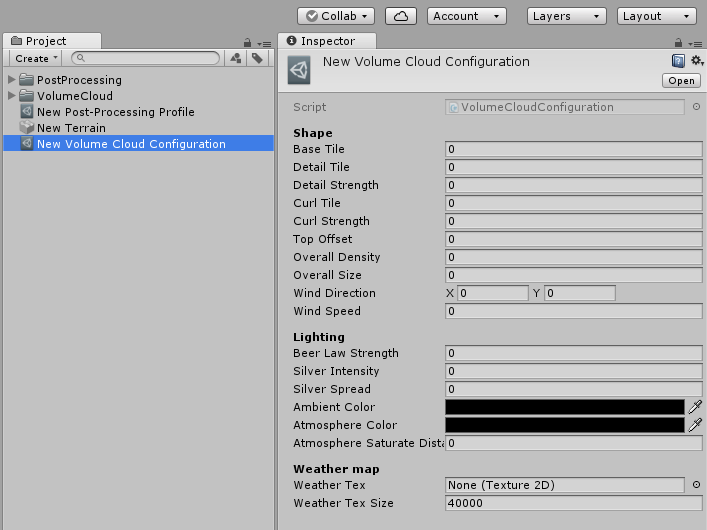
f:id:baba_s:20180429135906p:plain

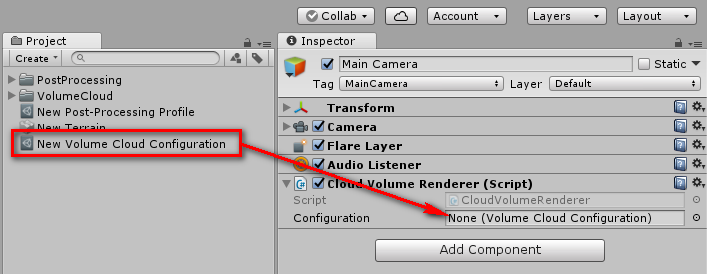
作成されたファイルで Volume Cloud のパラメータを設定します

f:id:baba_s:20180429140020p:plain

そして、カメラの「Configuration」の欄にドラッグして設定します



以上の内容はhttps://baba-s.hatenablog.com/entry/2018/05/14/090000より取得しました。
このページはhttp://font.textar.tv/のウェブフォントを使用してます

不具合報告/要望等はこちらへお願いします。
モバイルやる夫Viewer Ver0.14